Radio Configuration
P/N 7010-0557 www.topconpositioning.com
2-31
Once you have Modem-TPS installed, follow these steps to
configure the radio modem. Modem-TPS automatically connects
the receiver and modem boards for configuration purposes. When
configuring radios, first configure the Base radio, then the Rover
radio.
1. Using the RS232 cable, connect the serial port of your
computer (usually COM1) to the receiver’s serial port A.
2. Press the power buttons on the receiver and computer or
external controller to turn them on.
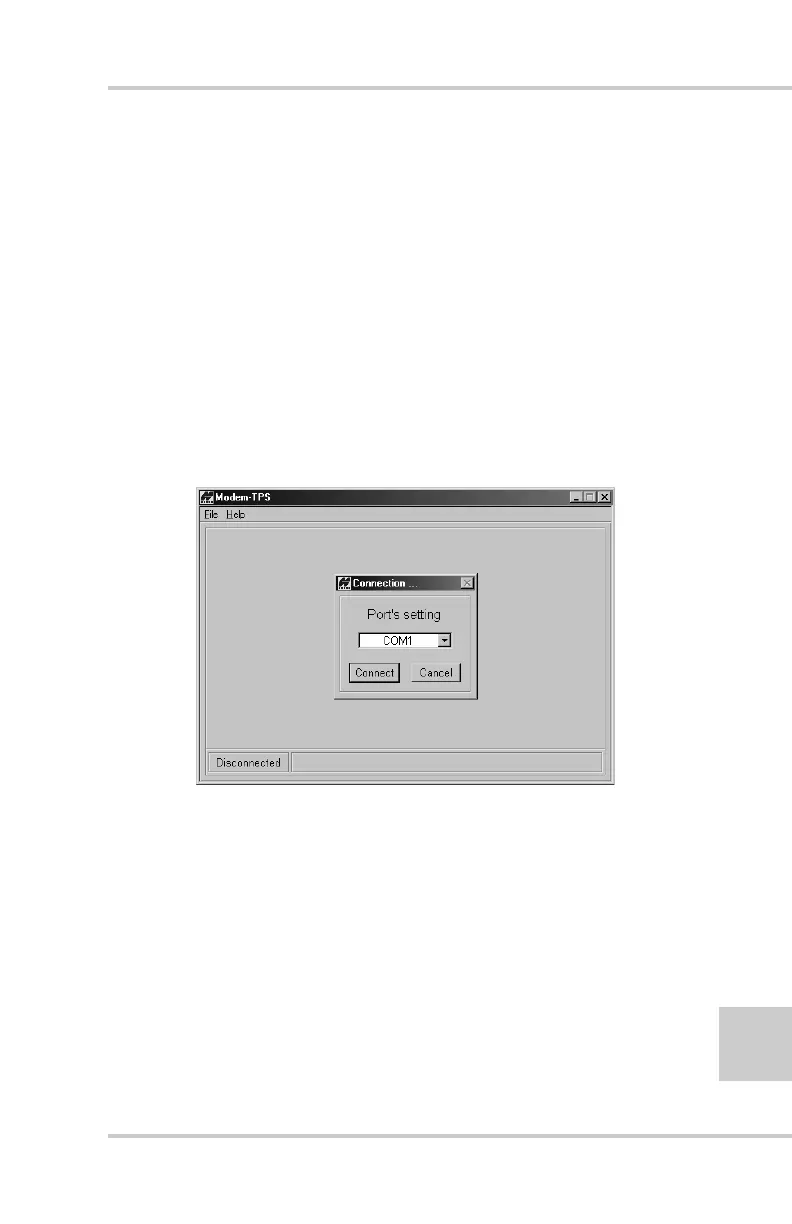
3. Start Modem-TPS. On the Connection dialog box, select the
computer serial port your receiver is connected to and click
Connect (Figure 2-26).
Figure 2-26. Modem-TPS Connection Dialog Box
Once a connection has been established, the COM port and
baud rate will be displayed in the lower-left corner of the main
window of Modem-TPS. A timer begins to count up in the
lower-right corner, indicating how long Modem-TPS has been
activated. The status bar next to the timer displays error
messages.



 To Next Page