Performance Menu
P/N 7010-0369 www.topconpositioning.com
2-17
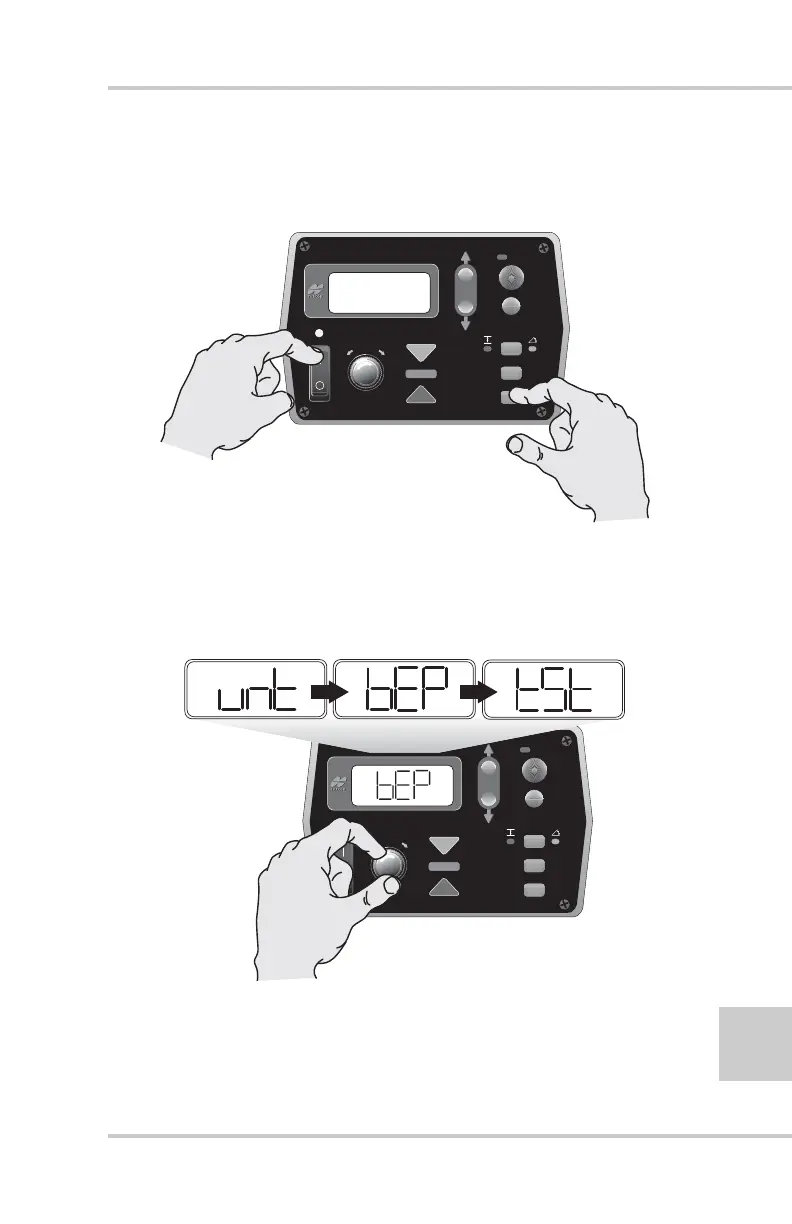
1. Turn off the power. While holding down the Set/Menu button
turn the box back on. The Auto LED light and Grade
Adjustment Direction Arrows flash (Figure 2-15).
Figure 2-15. Setting Control Box to Performance Menu Settings
2. Rotate the Grade Adjustment Knob to scroll through the
Performance Menu selections (unit, beeper, test, etc.) located
on the LCD (Figure 2-16).
Figure 2-16. Scrolling Through Performance Menu Selections
3. Press the Auto button to select a menu.
FiveSystem
AUTO
SURVEY
SET
(MENU)
FiveSystem
AUTO
SURVEY
SET
(MENU)



 To Next Page