95
MAINTENANCE
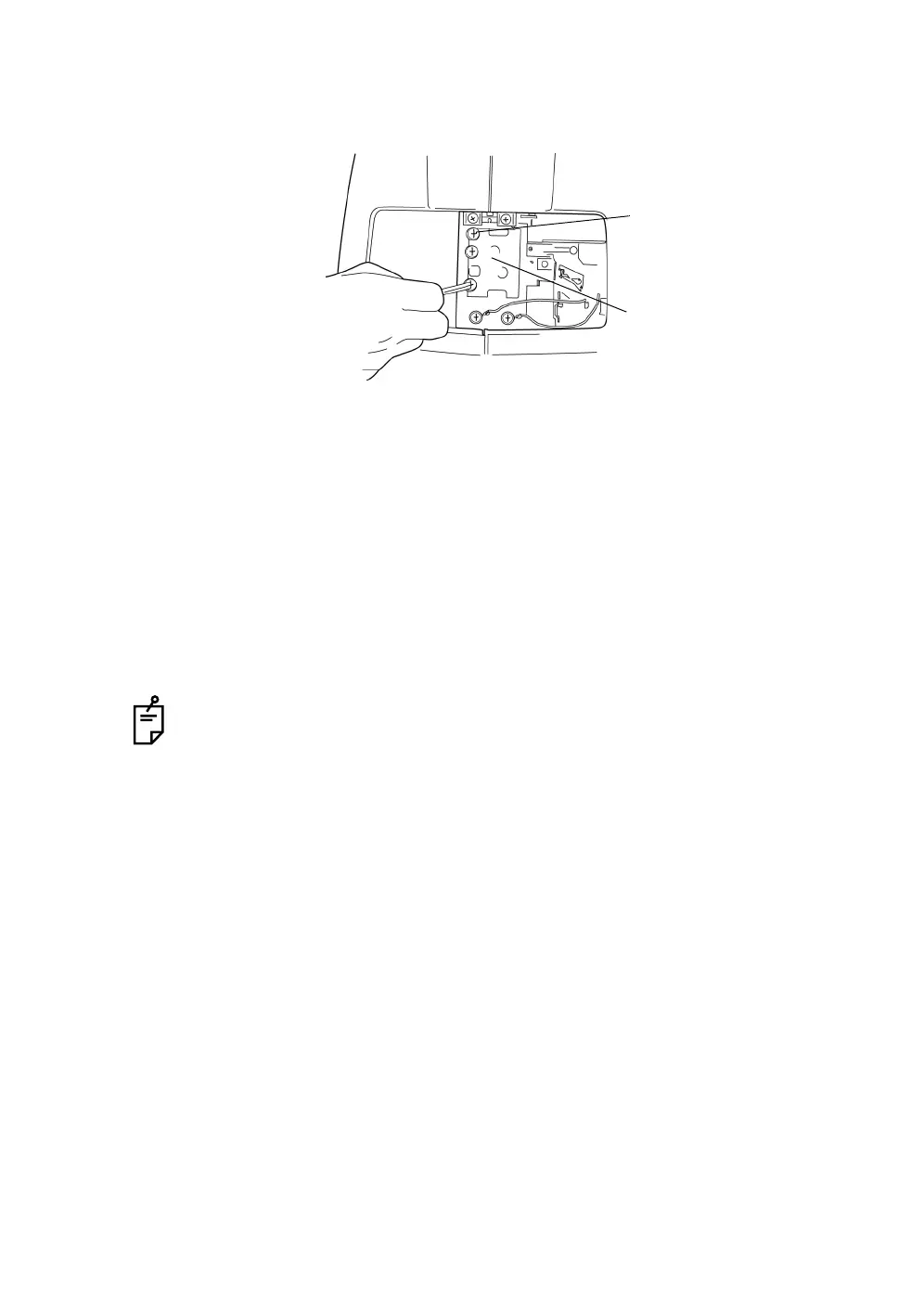
3 Loosen the three xenon set screws.
4 Hold the xenon PCB at the top and the bottom, slightly slide it to the right
and pull it out straight toward the operator side.
5 Insert the new xenon PCB, so the xenon lamp does not touch the sur-
rounding metal components, and upon reaching the stopper, slightly move
it to the left and slide it into the xenon set screws.
6 Surely fasten the three xenon set screws.
7 Attach the lamp house cover by matching the projection at the bottom part
of the lamp house cover with the groove of the body cover. Turn the
screws with a coin, etc. and securely fasten the lamp house cover.
To avoid electric shock, if the lamp house cover is left unfixed, an error is dis-
played on the monitor and operations, including photography, cannot be done.
Xenon set screw
Xenon PCB














 To Next Page