- 192 -
9.2 PARALLEL INTERFACE
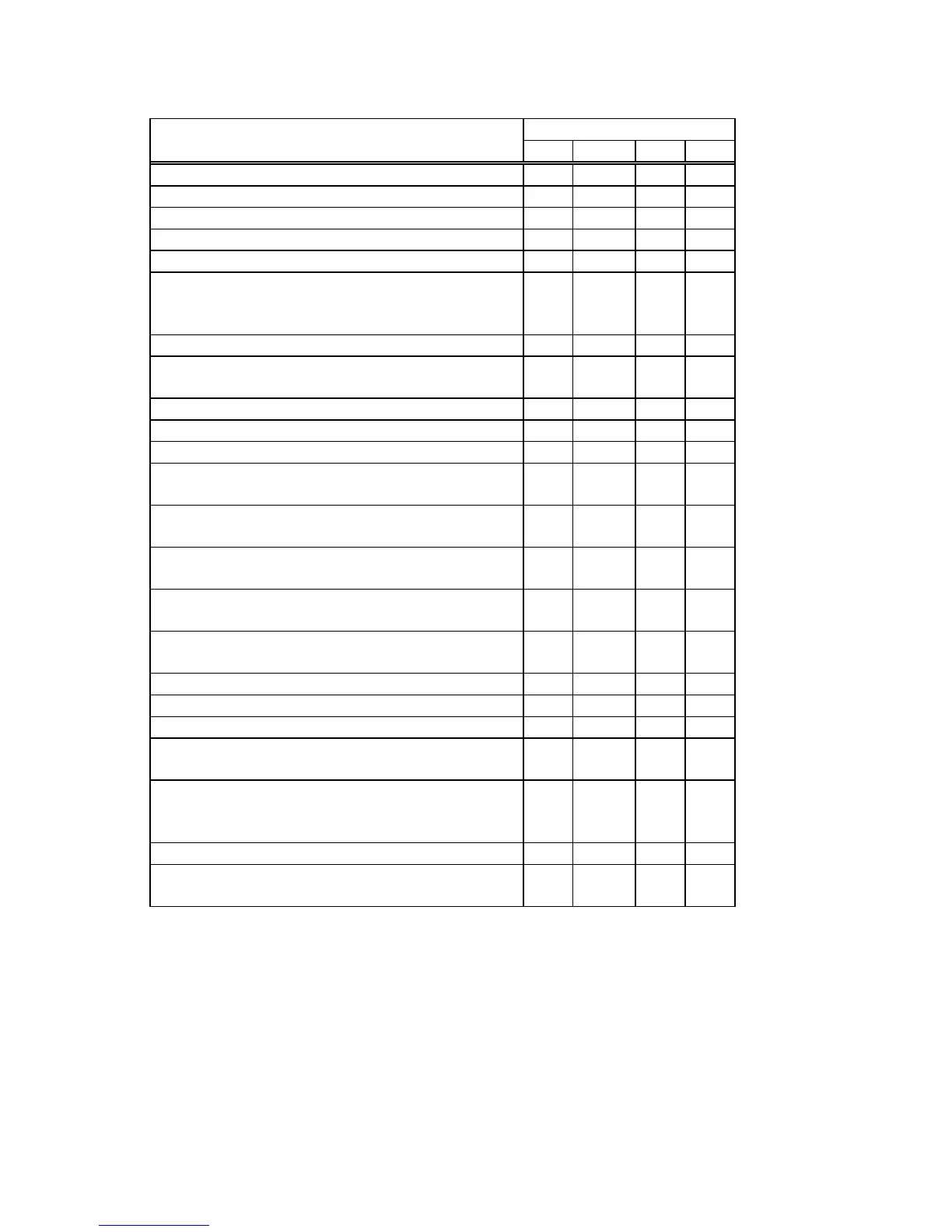
Printer Status Output Signal
BUSY SELECT FAULT PE
In the online mode L H H L
In the online mode (communicating) L, H H H L
The top cover was opened in the online mode.
–
L L L
In a pause state
–
L L L
Data was set from the host with the receive buffer full.
–
H H L
After data was sent from the host with the receive buffer
full, some data is processed and room becomes
available.
–
H H L
Initialize process in execution
–
L L L
A command error has occurred in analyzing the
command.
–
L L L
A paper jam occurred during paper feed.
–
L L L
An abnormal condition occurred at the cutter.
–
L L L
The label has run out.
–
L L H
A feed or an issue was attempted with the top cover
opened. (except the [FEED] key)
–
L L L
The stepping motor temperature has become
excessively high.
–
L L L
The thermal head temperature has become excessively
high.
–
L L L
The ribbon has run out.
An Abnormal condition has occurred in the encoder
–
L L L
The last label has been issued normally and the label
has run out.
L L H
In writable character or PC command save mode
–
H H L
An error has occurred in writing data into the SD card.
–
L L L
An erase error has occurred in formatting the SD card.
–
L L L
Saving failed because of the insufficient capacity of the
SD card.
–
L L L
The SD card is being initialized.
(Initialization is carried out for approximately 15
seconds)
–
A momentary power interruption has occurred.
–
L L L
An EEPROM for back-up cannot be read/written
properly.
–
L L L



 To Next Page
 Loading...








