- 31 -
6.3.5 CLEAR AREA COMMAND [ESC] XR
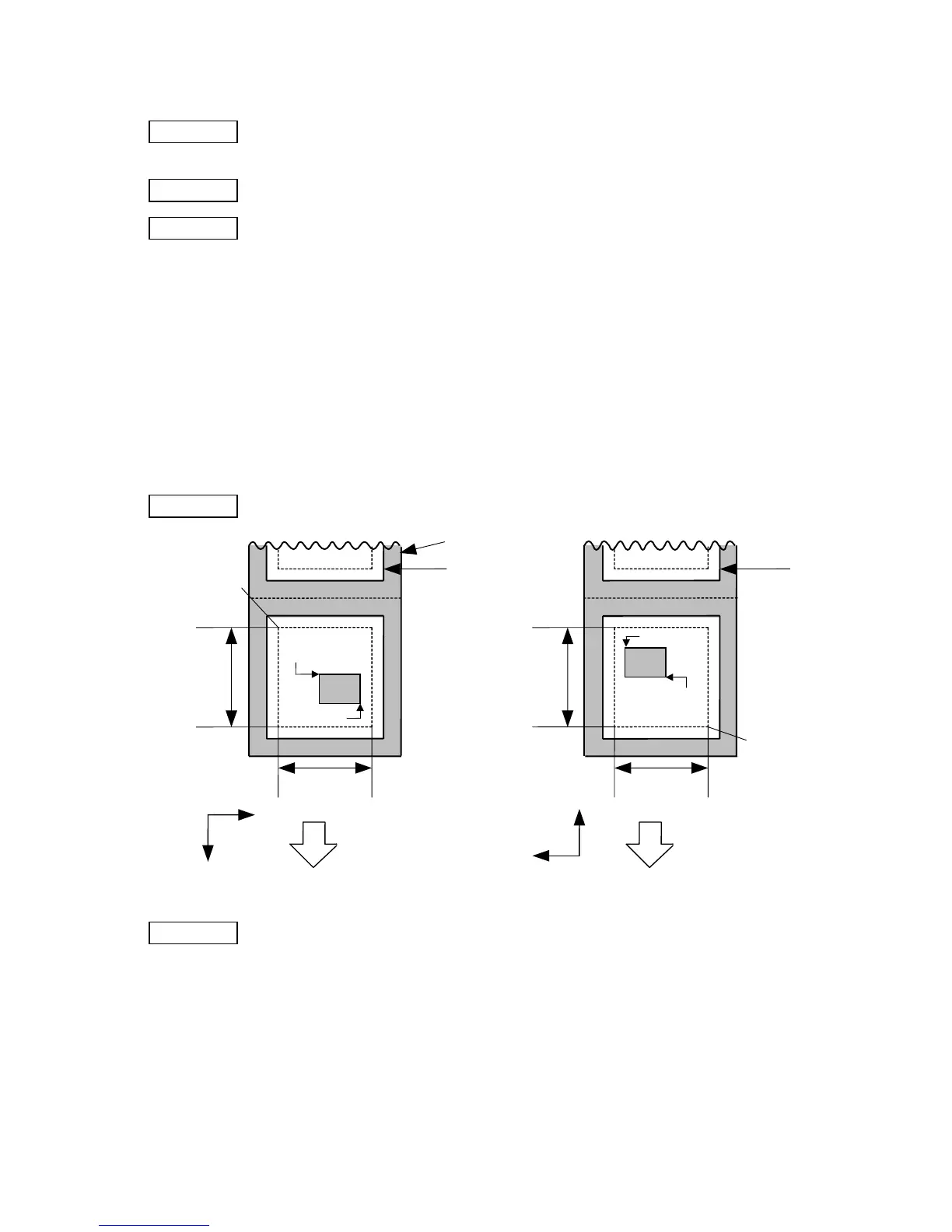
Function Clears the designated area or reverses the white/black dot pattern in the designated
area in the drawing area.
Format [ESC] XR; aaaa, bbbb, cccc, dddd, e [LF] [NUL]
Term aaaa: Designated area start point X-coordinate
Fixed as 4 digits (in 0.1 mm units)
bbbb: Designated area start point Y-coordinate
4 or 5 digits (in 0.1 mm units)
cccc: Designated area end point X-coordinate
Fixed as 4 digits (in 0.1 mm units)
dddd: Designated area end point Y-coordinate
4 or 5 digits (in 0.1 mm units)
e: Type of clear
A: Clears the contents in the designated area to zeros.
B: Reverses the white/black dot pattern in the designated area.
Explanation
[Print direction: Printing bottom first] [Print direction: Printing top first]
Notes (1) The result is the same even if the start and end point coordinates are reversed.
(2) The result is the same even if the start and end point coordinates are set to an
upper right and a lower left points, respectively.
(3) The start and end coordinates of the designated area must be set within the
effective print area set by the Label Size Set Command ([ESC] D).
Backing paper
Label
Paper feed direction
0
X
Y
Label
Paper feed direction
0
X
Y
Start point
End point
Origin of
coordinates
(0, 0)
Effective
print length
Effective
print width
Effective
print length
Effective
print width
Start point
End point
Origin of
coordinates
(0, 0)



 To Next Page
 Loading...








