- 249 -
c How to send control code data
NUL (00H) → >@ (3EH, 40H)
SOH (01H) → >A (3EH, 41H)
STX (02H) → >B (3EH, 42H)
to
GS (1DH) → >] (3EH, 5DH)
RS (1EH) → >^ (3EH, 5EH)
US (1FH) → >_ (3EH, 5FH)
d How to send a special code
> (3EH) → >0 (3EH, 30H)
e How to send a Kanji code
Shift JIS
JIS hexadecimal
(For details, refer to the section for the Bar Code Data Command.)
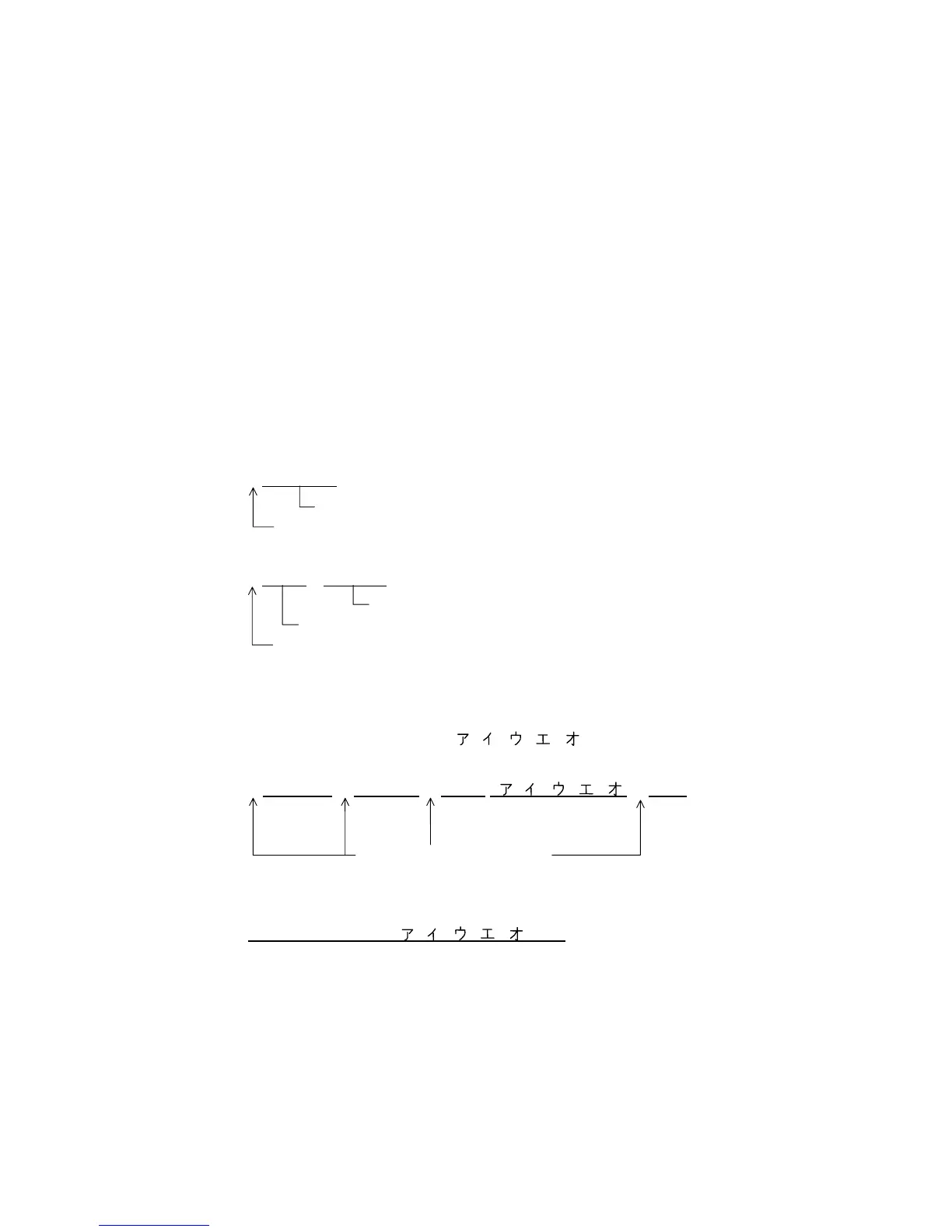
Examples of data designation for QR code
c Alphanumeric mode: ABC123
A A B C 1 2 3
Data to be printed
Designation of mode
d Binary mode: 01H, 03H, 05H
B 0 0 0 6
> A > C > E
Data to be printed
No. of data strings
Designation of mode
e Mixed mode
Numeric mode : 123456
Kanji mode : Kanji data
Binary mode : a i u e o
Alphanumeric and symbol mode : ABC
N 1 2 3 4 5 6
, K Kanji data, B 0 0 1 0 a i u e o , A A B C
Designation of mode
f Automatic mode
When the same data as e above is designated in automatic mode:
1 2 3 4 5 6 Kanji data a i u e o A B C
Data to be printed
Data to be
printed
Data to be printed No. of data
strings
Data to be
printed
Data to be
printed



 To Next Page
 Loading...








