- 20 -
6.3 COMMANDS FOR CREATING APPLICATION
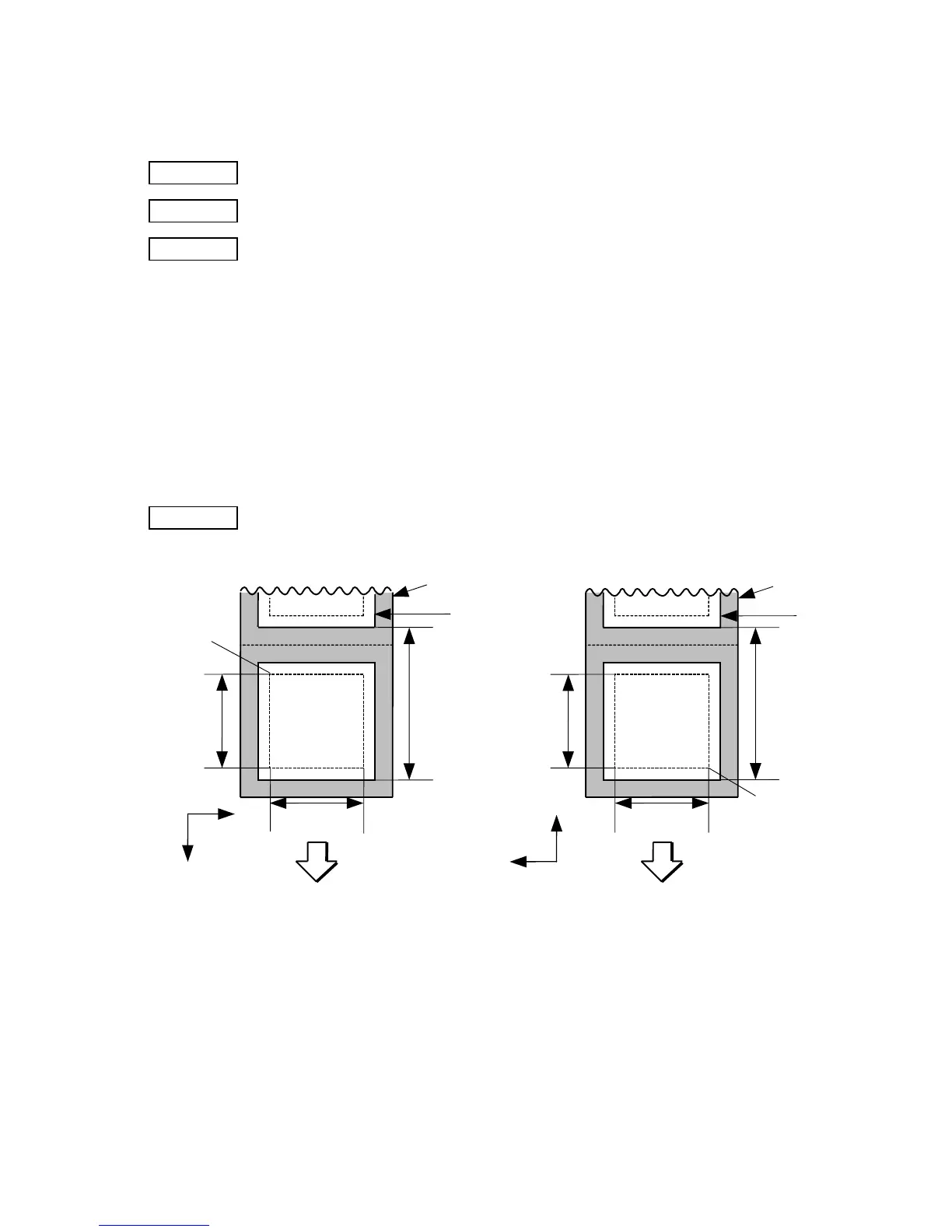
6.3.1 LABEL SIZE SET COMMAND [ESC] D
Function Sets the size of a label or tag.
Format [ESC] Daaaa, bbbb, cccc (,dddd) [LF] [NUL]
Term aaaa: Pitch length of the label or tag
4 and 5 digits (in 0.1 mm units)
4 digits: 203dpi Max. 9990 (999.0 mm) / 300dpi Max. 4572(457.2 mm)
5 digits: 203dpi Max. 09990 (999.0 mm) / 300dpi Max. 04572 (457.2mm)
bbbb: Effective print width
Fixed as 4 digits (in 0.1 mm units)
cccc: Effective print length
4 and 5 digits (in 0.1 mm units)
4 digits: 203dpi Max. 9970 (997.0 mm) / 300dpi Max. 4552 (455.2mm)
5 digits: 203dpi Max. 09970 (9997.0 mm) / 300dpi Max. 04552 (455.2mm)
dddd: (Omissible) Function: Ignore
Explanation
[Labels]
Label
Paper feed direction
0
X
Y
Label
pitch
Backing paper
Origin of
coordinates
(0, 0)
Effective
print length
Effective
print width
[Print direction: Printing bottom first]
0
X
Y
Label
Paper feed direction
Label
pitch
Backing paper
Origin of
coordinates
(0, 0)
Effective
print length
Effective
print width
[Printing direction: Printing top first]



 To Next Page
 Loading...








