How to Operate the Printrex
®
980 Printer
100-11672 - Rev D Page 99
Cleaning the Printer
As the printer is used, ink and paper dust will be collected inside the printer. If
the interior of the printer becomes dirty, this will cause printouts to become
dirty, affect print quality, or interfere with smooth paper feeding.
Clean the printer periodically to keep the printer in optimum working condition.
Moisten a clean cloth in a weak solution of water and detergent, wring it out
thoroughly, then use it to clean the exterior covers of the printer.
Note:
Use only a slightly damp cloth, thoroughly wrung out, to clean the printer
interior.
Never use alcohol, thinner, benzene or any other flammable liquids. This
could cause a fire or serious electrical shock.
Note:
Before cleaning the printer, switch it off and disconnect the power plug
from the power source. This can prevent personal injury or damage to the
printer if you make a mistake during cleaning.
There are four sharp pins inside the ink tank slots. Never put your fingers
into this area. This could cause personal injury or damage to the printer.
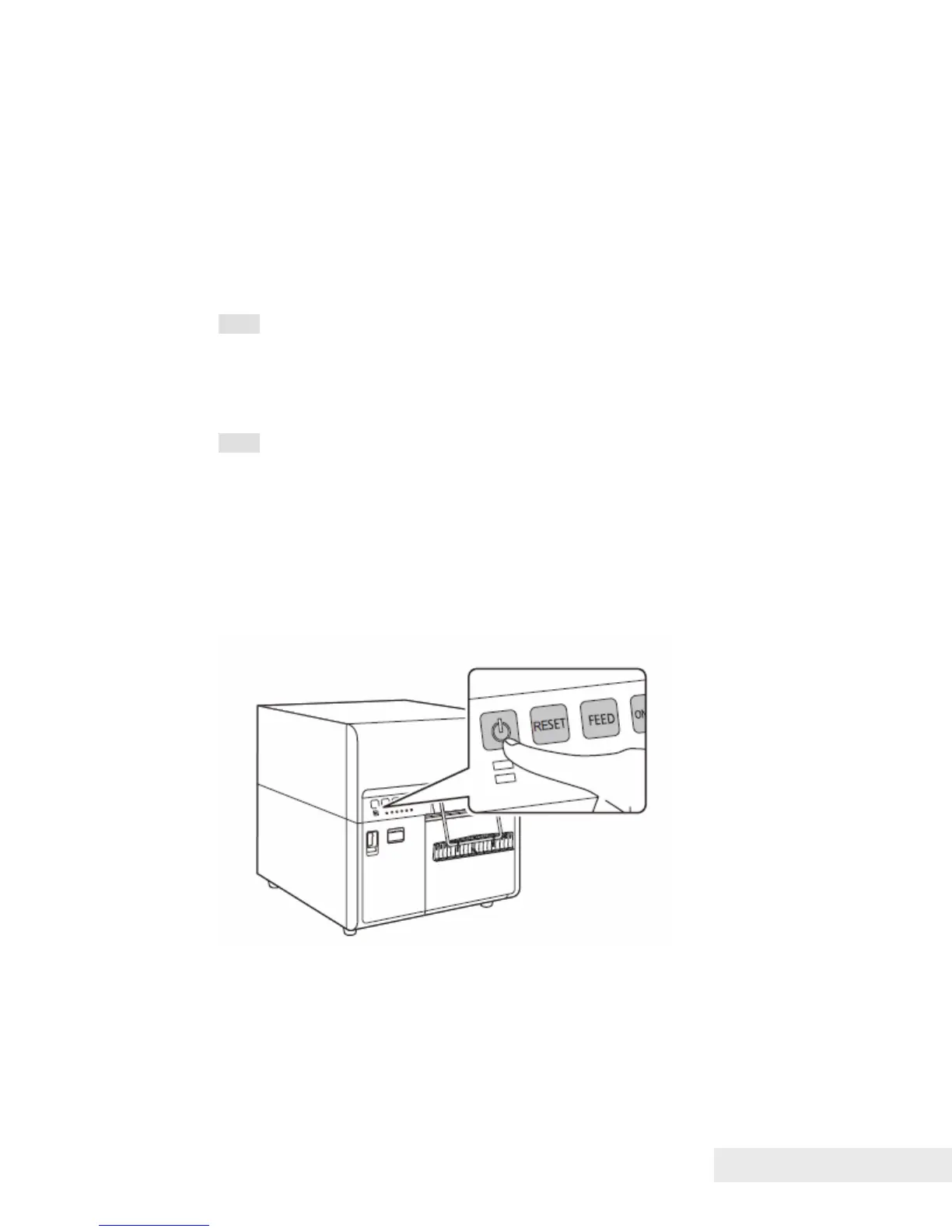
1. Press the Power key for a few seconds. The Power lamp will blink, and the
printer will enter sleep mode.



 To Next Page