Step-by-Step Installation Instructions
Page 62 100-11672 - Rev D
Checking the Test Prints
Make the following test prints and confirm that all the print images are
correctly tuned. Should the image in each test print need to be tuned, take an
adjustment procedure corresponding to each test print:
Nozzle check pattern
TK-GAP adjustment pattern
Slant Adjustment Pattern
Head Position Adjustment Pattern
Printing and Examining Nozzle Check Pattern
1) Start the PC.
Note: Printer driver must be installed in the PC in advance.
2) Connect Printer to the PC using a USB cable.
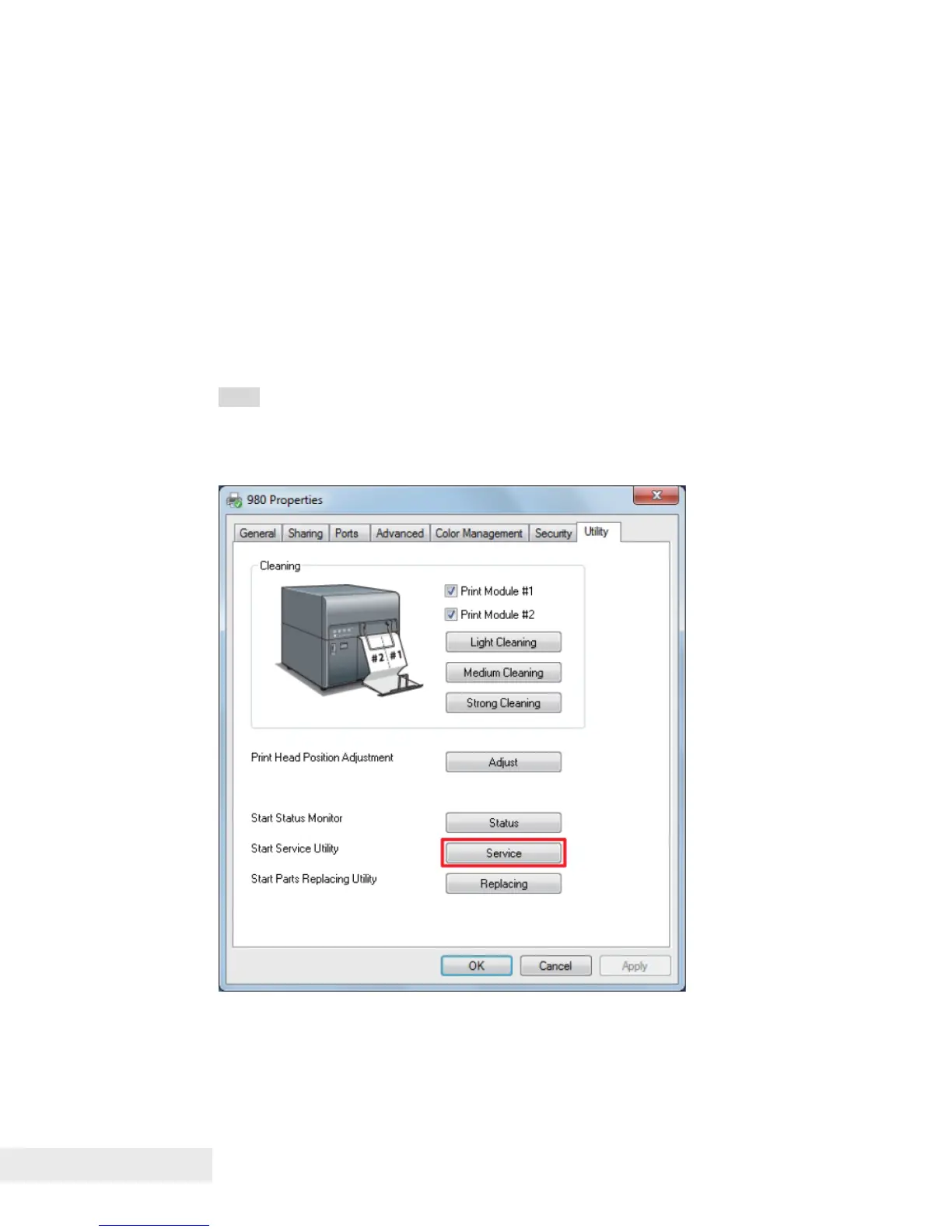
3) Click [Start] > click [Devices and Printers] > right click [980] > click [Printer
properties] > click [Utility] > click [Service]



 To Next Page