Step-by-Step Installation Instructions
Page 54 100-11672 - Rev D
Replacing Ink Tanks
When the ink in an ink tank runs low, the Status Monitor displays [XXXX ink
low] message to alert you that ink is about to run out. You can continue to
print, and when the ink supply is exhausted, the [Out of XXXX ink] error will be
displayed.
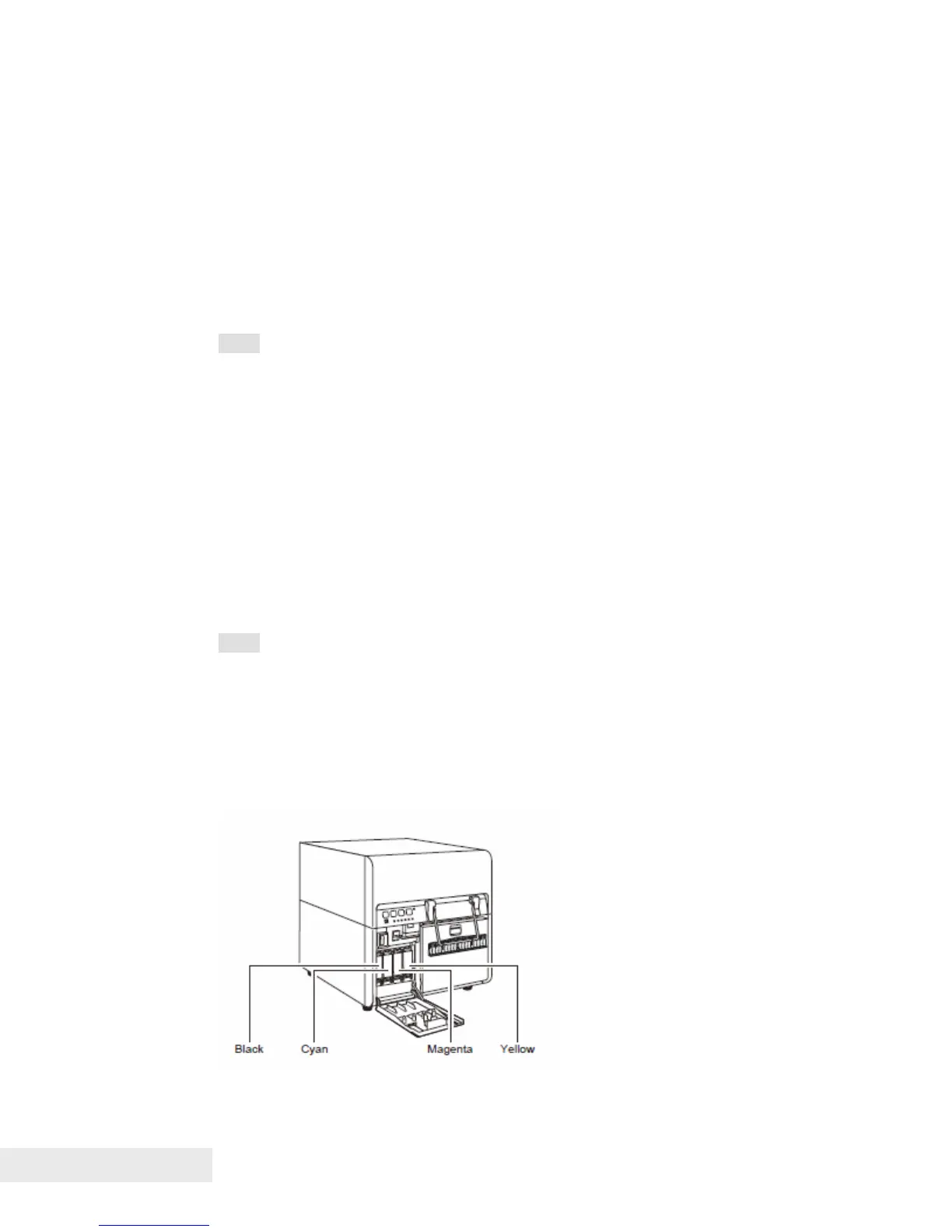
There are four colors of ink cartridges: Black (Bk), Cyan (C), Magenta (M), and
Yellow (Y).
Note:
To maintain print head quality, the printer stops operating before it is
completely out of ink. That is, a small amount of unusable ink remains in
the used ink tank.
To get a good printing result, use up each ink tank within six months of first
opening the package.
Do not remove an ink tank unless you must replace it. This could shorten
the life of the consumables.
Complete the ink tank replacement procedure as quickly as possible. Do
not leave the printer with ink tanks removed.
An ink tank left in a high-temperature place can deform. However, there is
nothing wrong with its functions.
It is recommended that ink tanks be stored in a place where the
temperature does not rise to extreme ranges.
Note:
When a message “XXX ink low” appears, get a new ink tank as soon as
possible.
You cannot open the ink tank door while the printer is operating.
To maintain the best printing quality, please use only Printrex
®
980 ink
tanks.
The positions of the ink tanks are as shown below.
The printer is designed so that ink tanks cannot be inserted in wrong ink tank
slots. Do not attempt to insert ink tanks in wrong ink tank slots forcibly.



 To Next Page