Appendix B: Frequently Asked Questions
Page 220 100-11672 - Rev D
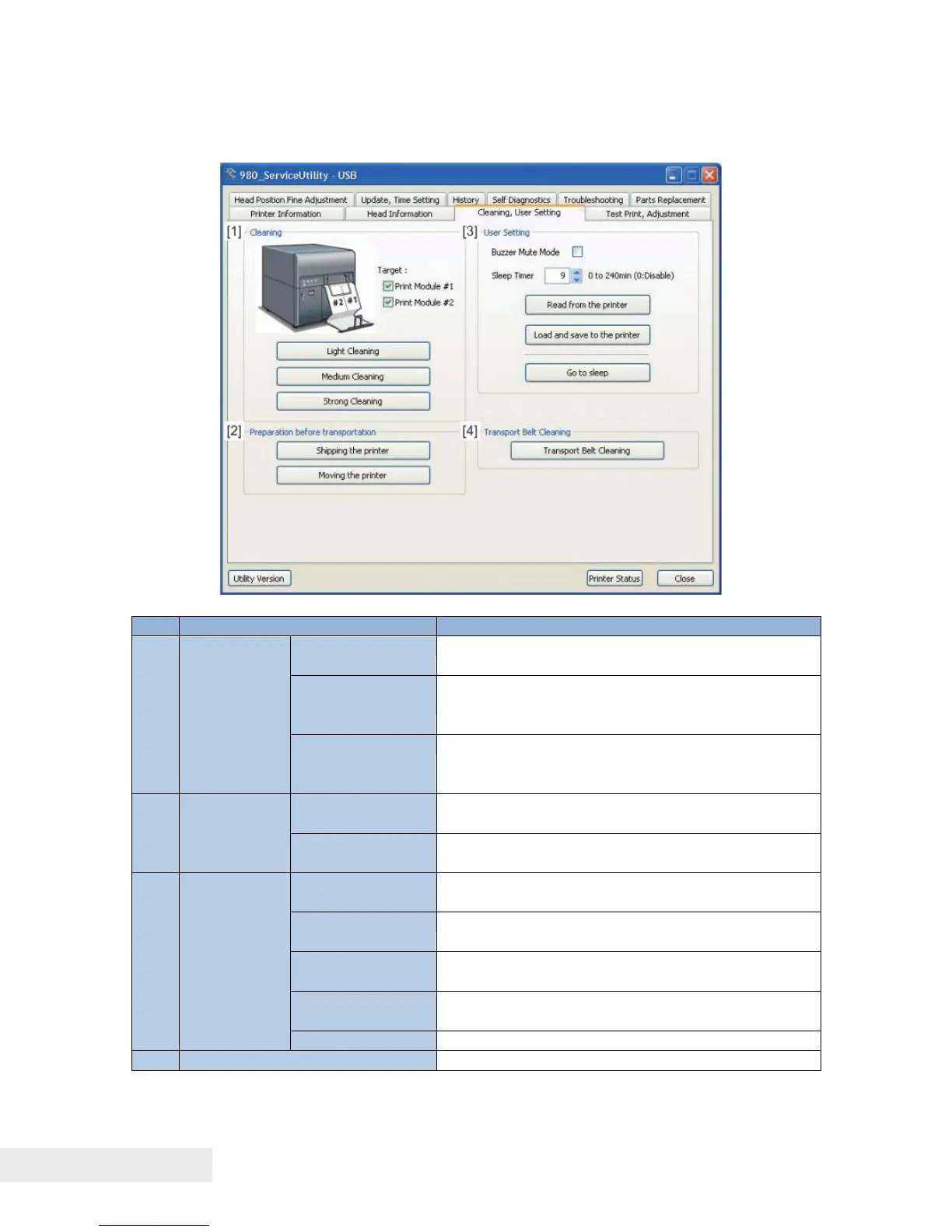
Cleaning, User Setting
Cleaning performed after first occurrence of
non-discharge.
Cleaning slightly stronger than "Light" cleaning,
which is performed when non-discharge still
occurs after completion of "Light" cleaning.
Cleaning stronger than "Medium" cleaning,
which is performed when non-discharge still
occurs after completion of "Medium" cleaning.
Preparation
before
transporting
Ink drainage from Printer before shipping it to
the outside of the office.
Ink drainage from Printer before moving it within
the office.
When the buzzer mute mode is "ON" (selected),
disables Buzzer except when an error occurs.
Sets the time (in minutes) until Printer
automatically enters the sleep mode.
Reads the information displayed on Service
Utility screen from Printer.
Load and save
the printer
Writes the information displayed on Service
Utility screen to Printer.
Performs cleaning to clean Transport Belt



 To Next Page