Step-by-Step Installation Instructions
100-11672 - Rev D Page 33
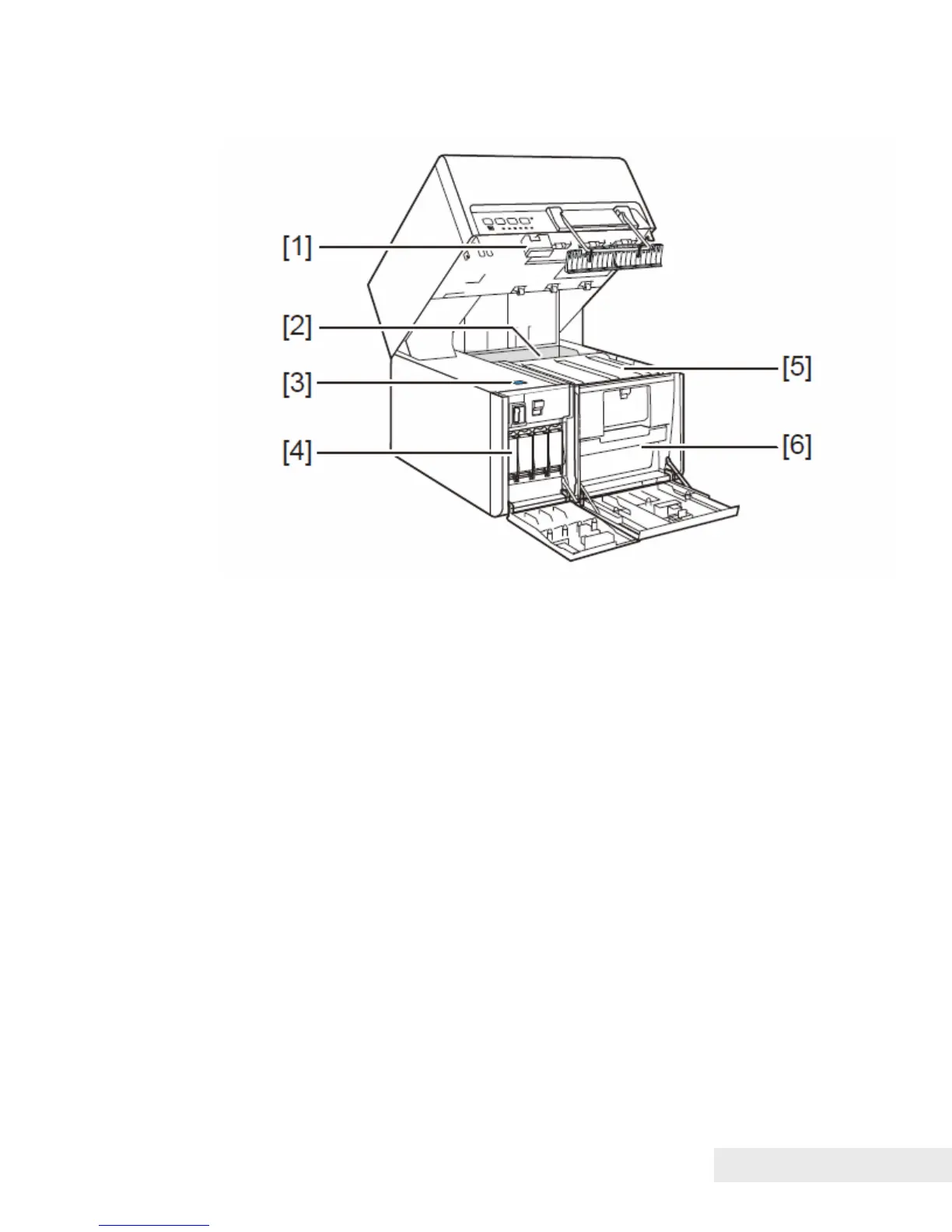
Inside the Printer
[1] Upper unit release lever
Push this lever up to release the upper unit.
[2] Paper tray
Load paper in this tray.
[3] Lift button for paper tray
Pressing this button moves the paper tray up and down.
[4] Ink tanks
Black (Bk), Cyan (C), Magenta (M), and Yellow (Y) ink tanks are loaded.
[5] Transport unit
Paper is fed by this unit. Clean it if soiled by paper dust or ink.
[6] Maintenance cartridge
Ink used to clean the print head is collected here.



 To Next Page