Step-by-Step Installation Instructions
Page 30 100-11672 - Rev D
Initial Loading of Ink
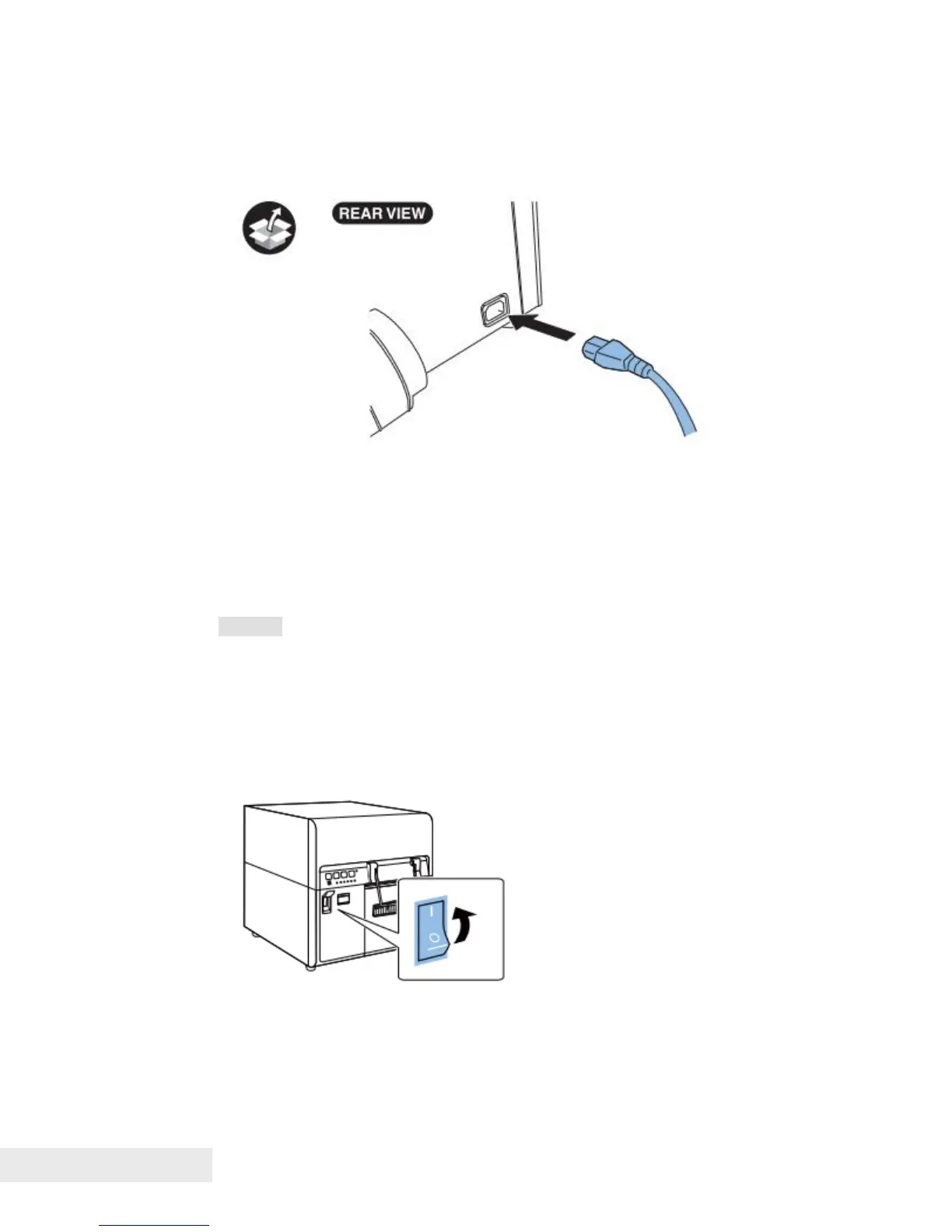
1) Connect the included Power Cord to the printer.
2) Connect Power Cord to the outlet.
3) Turn on Main Power Switch. Initial ink loading starts automatically when
Main Power Switch is turned on. About 25 minutes are required for initial ink
loading. When initial ink loading is completed, the STATUS lamp lights and not
blinking. Make sure that the STATUS lamp lights before proceeding to the next
step.
Caution:
Do not turn off Main Power Switch during ink loading.
If Main Power Switch is turned off during ink loading, Printer stops ink
loading. In such a case, turn on Main Power Switch to start ink loading
again.
Restarting the ink loading causes extra waste-ink.
Ink loading time might be changed due to the design change.



 To Next Page