Step-by-Step Installation Instructions
Page 86 100-11672 - Rev D
Action of Relocating Printer
The Printer is filled with ink in its Ink Supply System, Imaging System and
elsewhere. Implement items suggested below thoroughly and explain to
customers fully to prevent ink spills in or outside Printer or to avoid
unexpected failures when Printer is transported.
Caution:
Do not incline Printer more than 15° degrees during relocation.
Relocating from One Place to Another on Same Floor or in Same Building
Printer required to drain (suction) remaining ink in Purge Unit before moving
Printer on the same floor or in the same building. Ink drainage is performed
with service utility .
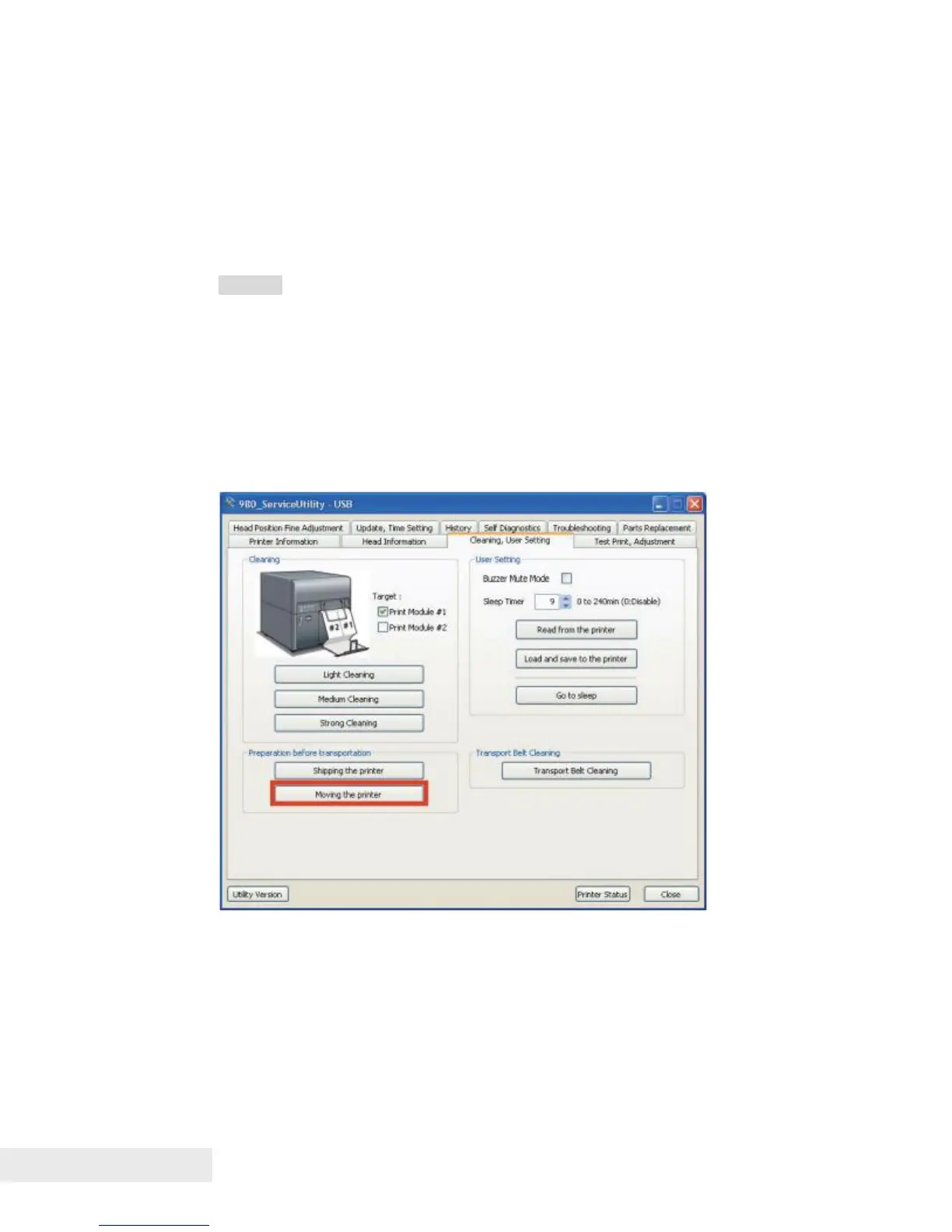
Ink drainage procedure
1) Connect PC to Printer, and then start service utility.
2) Open the [Cleaning,User Setting] tab, and then click [Moving the printer].



 To Next Page