How to Operate the Printrex
®
980 Printer
100-11672 - Rev D Page 109
Shipping the Printer
When transporting printer over a long distance, observe the following
procedures:
Contact Printrex technical support for advice before you ship the printer a
long distance or move the printer via car, truck or airplane. Moving the
printer without proper preparation could subject it to shock and vibration,
which could damage the printer and/or cause a fire.
Before transporting the printer, be sure to drain the printer of ink. If ink
tanks are removed before draining the printer of ink, ink leaks from the
needle sections in the ink tank slots could stain your clothes and
surrounding work areas.
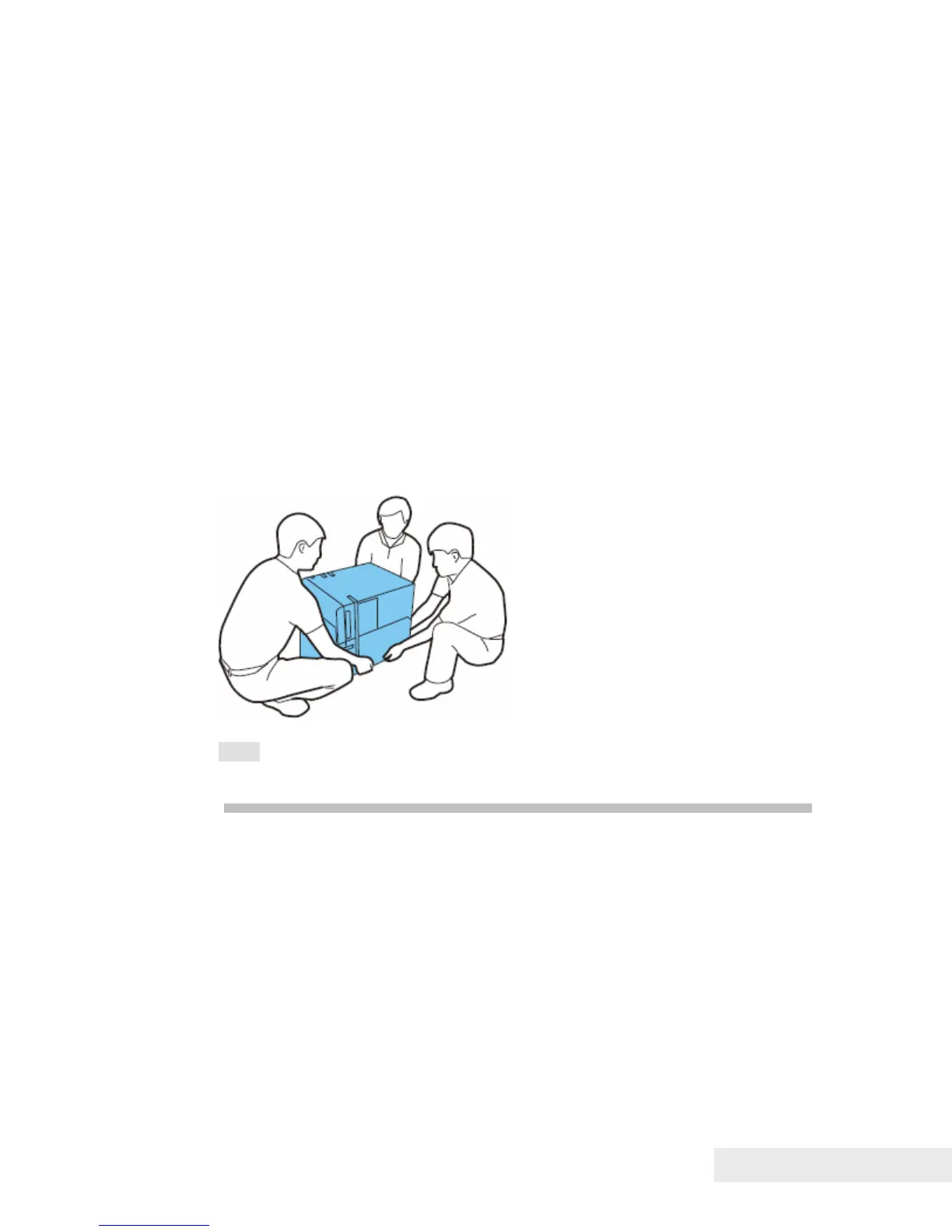
The printer weighs about 123 pounds (57kg). Three persons are always
required to move the printer. When lifting and moving the printer, they
should hold the handles at the bottom so that they do not injure
themselves. If they hold other parts of the printer, the printer can be
damaged and/or it can drop and injure people.
Note: Do not move the printer with the upper unit, ink tank door, or
maintenance cartridge door open. This can damage the printer.



 To Next Page