Step-by-Step Installation Instructions
Page 32 100-11672 - Rev D
[8] Stacker unit
This unit contains the tray to receive the ejected paper. Draw it out when using
it.
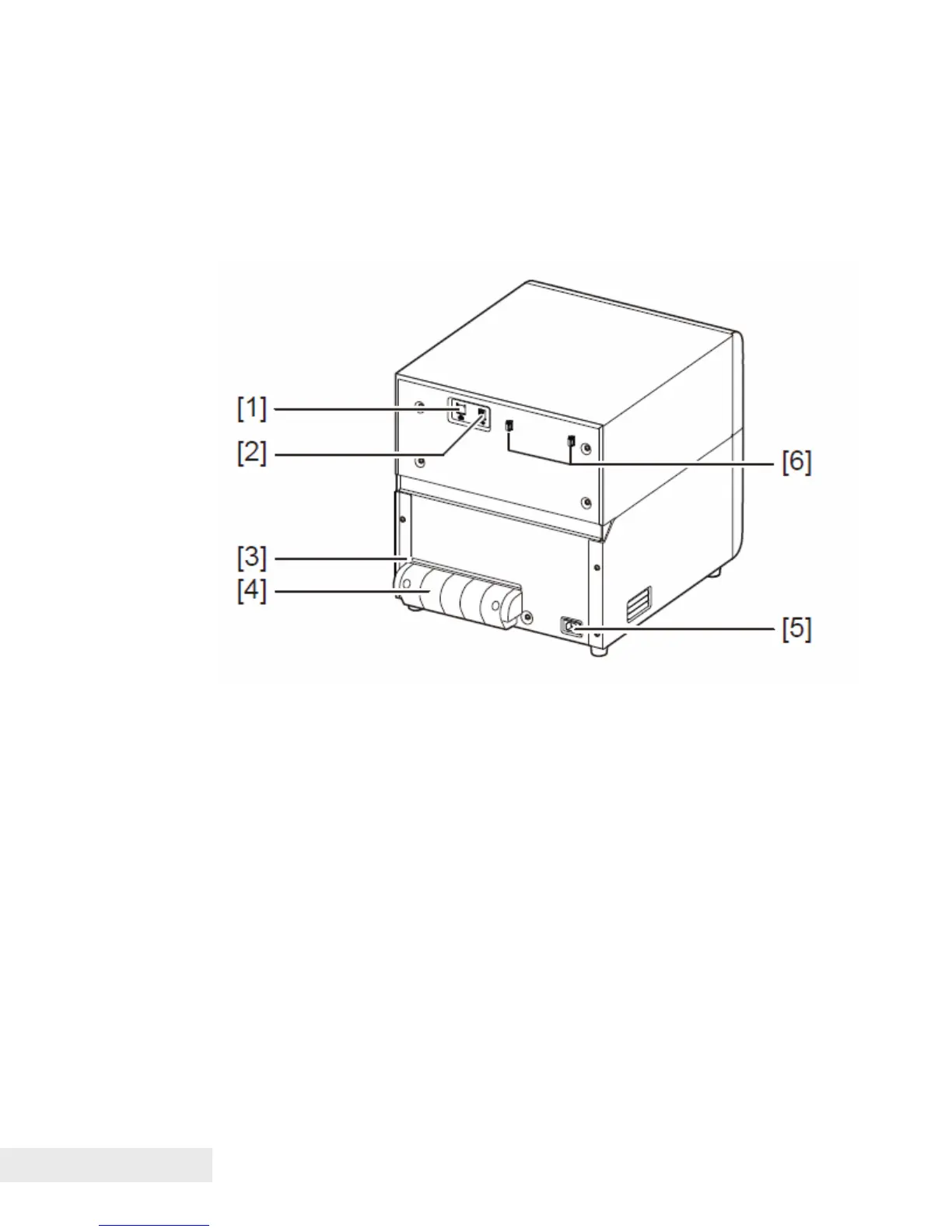
Back View
[1] LAN port
Connect a LAN cable here to connect to the computer.
[2] USB port
Connect a USB cable here to connect to the computer.
[3] Rear feeder slot
This slot is used to feed paper exceeding the paper tray capacity.
[4] Rear Feeder Guide
This component is the paper entrance guide used to feed paper from the rear
of printer.
[5] Power connector
Connect the power cord here.
[6] USB cable clamp
Cable clamps are provided to prevent the USB cable from being disconnected
carelessly.



 To Next Page