Appendix A: Ordering Genuine Ithaca Supplies
100-11672 - Rev D Page 221
Cleaning Procedure
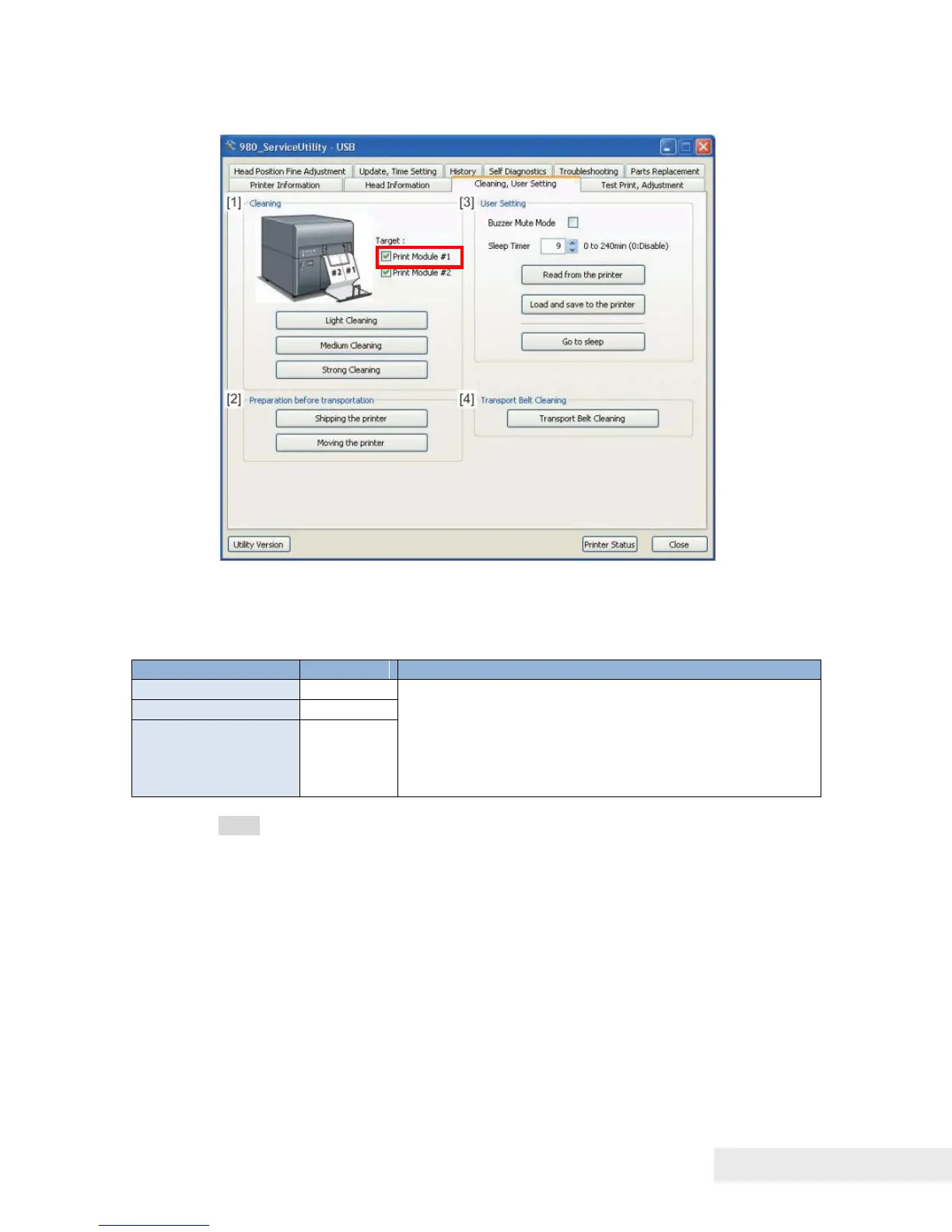
1) Select Print Module requiring cleaning.
2) Click [Light Cleaning], [Medium Cleaning], or [Strong Cleaning] to perform
Light Cleaning, Medium Cleaning, or Strong Cleaning according to the result
of printing.
When non-discharge of ink occurs, cleaning starts
with "Light Cleaning". If non-discharge still occurs
when "Light Cleaning" has been performed 2 or 3
times, perform "Medium Cleaning". If non-discharge
still occurs when "Medium Cleaning" has been
performed 2 or 3 times, perform "Strong Cleaning".
Note: Cleaning time may vary due to specification changes.



 To Next Page