How to Operate the Printrex
®
980 Printer
Page 102 100-11672 - Rev D
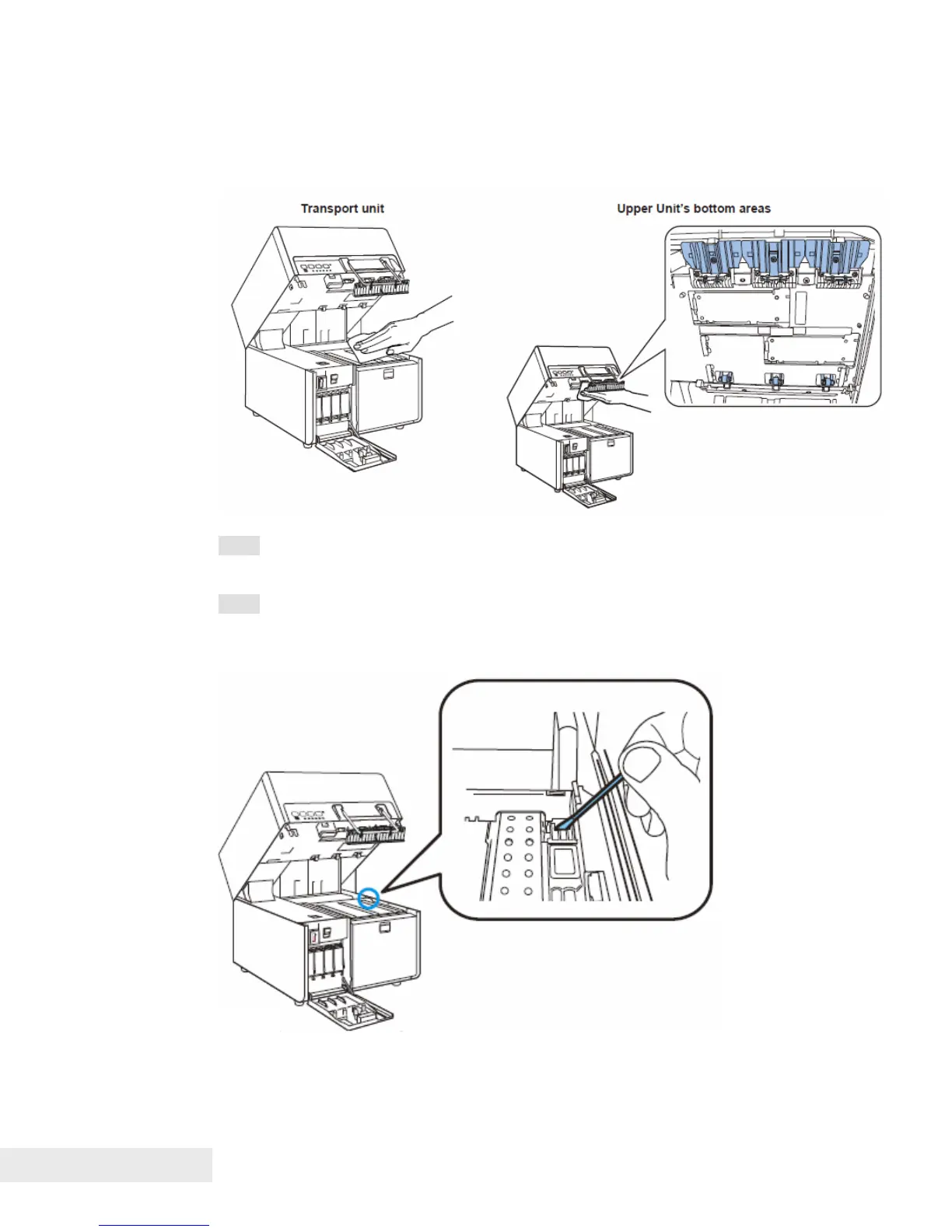
6. Wipe off ink, dust and paper dust adhered around transport and upper unit’s
bottom areas (spur, roller, paper ejection slot) with a cloth dipped in water and
tightly wrung out.
Note: Do not clean the printer with tissues or paper towels. Torn pieces of
paper or paper dust may get inside the printer and cause malfunctions.
Note: If "Paper length error" or "Paper jam error" has occurred and an error
message is continuously displayed, the paper detection area may be soiled
with paper dust or the like. Clean the area with a cotton swab.



 To Next Page