How to Operate the Printrex
®
980 Printer
100-11672 - Rev D Page 107
5. Move the printer.
Note:
To move the printer on the same floor or within the same building, the ink
tanks need not be removed. If the ink tanks are removed before moving
the printer, ink can leak from the needle sections in the ink tank slots,
which may stain clothes and/or the surrounding work area.
Always hold the printer level and carry it slowly. If ink is spilled inside the
printer while moving it, this could cause a fire or serious electrical shock or
damage the printer.
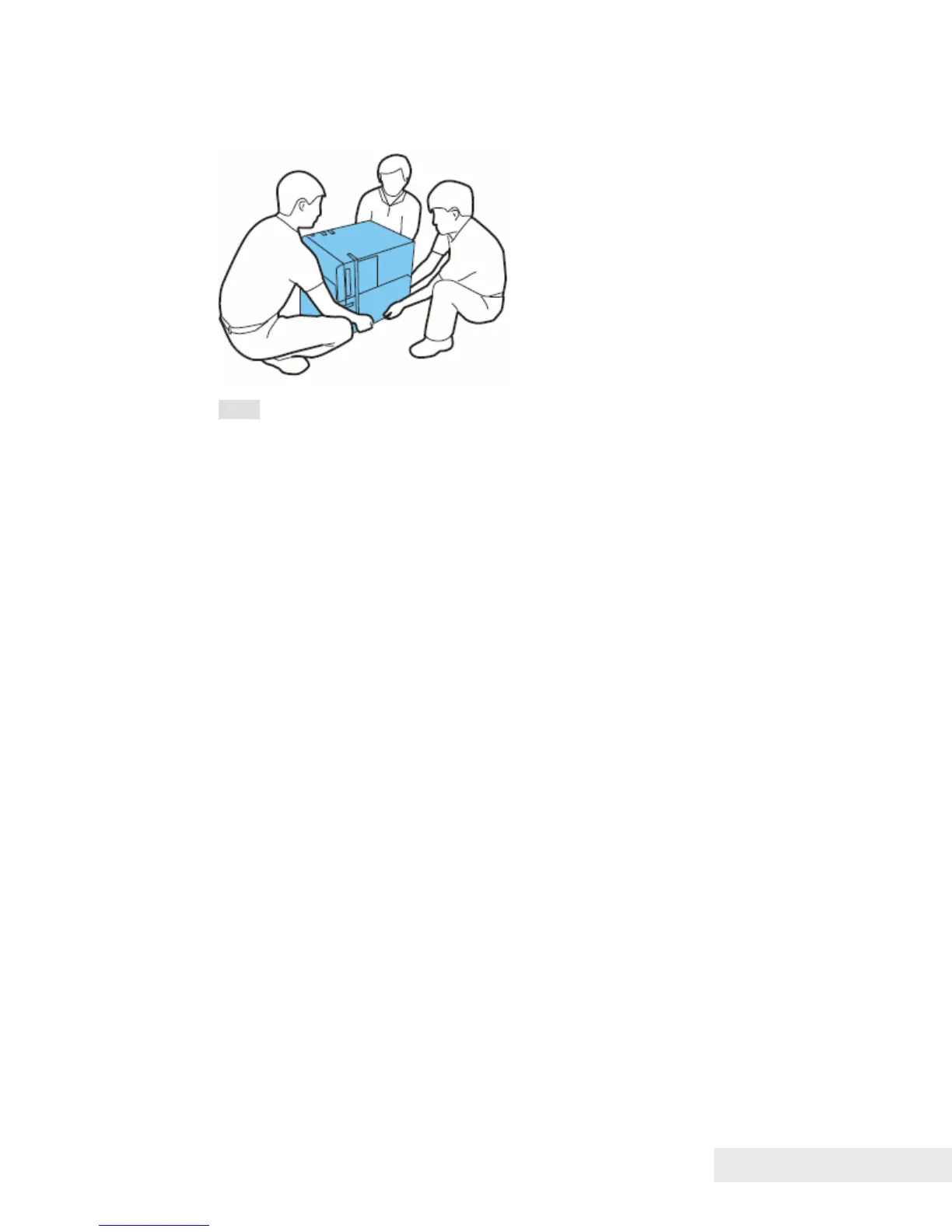
The printer weighs about 123 pounds (57kg). Three persons are always
required to move the printer. When lifting and moving the printer, they
should hold the handles at the bottom so that they do not injure
themselves. If they hold other parts of the printer, the printer can be
damaged and/or it can drop and injure people.
Do not move the printer with the upper unit, ink tank door, or maintenance
cartridge door open. This can damage the printer.
6. After moving the printer to the destination, connect the power cord and then
connect the interface cable.
7. Turn on the main power switch.



 To Next Page