Appendix A: Ordering Genuine Ithaca Supplies
100-11672 - Rev D Page 149
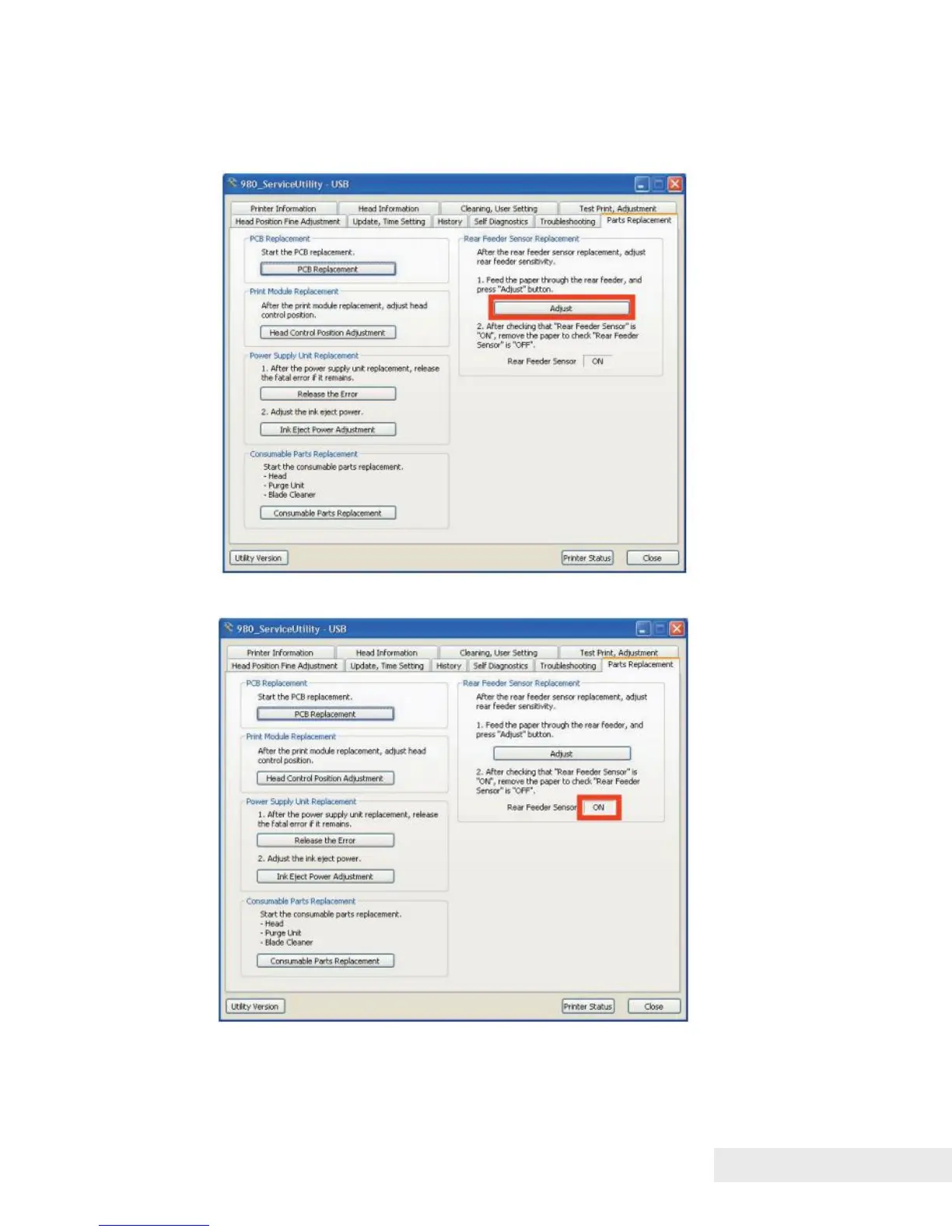
2) Connect PC to Printer, and then start service utility.
Open [Parts Replacement] tab, and then click [Adjust] to adjust Rear Feeder
Sensor.
3) Confirm that Rear Feeder Sensor is "ON".



 To Next Page