Appendix B: Frequently Asked Questions
Page 246 100-11672 - Rev D
Backfeed Gap Adjustment
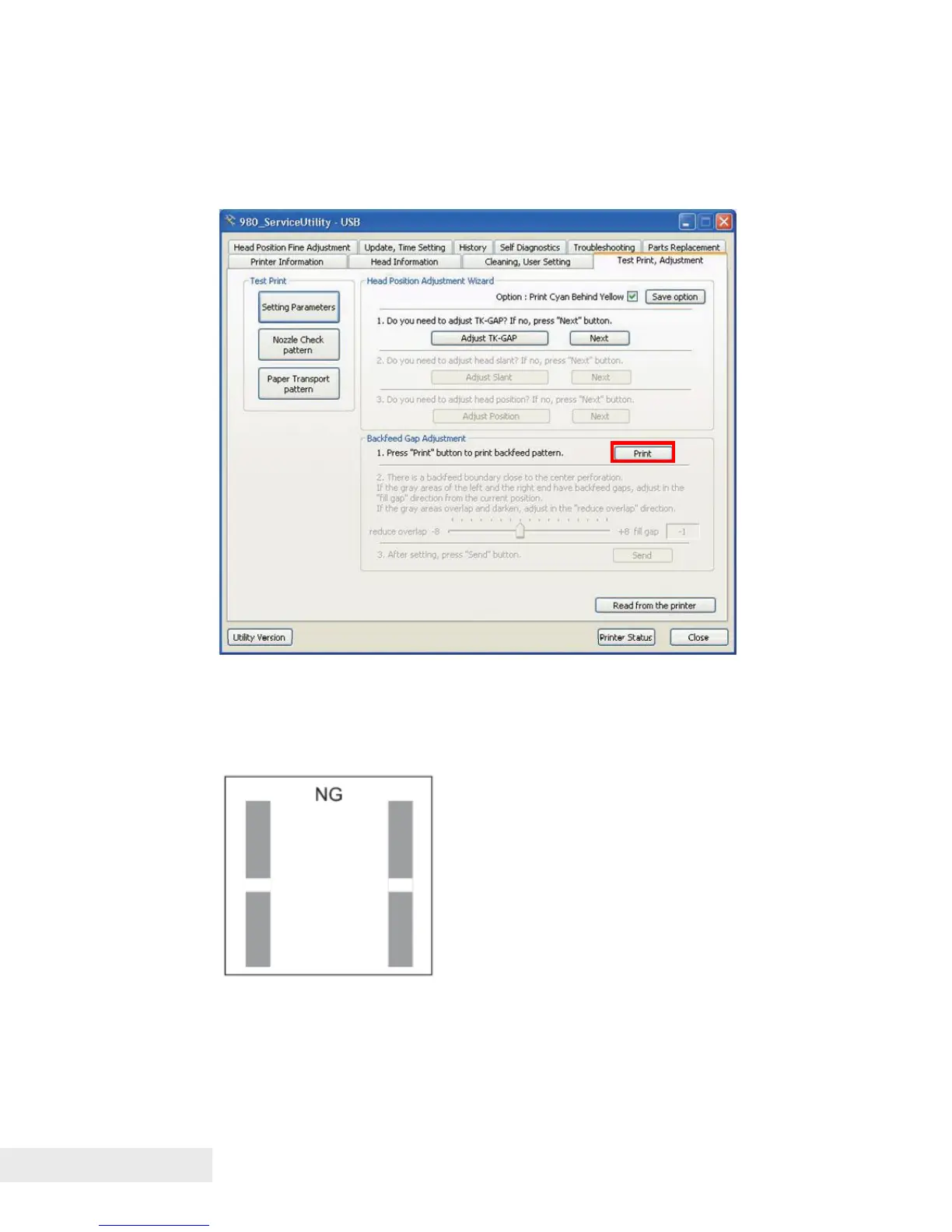
Printing Backfeed Pattern:
1) Open the [Test Print, Adjustment] tab and click [Print] to print the backfeed
pattern.
Examining and Adjusting Backfeed Gap:
1) Observe the backfeed pattern and examine if the backfeed gap adjustment
is necessary . Perform the adjustment, if necessary.
If the gray areas of the left and the right end have backfeed gaps, adjust in the
[fill gap] direction from the current position.



 To Next Page