Appendix A: Ordering Genuine Ithaca Supplies
100-11672 - Rev D Page 261
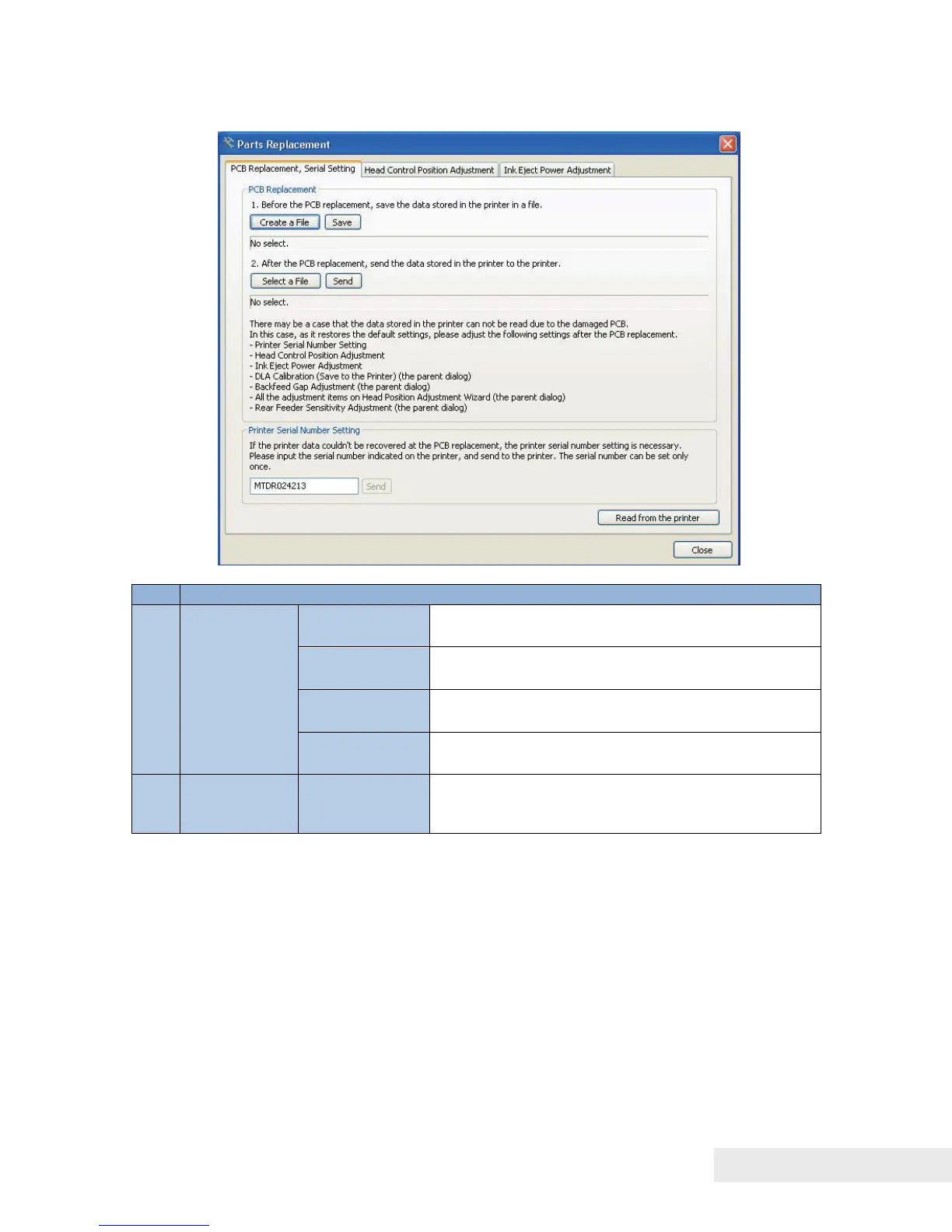
Printer Controller PCB Replacement Procedure
Creates a file to which data is written before
replacement of Printer Controller PCB.
Writes data to the selected file.
Selects the data to be written after replacement
of Printer Controller PCB.
Printer Serial
Number
Setting
Sends the printer serial number to Printer.
Before Printer Controller PCB Replacement:
1) Open the [Parts Replacement] tab and click [PCB Replacement] to display
the [PCB Replacement, Serial Setting] tab.
2) Click [Create a File] To Create a file to save data from Printer to PC.
3) Click [Save] to save the data to the file.
After Printer Controller PCB Replacement:
1) Click [Select a File] to select a file to send.
2) Click [Send] to send the file to Printer. 5



 To Next Page