Step-by-Step Installation Instructions
100-11672 - Rev D Page 25
6) Place the printer on a horizontal table, and then remove all pieces of fixing
tape and cushioning material visible on the exterior of the printer.
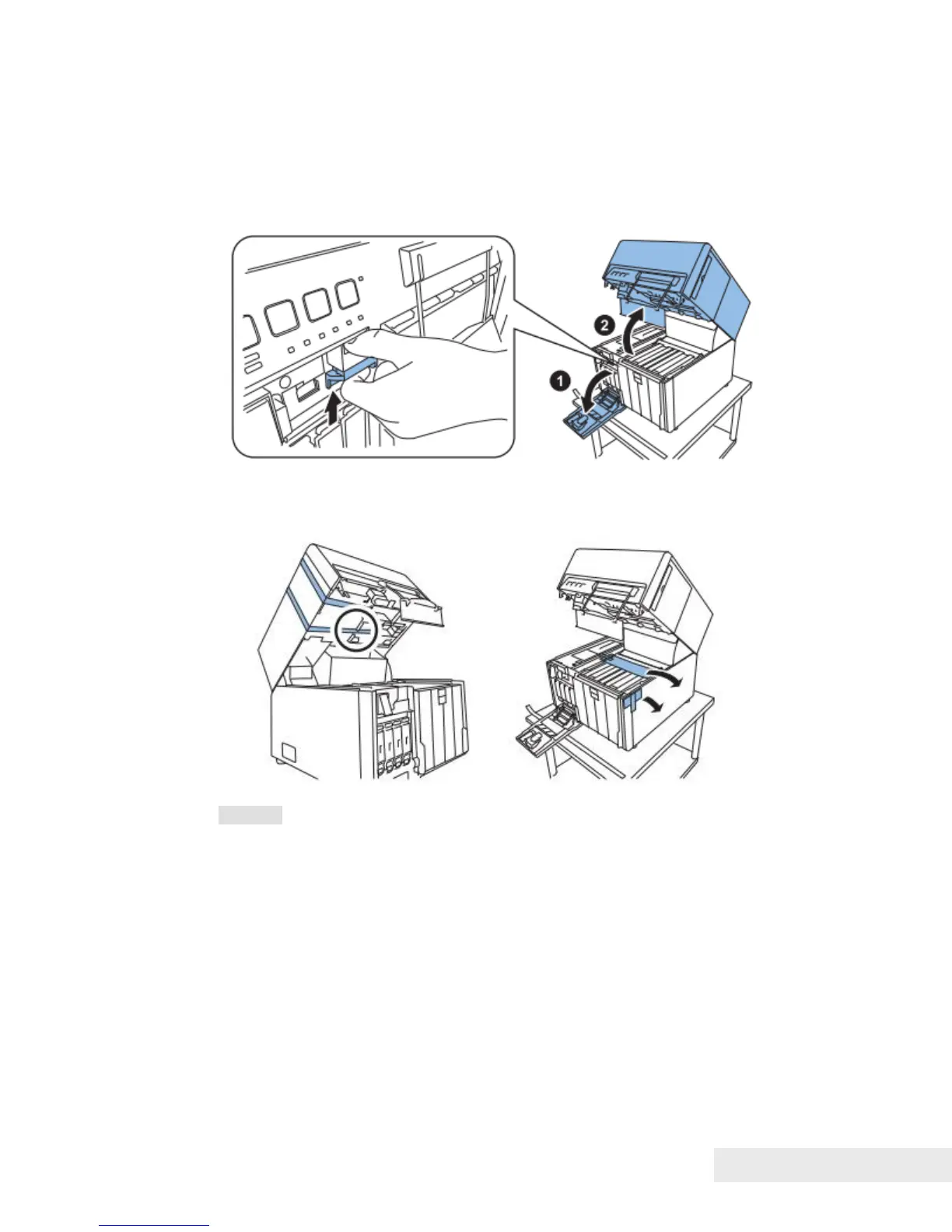
7) Open Ink Tank Door, and then push Upper Unit Open Lever to open Upper
Unit.
8) Remove all pieces of fixing tape and cushioning material around the
transport area.
Caution: There are Paper Holding Wheel Units in the circle of illustration
above. Do not remove these units when removing tapes around.



 To Next Page