Step-by-Step Installation Instructions
100-11672 - Rev D Page 69
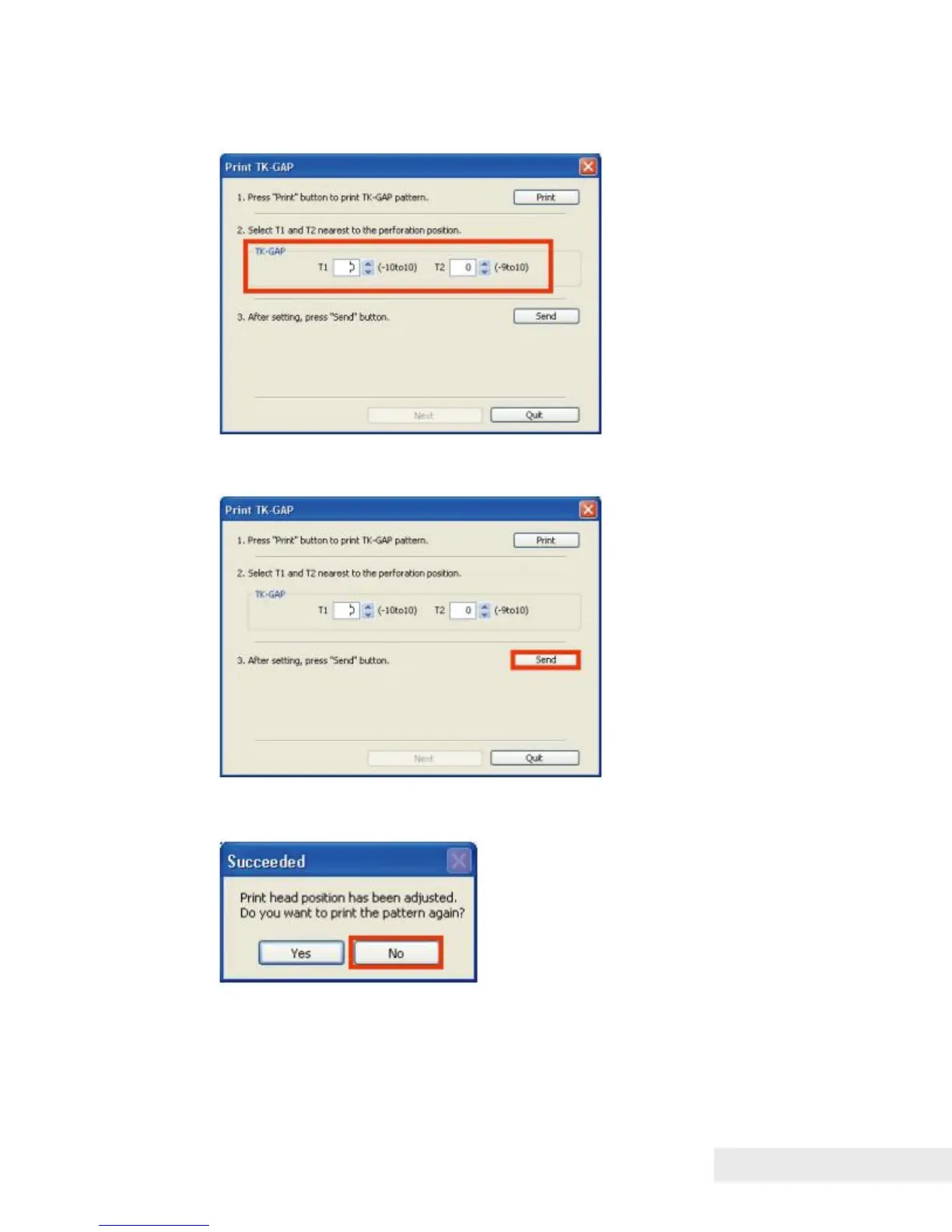
2) Enter the adjustment values in the TK-GAP adjustment value entry boxes in
the "Print TK-GAP" dialog box.
3) After entering the TK-GAP adjustment values, click [Send] to send the
adjustment values to Printer.
4) If the TK-GAP adjustment pattern is not required to print again for a review,
click [NO] and proceed to the step 6).



 To Next Page