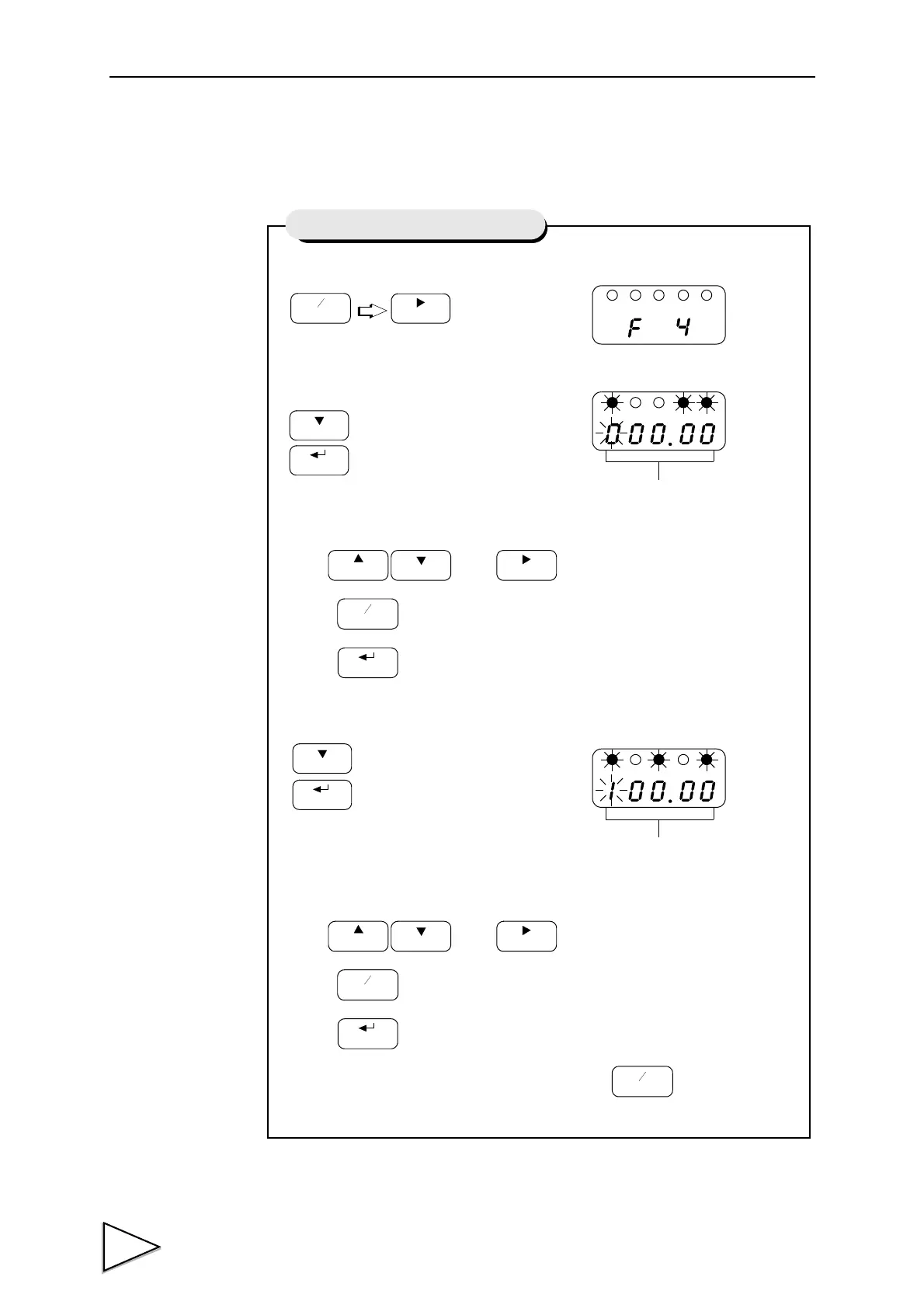
1) Select setting mode 4.
2) Select D/A zero.
Use and keys to set the D/A zero.
Press key to place a minus sign.
Press key to validate the setting
3) Select D/A full scale.
Use and keys to set the D/A full scale.
Press key to place a minus sign.
Press key to validate the setting
To return to the indicated value display, press key.
Setting of D/A Zero and Full Scale
D/A Zero Value (-19999 to 19999)
D/A Full Scale Value(-19999 to 19999)



 To Next Page