9.RS-485 INTERFACE (Communication protocol; Modbus-RTU)
74
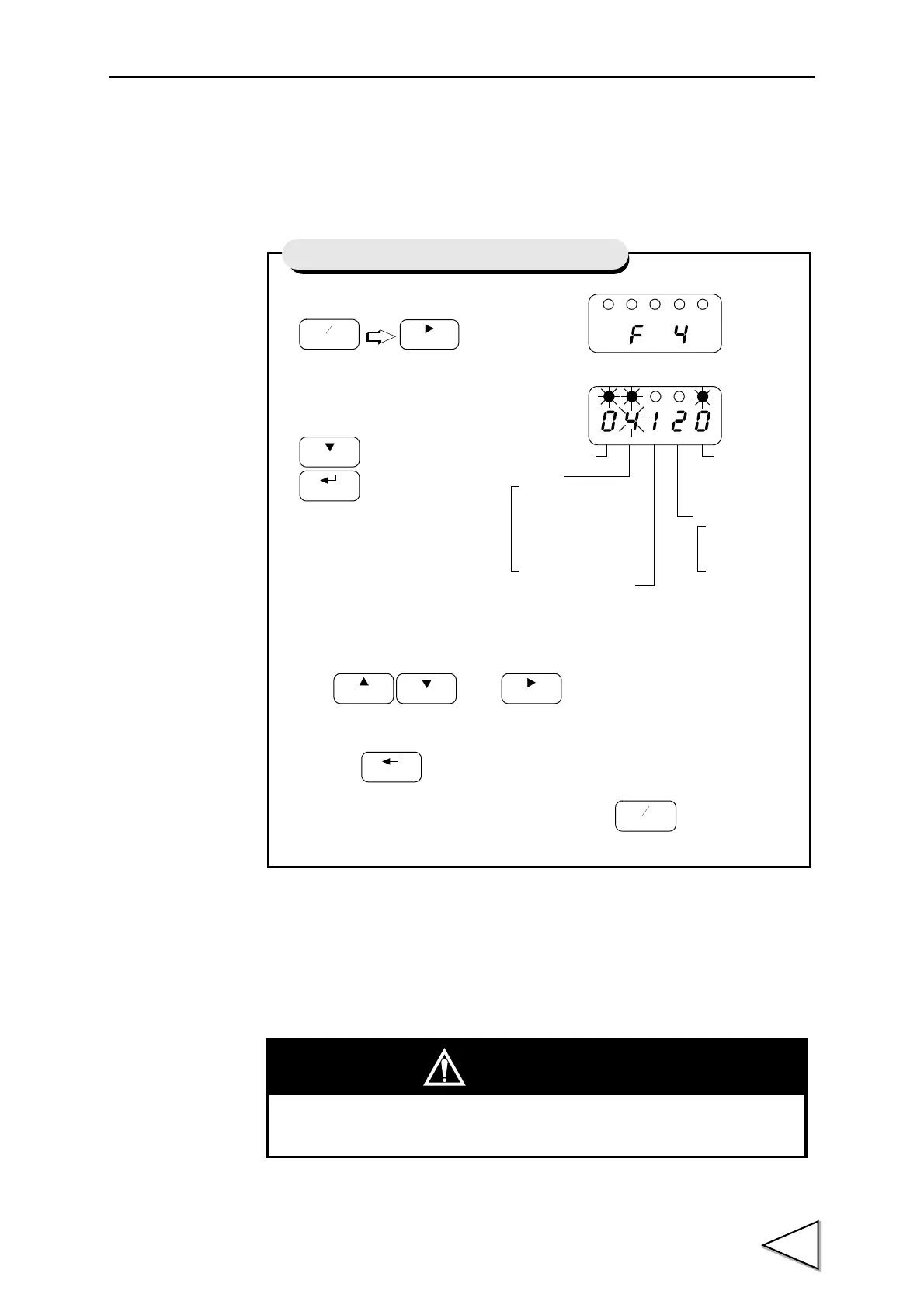
9-2-3. RS-485 Communication Method
1. Set the RS-485 communication method of the F320.
2. According to the setting of the F320, make the initial setting of the RS-485
communication method of the connected Programmable display, PLC, etc.
1) Select setting mode 4.
2) Select RS-485 communication method.
Use and keys to set the RS-485
communication method,
then use key to validate the setting.
To return to the indicated value display, press key.
Press three times.
FNC
+
-
ZERO
Setting of RS-485 Communication Method
5 : 38400 bps
4 : 19200 bps
Baud Rate
1 : Fixed at 8 bits
Character Length
Parity Bit
2 : Even
1 : Odd
Stop Bit
0: Fixed
3 : 9600 bps
2 : 4800 bps
1 : 2400 bps
0 : 1200 bps
0 : None
Not Used
at 1 bit
CAUTION
Please do not set parity bit to "0: None" in Modbus communication.



 To Next Page