6.SETTING OF FUNCTIONS
57
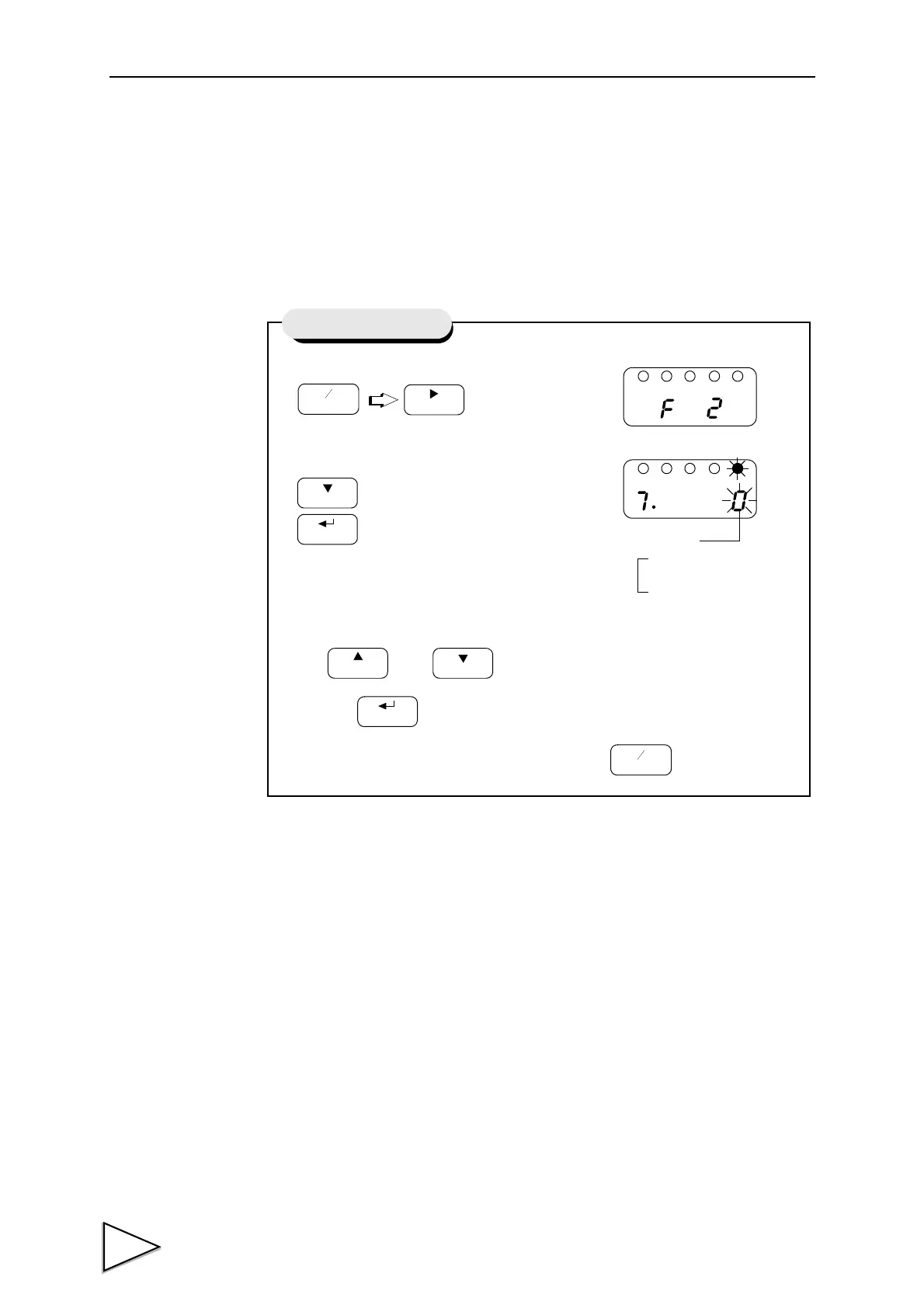
6-10. Hold Mode
The F320 provides the Peak Hold function to hold and display the peak value
(maximum value) of the input signal, and the Sample Hold function to hold and
display an optional point.
1) Select setting mode 2.
2)
Select hold mode.
Use and keys to set the hold mode,
then use key to validate the setting.
To return to the indicated value display, press key.
Press seven times.
CAL
HOLD
Setting of Hold Mode
1 : Peak Hold
0 : Sample Hold
Hold Mode



 To Next Page