10.BCD DATA OUTPUT
78
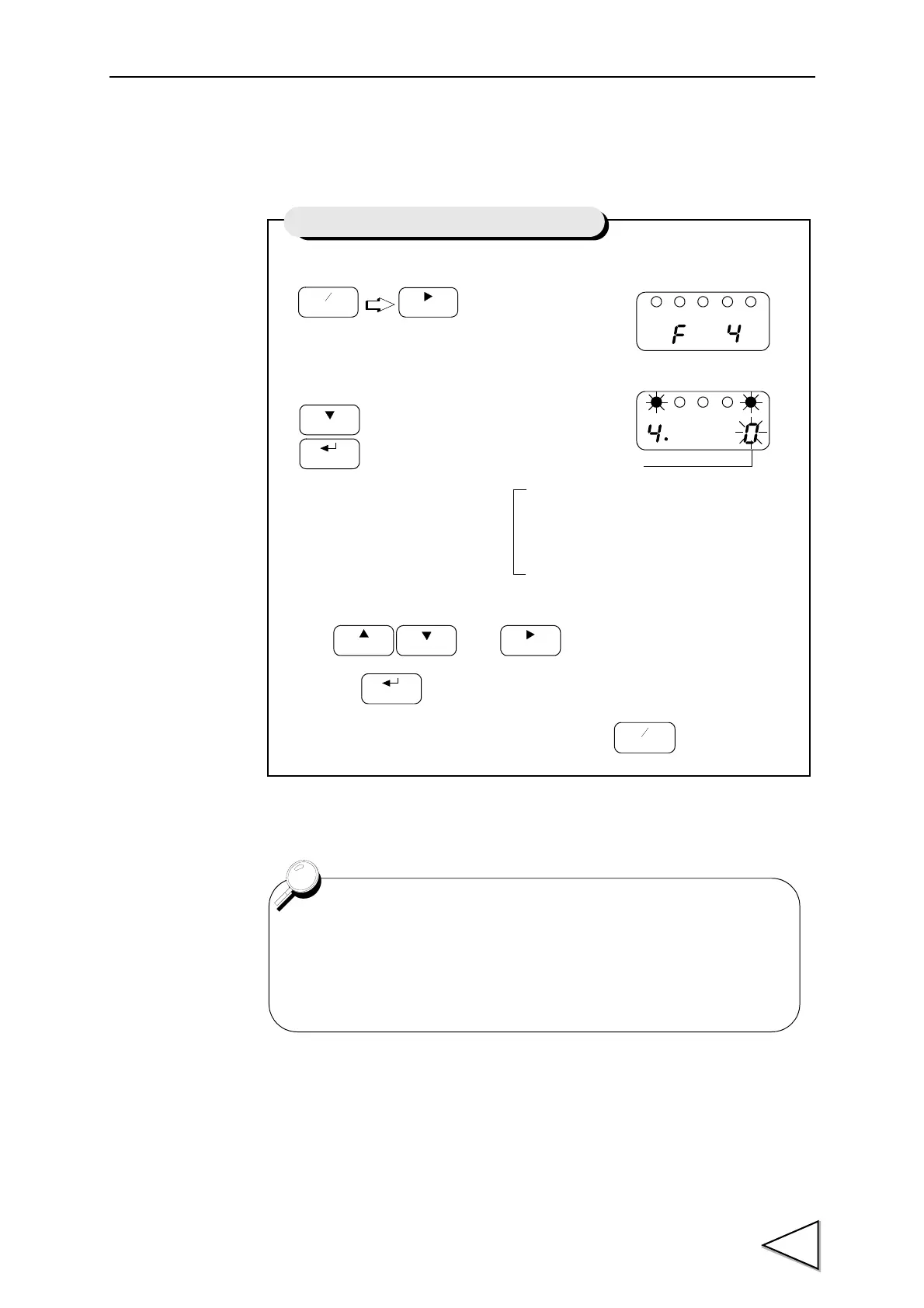
10-1. BCD Data Update Rate Selection
1) Select setting mode 4.
2) Set the update rate of BCD parallel data output.
Use and keys to set the BCD Update rate,
then use key to validate the setting.
To return to the indicated value display, press key.
Press three times.
FNC
+
-
ZERO
Setting of BCD Data Update Rate Selection
0 : 1times/sec. 〃 500msec
1 : 10times/sec. 〃 50msec
2 : 100times/sec. 〃 5msec
3 : 1000times/sec. 〃 0.5msec
4 : 2000times/sec. STROBE Range 0.25msec
BCD Data Update Rate
Normaly,BCD data update synchronous the A/D conversion (2000
times/sec).
When the BCD input equipment is low ability and can not read out
the high rate of 2000 times/sec.,set the BCD data update rate is low.



 To Next Page