11.D/A CONVERTER
98
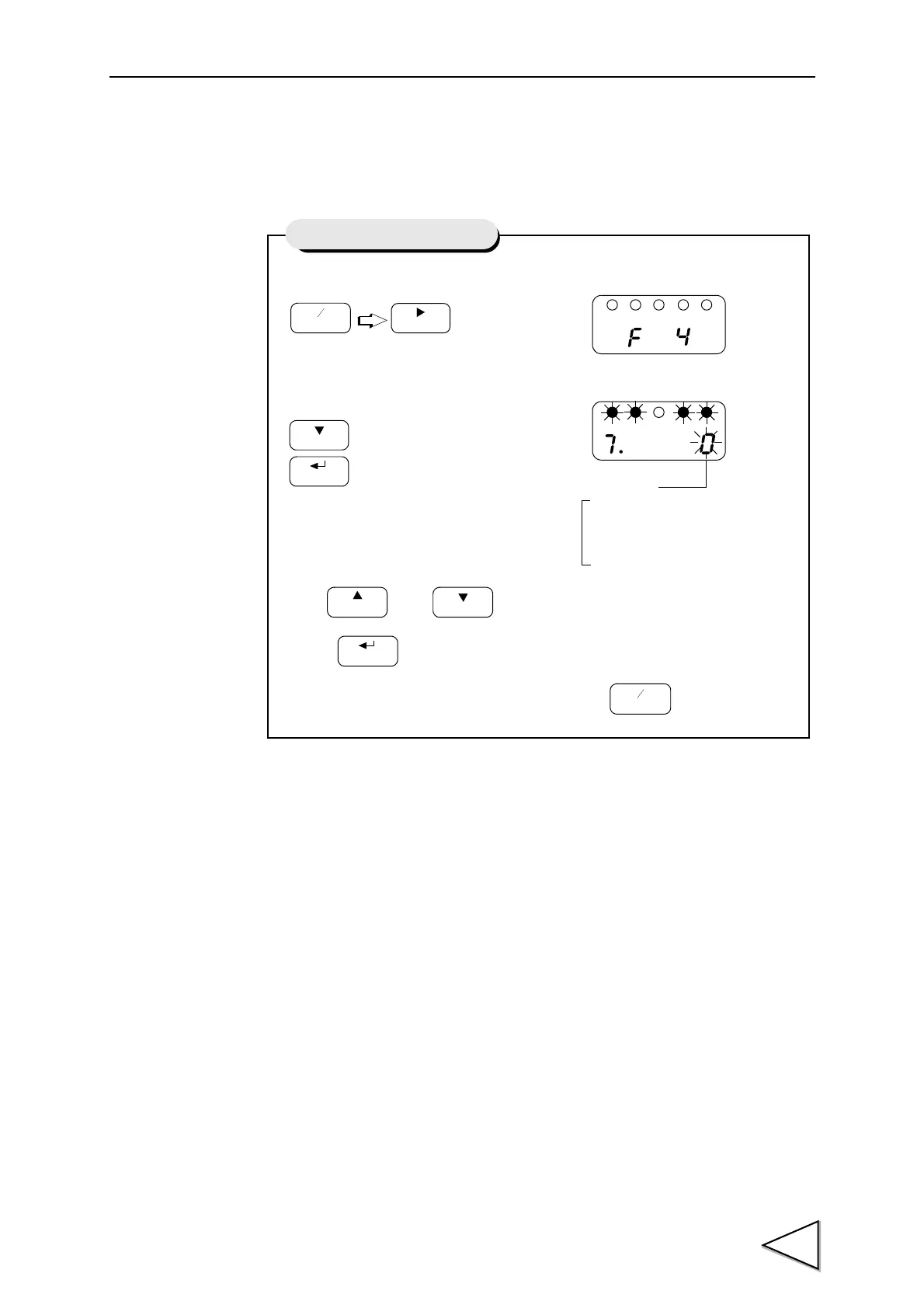
11-4. D/A Output Mode
Set the D/A output mode of the F320 as follows:
20mA (10V) fixed output
When the current output option is equipped, a fixed output of 20mA is made, and
when the voltage output option is equipped, a fixed output of 10V is made.
4mA (0V) fixed output
When the current output option is equipped, a fixed output of 4mA is made, and
when the voltage output option is equipped, a fixed output of 0V is made.
Not linked with indicated value
Scaled analog output linked with sensor input.
Even if the indicated value is held, an output is made according to the changes in
sensor input signal.
Linked with indicated value
Analog output linked with indicated value.
When the indicated value is held, the held value is outputted even if the sensor
input signal changes.
1) Select setting mode 4.
2) Select D/A output mode.
Use and keys to set the D/A output mode.
Press key to validate the setting
To return to the indicated value display, press key.
Press three times.
FNC
+
-
ZERO
Press seven times.
CAL
HOLD
Setting of D/A Output Mode
D/A Output Mode
3 : 20mA (10V) fixed output
0 : Linked with indicated value
1 : Not linked with indicated value
2 : 4mA (0V) fixed output



 To Next Page