12.PASSWORD
99
12. PASSWORD
By inputting the password, the contents of the memory can be rewritten
(initialized) to factory-shipped ones.
Though calibrated values (zero calibration and span calibration) stay unchanged,
all the other set values are rewritten to factory-shipped values.
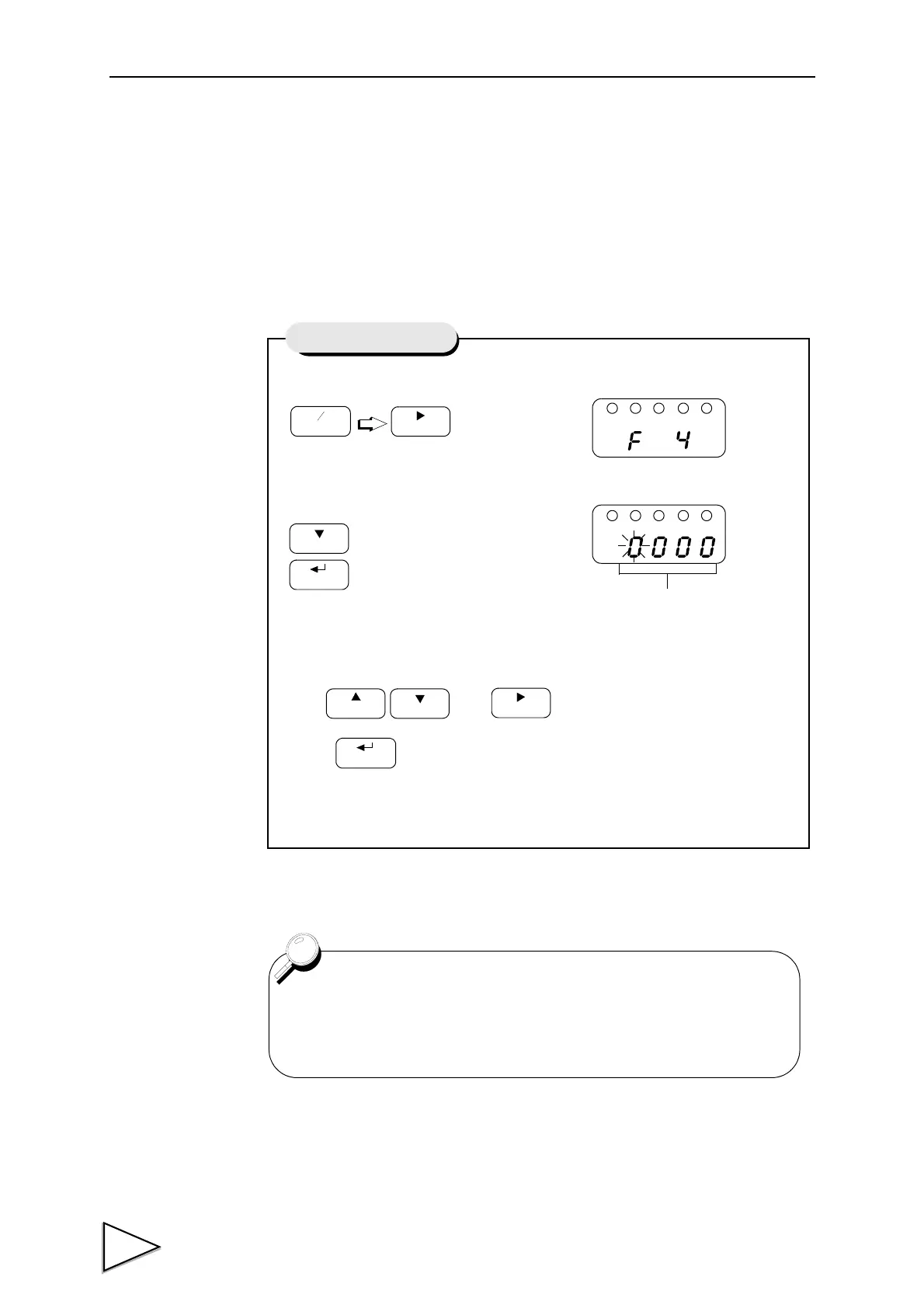
1) Select setting mode 4.
2) Select password.
Use and keys to set the password.
Press key to validate the setting
When you hear a beep, initialization is completed.
(Do not operate any key until you hear a beep.)
Press three times.
FNC
+
-
ZERO
Press eight times.
CAL
HOLD
Setting of Password
Password
1239 : Initialization
• For the initialized values, see the “List of Values” on page 25.
• For simultaneous self-check and initialization, see “Initialization”
on page 103.



 To Next Page