6.SETTING OF FUNCTIONS
65
6-18. Excitation Voltage
This function selects the bridge excitation voltage to be supplied to the strain
gauge sensor.
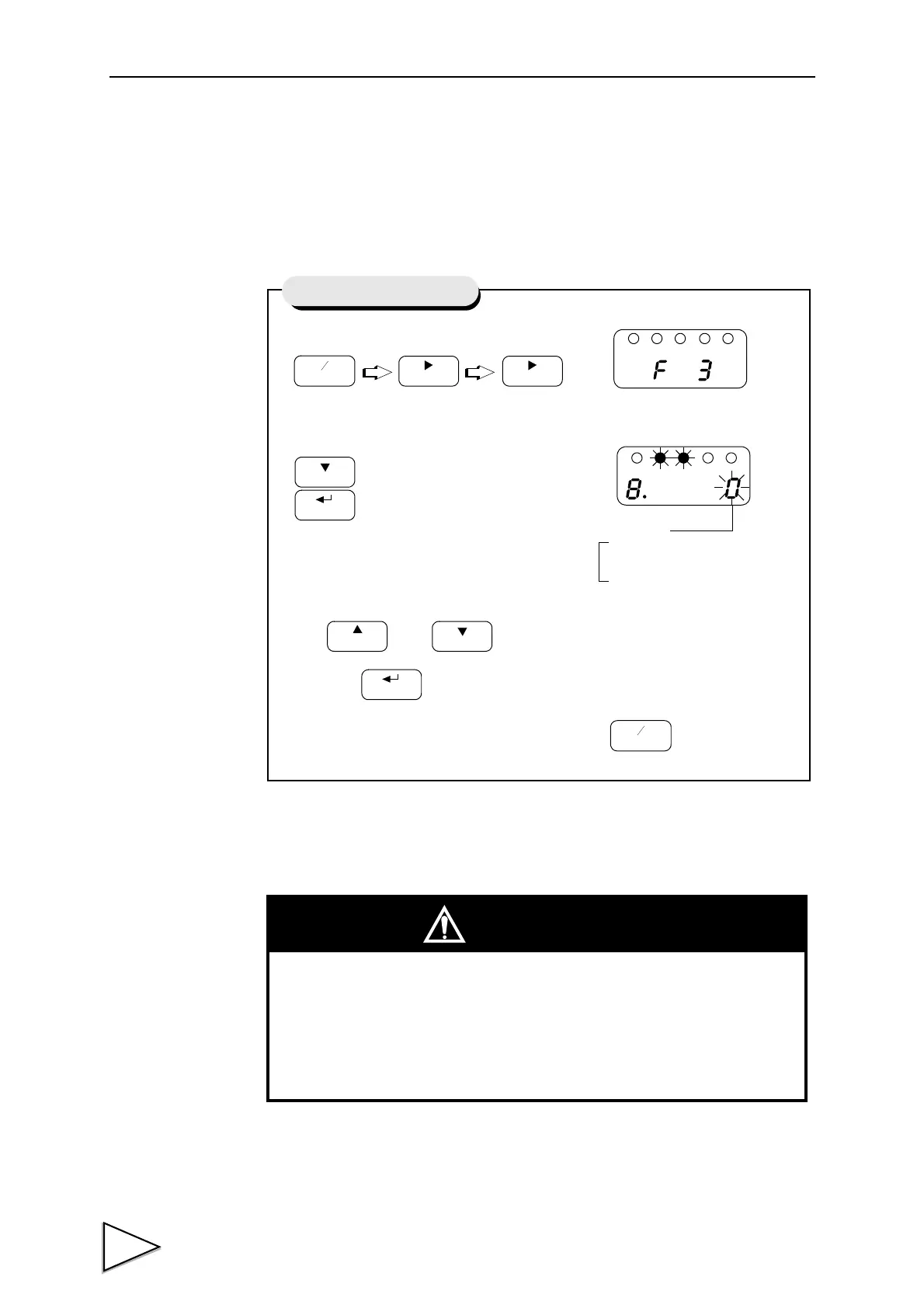
1) Select setting mode 3.
2)
Select excitation voltage.
Use and keys to set the excitation voltage,
then use key to validate the setting.
To return to the indicated value display, press key.
Press eight times.
CAL
HOLD
Setting Excitation Voltage
Excitation Voltage
1 : 10 V
0 : 2.5V
CAUTION
Use a strain gauge sensor to be connected to the F320 whose maximum
excitation voltage is above the bridge excitation voltage specified.
If the bridge excitation voltage is greater than the maximum excitation
voltage of the sensor, the sensor may overheat or may be damaged.



 To Next Page