1FUNCTIONAL DESCRIPTIONS
1
1 FUNCTIONAL DESCRIPTIONS
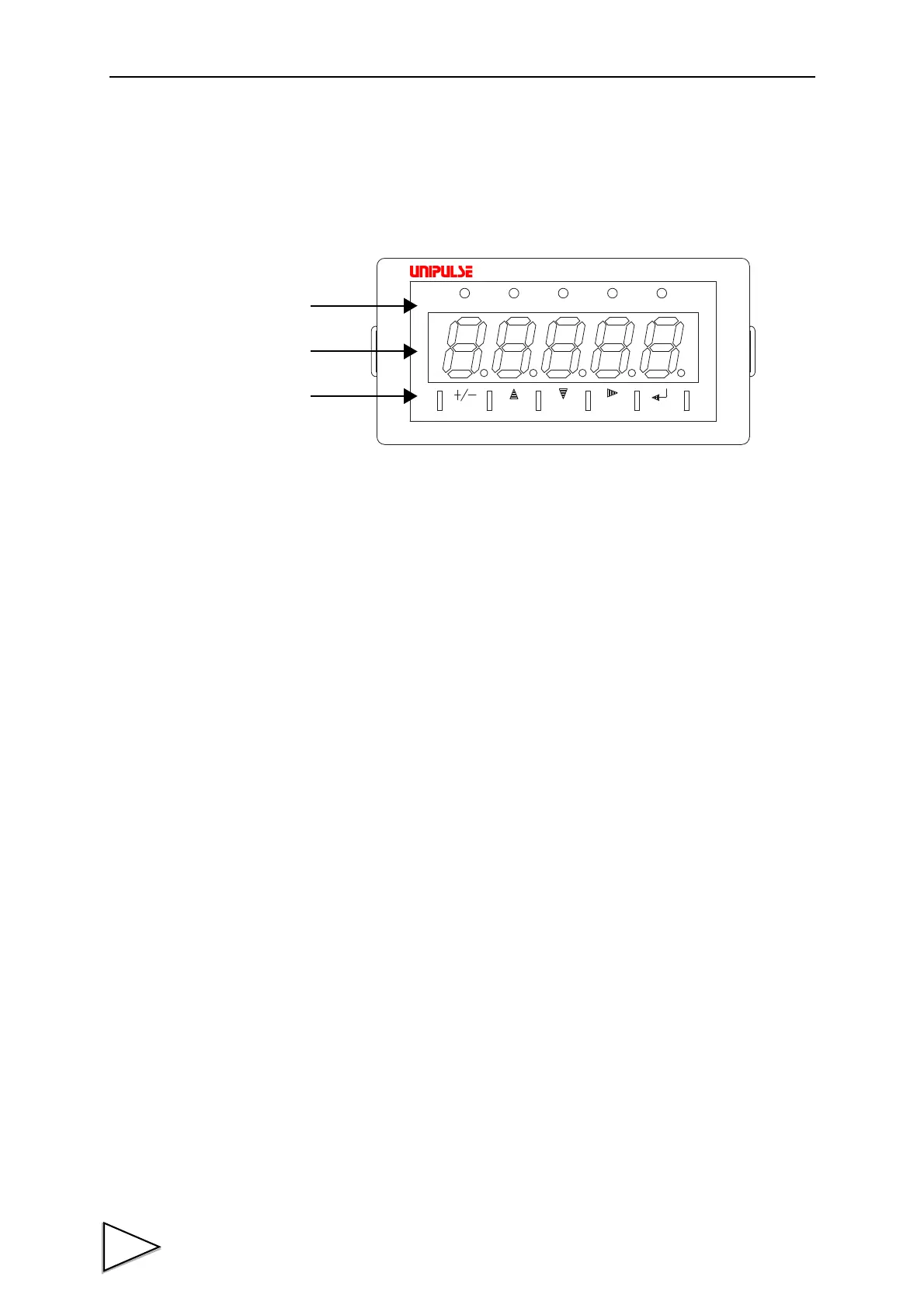
1-1. Front Panel
1-1-1. Status Display
The F320 status is indicated. Setting items are indicated when setting.
HI:
This LED turns on when the indicated value is larger than the set value
of the high limit(indicated value > high limit)
Operation of the high limit relay is on.
OK: This LED turns on when the indicated value is smaller than the set
value of the high limit and larger than the set value of the low limit
(low limit <= indicated value <= high limit)
LOW: This LED turns on when the indicated value is smaller than the set
value of the low limit(indicated value < low limit)
Operation of the low limit relay is on.
PEAK: This LED is blinking when the Peak Hold function is activated.
HOLD: This LED turns on when the indicated value is the held value.
㧲㧟㧞㧜
㧰㨕㨓㨕㨠㨍㨘
㧵㨚㨐㨕㨏㨍㨠㨛㨞
㧴㧵
㧻㧷
㧸㧻㨃
㧼㧱㧭㧷
㧴㧻㧸㧰
㧲㧺㧯
㧳㧭㧵㧺
㧯㧭㧸
㨆㧱㧾㧻
㧴㧻㧸㧰
Status
Numerical
Setting
Display
Display
Key Pad



 To Next Page