6.SETTING OF FUNCTIONS
59
6-12. Calibration LOCK
The Setting value LOCK function inhibits changes to setting to prevent changes
to set values or calibrated values through misoperation.
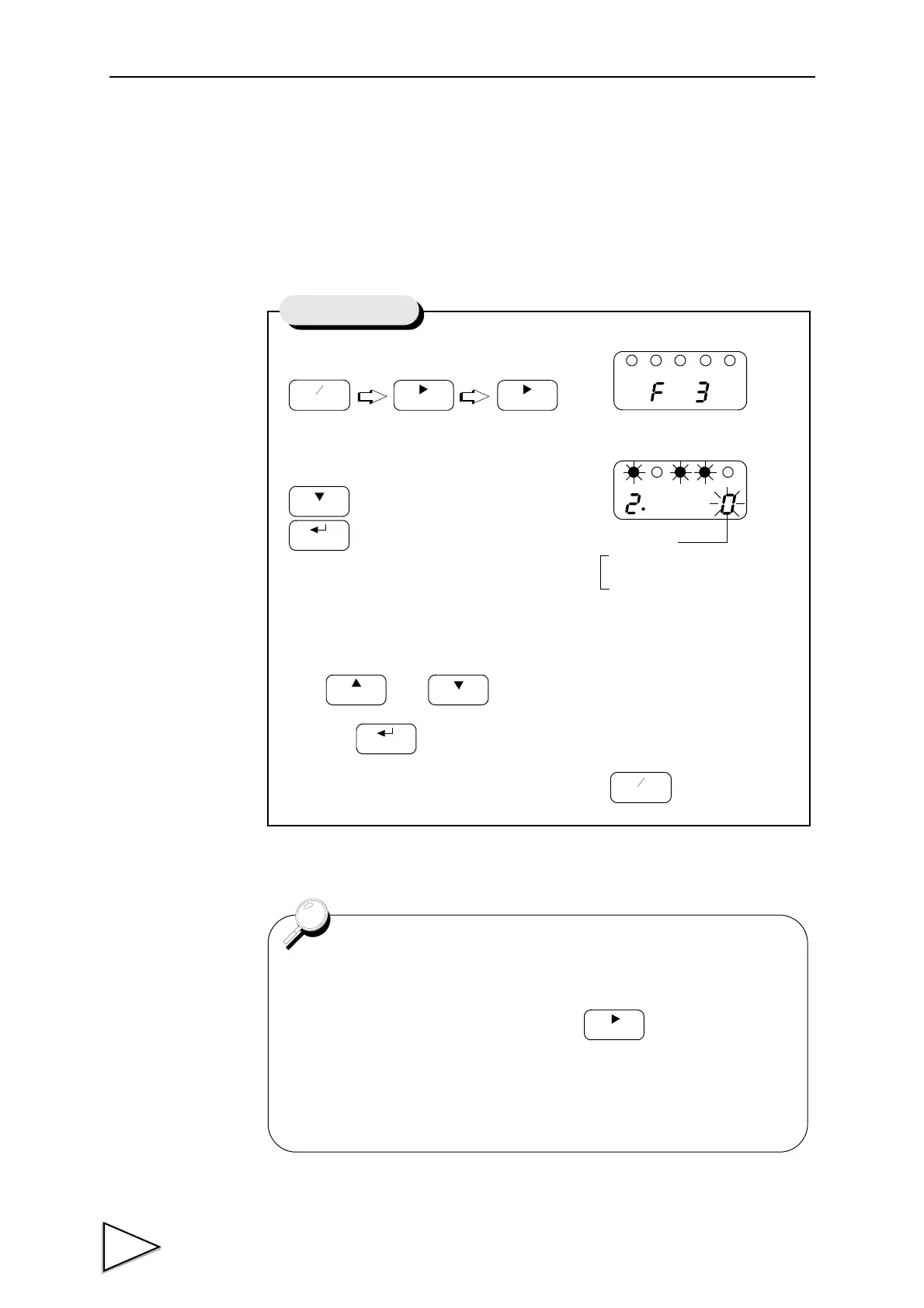
1) Select setting mode 3.
2) Select calibration lock.
Use and key to set the calibration lock of ON(1).
then use key to validate the setting.
To return to the indicated value display, press key.
CalibrationLOCK
Calibration LOCK
1 : ON
0 : OFF
For setting items locked by using calibration LOCK , see the set
value list on page 25 .
The Digital Zero function by using the key on the front
panel is not effective when the calibration LOCK is released(nor
is it effective from the rear panel DZ).
On completion of calibration set the calibration LOCK.



 To Next Page