6.SETTING OF FUNCTIONS
49
6-4. Digital Offset
This function subtracts a set value from the indicated value. If you make digital
offset , the value which is obtained by subtracting the set value from the
indicated value will be displayed. This is convenient when you cannot obtain
zero by unloading the equipment for some reason or when you want to give
offset.
(Indicated value to be displayed)
= (Actual indicated value) - (Digital offset setting value)
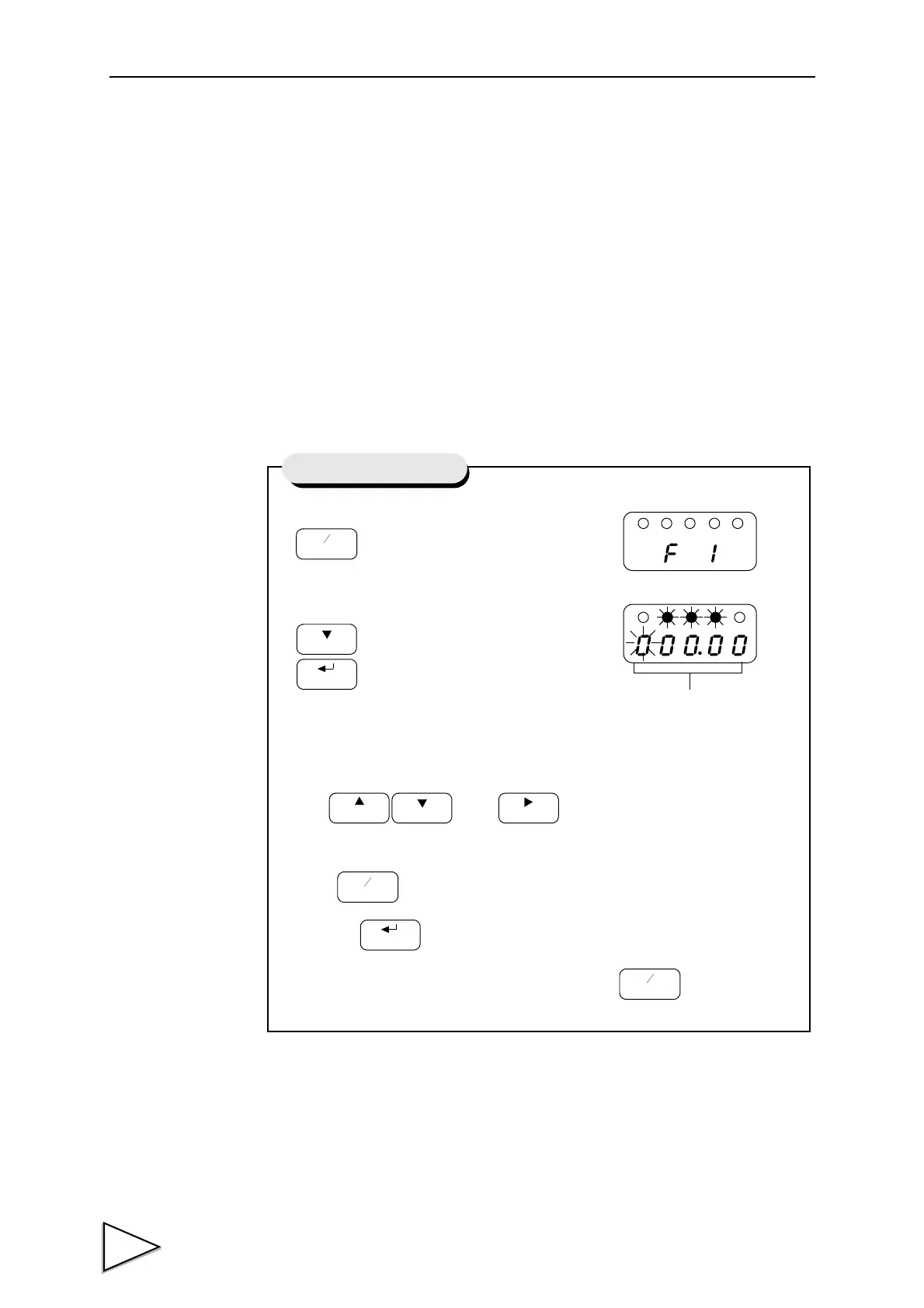
1) Select setting mode 1.
2)
Select digital offset.
Use and keys to set the
digital offset setting value.
Press key to place a minus sign.
then use key to validate the setting.
To return to the indicated value display, press key.
Setting of Digital Offset
Digital Offset (-19999 to 19999)



 To Next Page