3.CONNECTION
12
3-2. Connecting Power Input Terminal
3-2-1. AC Spec.
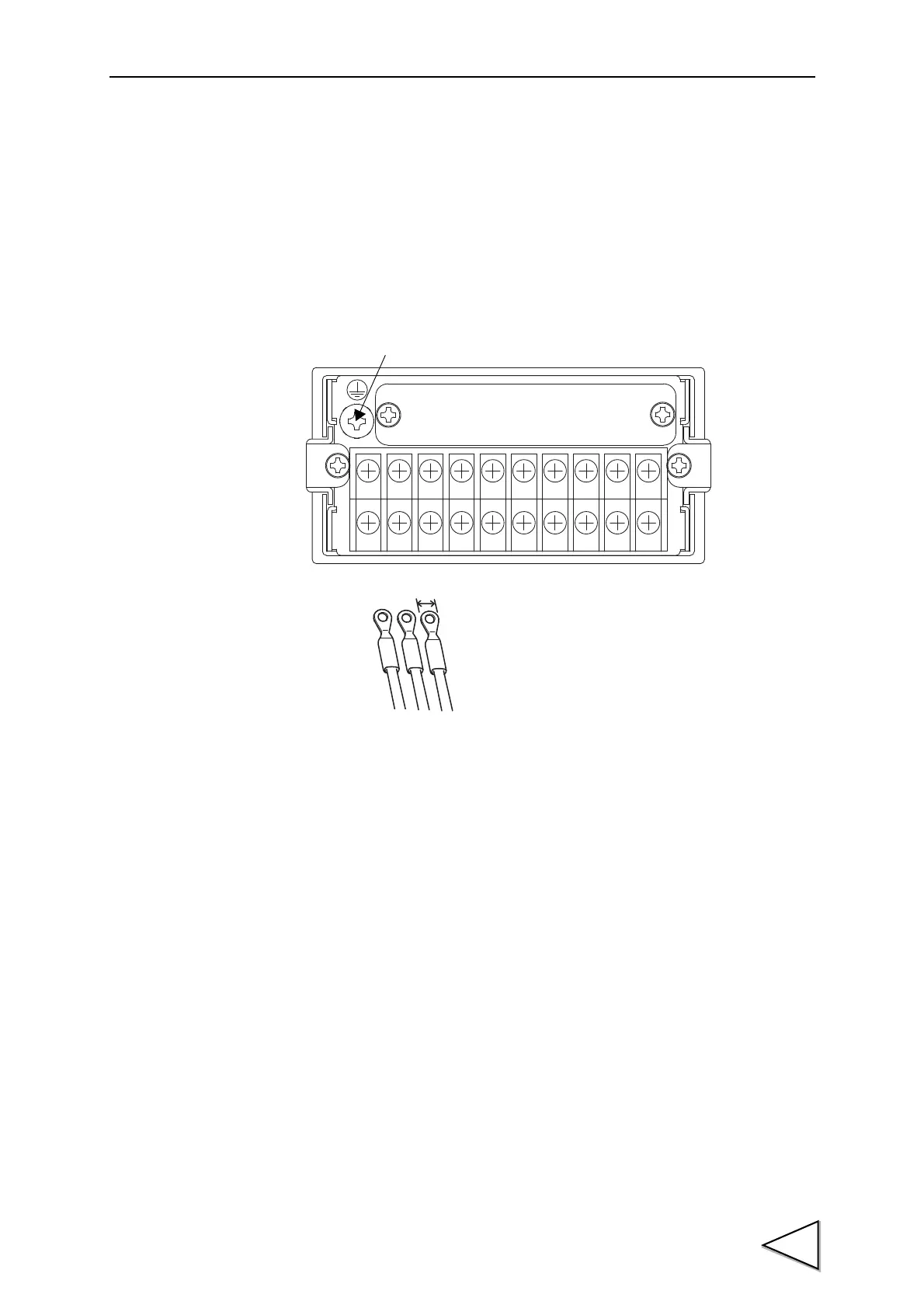
Connect the AC power cord. The input voltage is 100V to 240V AC.
The frequency is 50/60Hz.
1. Make sure that no power is applied.
2. Remove the terminal block cover.
3. Remove the three screws at the lower left of the terminal block, align the
crimp contacts with the screw holes, and then tighten the screws.
4. Mount the terminal block cover.
Within 6mm
Black White Green
Protective ground
(functional ground)
← Color indication for accessory AC cable.



 To Next Page