EasyManua.ls Logo

Unipulse F320 - Sample Hold

Unipulse F320
129 pages
Print Icon
To Next Page IconTo Next Page
To Previous Page IconTo Previous Page
Loading...
7HOLD FUNCTION
68
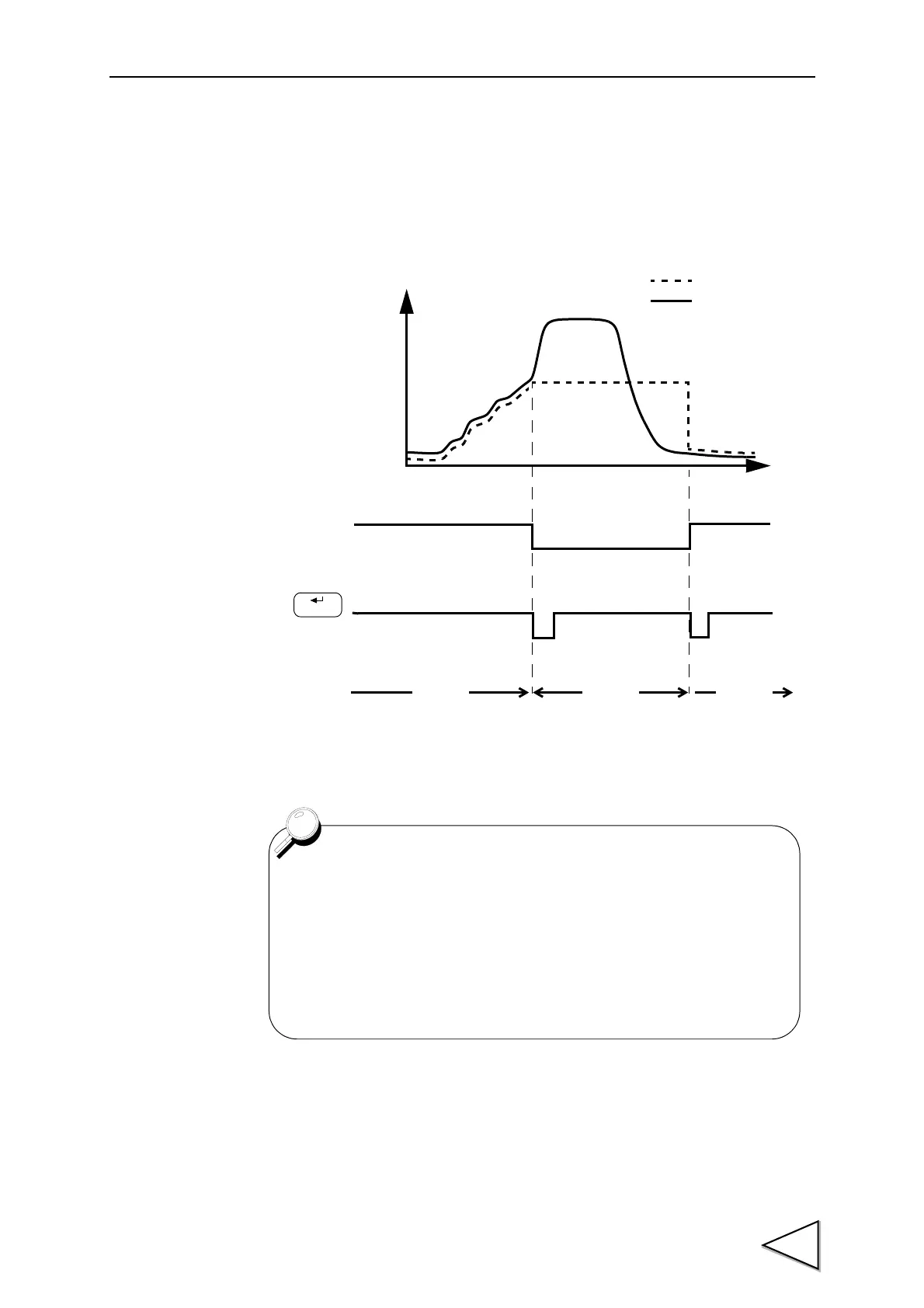
7-2. Sample Hold
• Sample Hold Operation
Hold section
Key input
HOLD LED
Indicated value
Sensor input value
Time
LED OFF LED ON LED OFF
HOLD
• If the hold function is turned ON by external signal input, turn
OFF the hold function by external signal input, and if the hold
function is turned ON by key input, turn OFF the hold function
by key input.
• For the connection of the hold input terminals,
see "Connecting Hold and Digital Zero Signals"on page 19.

Hold section
Hold input

Table of Contents

Related product manuals