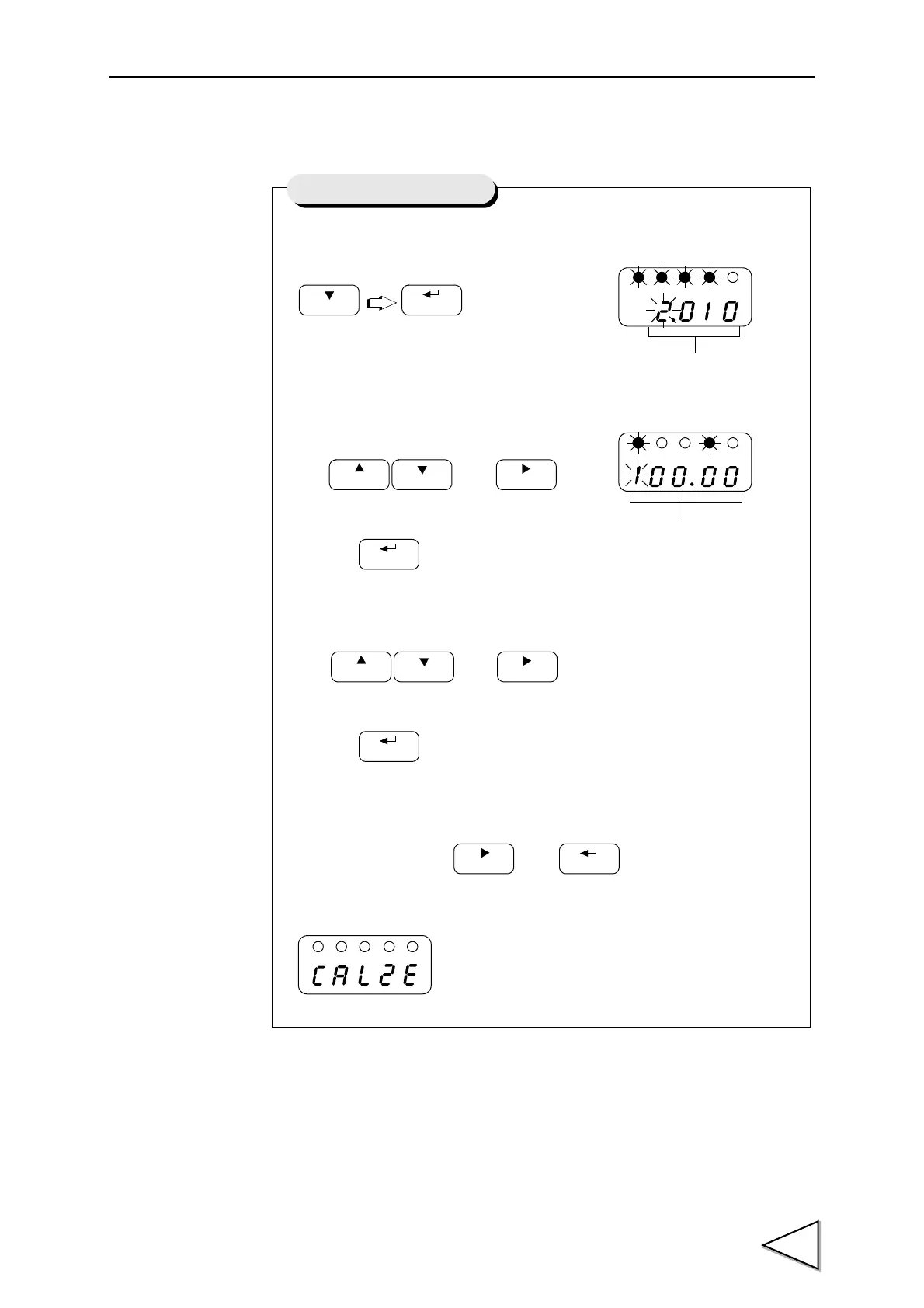
1) Start the equivalent input
calibration.
2) Set the rated output value of the sensor.
Use and keys
to set the rated output value,
then use key to validata the setting.
3) Set the rated value.
Use and keys
to set the rated output value,
then use key to validata the setting.
4) Place the sensor without load and set the zero point. Check that the sensor
is unloaded,then press and keys in this order.
If the indicated value following the display CALZE
is zero, the equivalent input calibration is
terminated.
Equivalent Input Calibration
Rated Output Value(0.500 to 3.000mV/V)
Rated Value(00000 to 19999)
value of 2.010mV/V for rated 100.00kgf(N)
Example of a sensor having the output



 To Next Page