EasyManua.ls Logo

Unipulse F320 - Page 68

Unipulse F320
129 pages
Print Icon
To Next Page IconTo Next Page
To Previous Page IconTo Previous Page
Loading...
6.SETTING OF FUNCTIONS
54
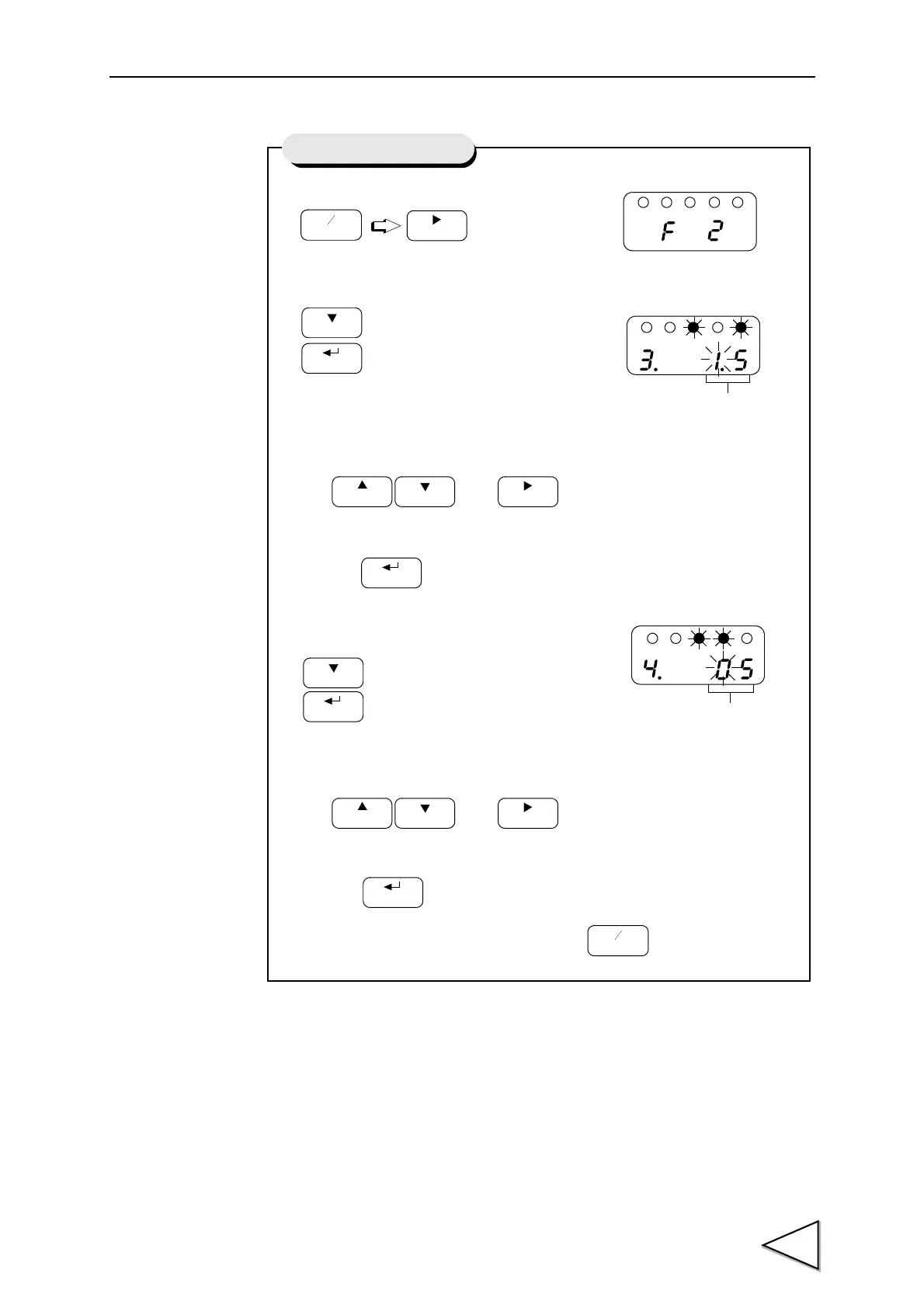
1) Select setting mode 2.
2)
Select motion detecttime.
Use and keys to set
the motion detecttime
then use key to validate the setting.
3) Select motion detectrange.
Use and keys to set
the motion detectrange
then use key to validate the setting.
To return to the indicated value display, press key.

FNC
ZERO
Press three times.
CAL
HOLD
GAIN
CAL
ZERO
HOLD
CAL
HOLD
GAIN
CAL
ZERO
HOLD
FNC
Setting of Motion Detect
Motion Detect (time)
Motion Detectrange
00 to 99
0.0 to 9.9 sec.

Table of Contents

Related product manuals