VEMCO – VR100 Manual 28 May 2018 5
1.5 Connectors and Caps
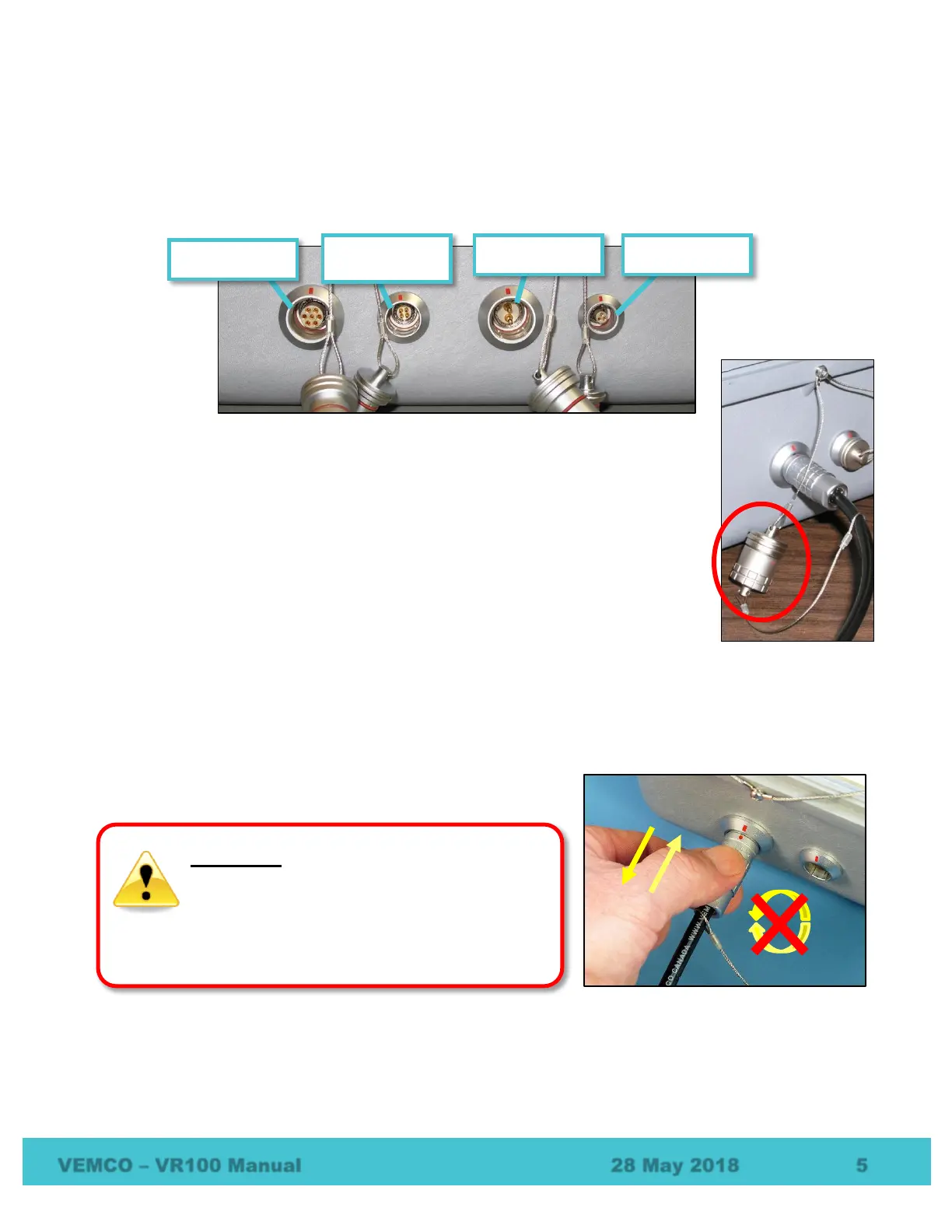
There are four bulkhead connectors on the right side of the VR100 case that are used to connect the different
components of the VR100 system to the receiver, such as the hydrophone. The picture below shows the
connectors without their protective caps in place.
Each bulkhead connector has a cap to protect the connector from contact with water.
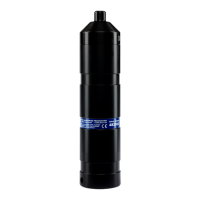
When the protective cap from the receiver’s hydrophone connector is removed, it
should be joined to the protective cap attached to the hydrophone cable, as shown in
the photo at right. Otherwise, the caps should always be protecting the connectors
from moisture.
The connector’s protective cap is used to prevent water from entering the connector
and damaging the connector and possibly the receiver. With the cap properly in place,
the VR100 is extremely splash-resistant.
1.5.1 Correct handling when connecting or disconnecting a component
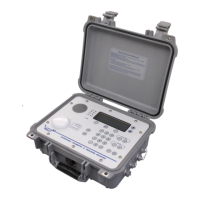
When inserting (or removing) a connector, grab the grooved
sleeve and push straight in (or pull straight back).
Join protective caps
when they’re not in use.
TWISTING can damage the
connectors and internal wiring of accessory
cables.
Never TWIST the wire or connector
while inserting or removing it. Always push or
pull in a
straight
line, holding the metal part of
the connector.


 To Next Page