VEMCO – VR100 Manual 28 May 2018 20
3 Software
The VR100 can communicate with the VR100 PC software to allow sensor tag information to be setup and to
offload data from the receiver. The main functions performed with this software are explained in this section
of the manual.
3.1 Install VR100 PC software
The VR100 PC Software (VR100HS) requires:
A PC running Windows Vista, 7, 8, or 10.
At least one available USB port.
Before installing the VR100 PC Software ensure that all VR100 Receivers are disconnected from the PC.
Run the VR100 PC Software setup file from the supplied Product USB Stick or download it from the
VEMCO website: https://vemco.com/products/vr100/?product-software. Follow the instructions in the
installation wizard.
After the software is installed connect a VR100 receiver to the PC using the supplied USB cable and turn the
receiver on. Windows will automatically detect the receiver and prompt you to setup the device. Follow the
on-screen instructions. When prompted, choose to install the software automatically. Windows will repeat
this process each time a VR100 is connected to a different USB port.
3.2 Connect to VR100
Establishing communication between a PC and the VR100 requires the following steps:
1. Connect the large marine grade connector on the supplied VR100 USB cable to the second connector
from the left on the side of the VR100 receiver. The other end of the connector must be connected to
a USB port on the computer you wish to use.
2. Open the VR100 PC software.
3. Turn the VR100 on.
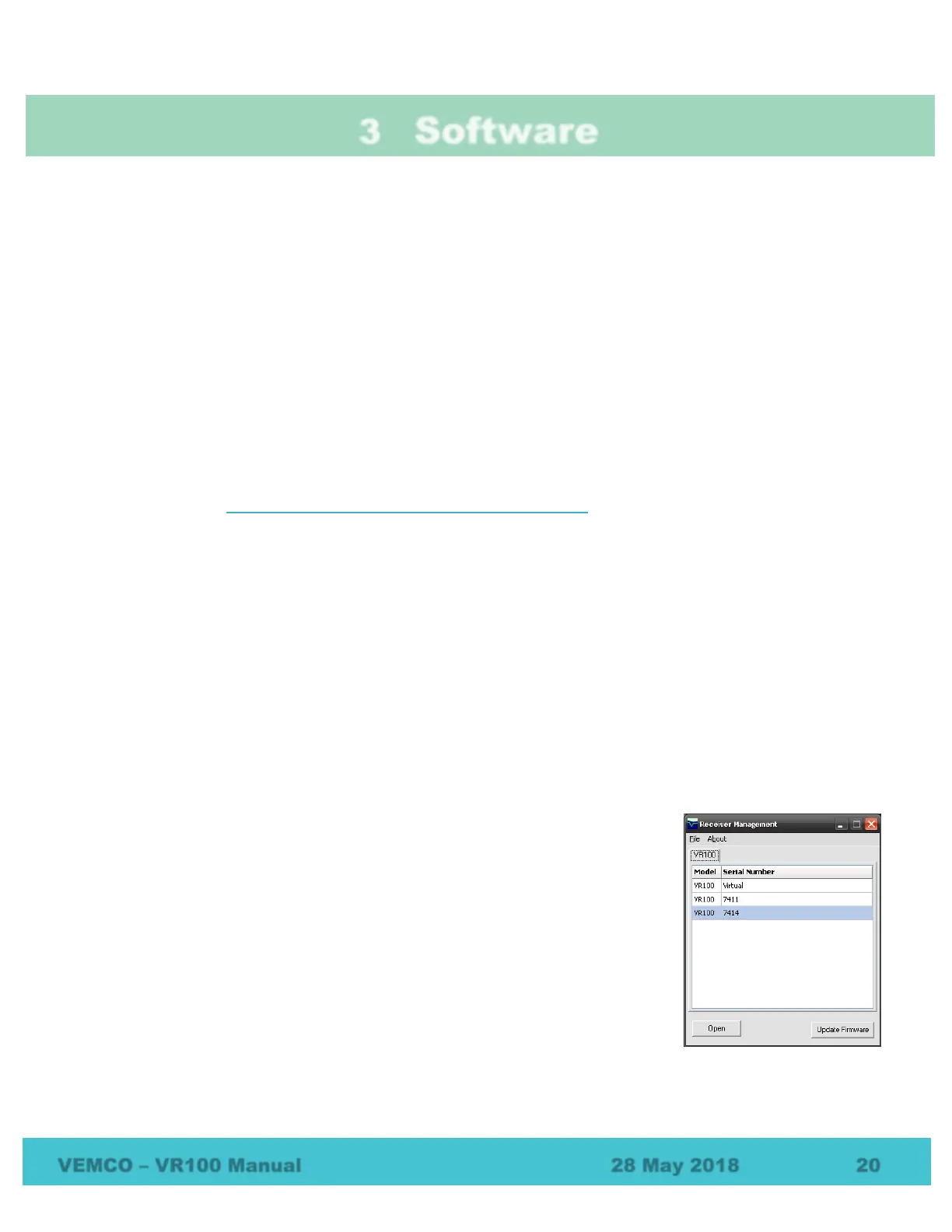
4. Wait for the VR100’s serial number to appear in the Receiver Management
window.
5. Click the “Open” button in the bottom left corner of the window to open
the VR100 Receiver window.
VR100 receivers that are currently on and connected to the VR100 software
through a USB port are listed in the Receiver Control and Management Interface
window, shown below. More than one receiver can be connected to the software
through the computer’s USB connection at the same time. A USB hub increases
the number of connections available for receivers. The receiver that was most
recently connected to the software is highlighted in blue in the VR100 list.



 To Next Page