VEMCO – VR100 Manual 28 May 2018 21
The VR100 software can be used without a VR100 connected to the computer by selecting the serial number
“Virtual”. This allows sensor transmitter information to be entered and saved (see section 3.8) in preparation
of being uploaded to the receiver without the receiver being physically connected.
3.3 VR100 Receiver Window
The quickest method to open a VR100 Receiver window (see section 3.2) is to double-click the desired
receiver’s serial number in the list. A receiver window can also be opened by highlighting the desired serial
number and clicking the “Open” button at the bottom of the window.
CAUTION: Verify the receiver you are communicating with is the
intended unit, particularly before erasing receiver memory files
or changing setups. Communication can occur with any
powered VR100 receiver connected to the PC.
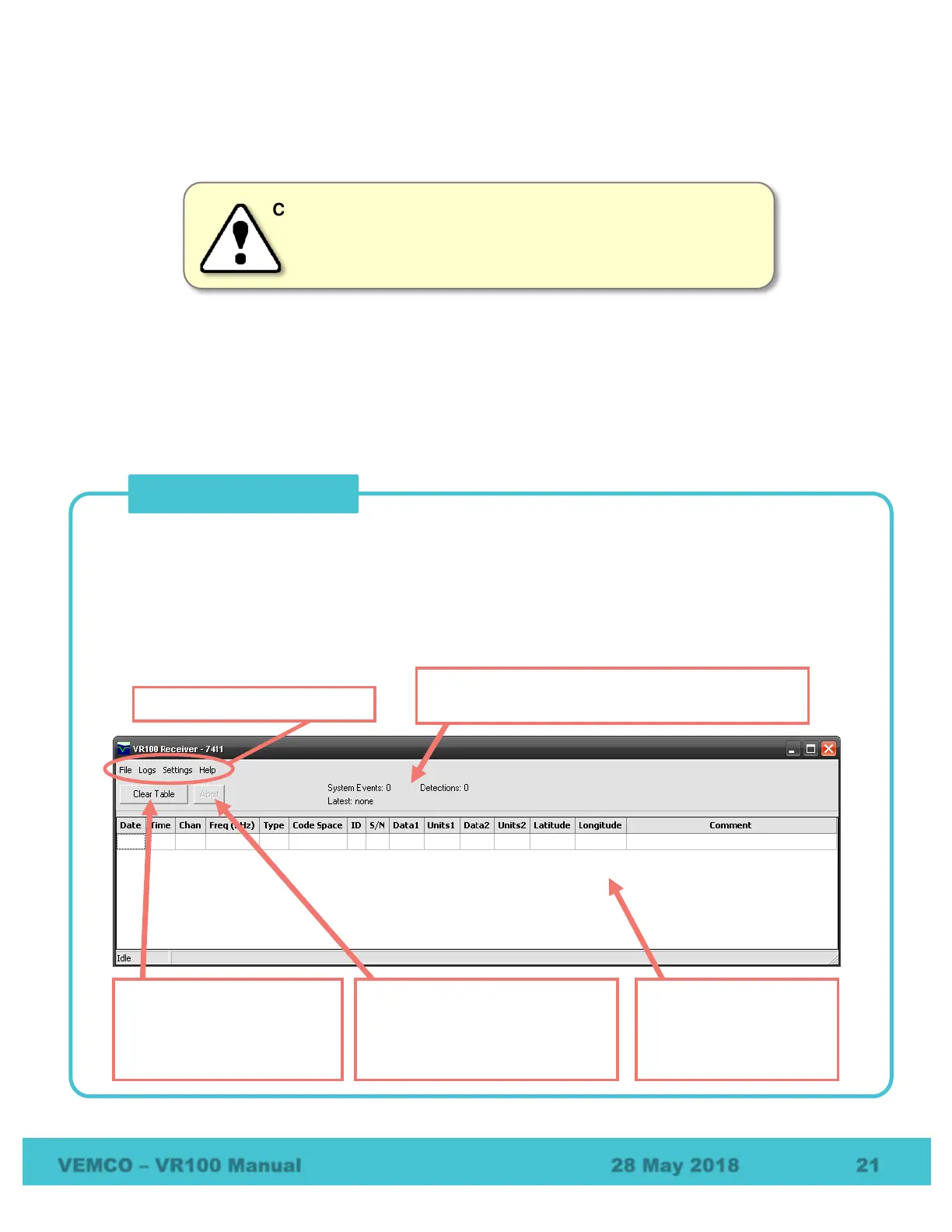
When a receiver is opened from within the Receiver Management window, it opens a VR100 Receiver
window like the one shown below. The receiver’s serial number is displayed in the top left corner to identify
which receiver is associated with this window.
When more than one receiver is open, then more than one VR100 Receiver window is open. One VR100
Receiver window is assigned to each receiver opened in the Receiver Management window. Commands
performed in the VR100 Receiver window affect only the receiver associated with that window.
Abort: stops the currently running
data offload. The button is only
enabled when data is being
Clear Table: clears the log
file displayed in the VR100
Receiver window without
Data contained in the
open log file. This
includes sensor data if
VR100 Receiver window menu
Statistics from log file shown, including date and time
of the latest detection or system event.



 To Next Page