VEMCO – VR100 Manual 28 May 2018 16
2.2.2 Setup a Continuous Sensor Tag
From the Main screen:
1. Select Config (see section 6.1.2.1).
2. Press “4” on the keypad. This displays the list of sensor tag types.
3. Select either “2 One-sensor continuous tag” or “3 Two-sensor continuous tag” depending on the tag
type.
4. If a list of serial numbers appears, press the left selection button to select “New”.
5. Enter the serial number of the tag and press “Next”.
6. Enter the tag’s operating frequency.
7. Enter the tag’s sync value if this is a two-sensor tag (default = 1150 ms).
8. Enter the tag’s slope value.
9. Enter the tag’s intercept value.
10. Enter the data type (e.g. temperature, pressure). If this is a two-sensor tag, this information is entered for
the second sensor.
11. Enter the Minimum Period value.
12. Enter the Maximum Period value.
13. Press the right selection button to “Accept” this tag. If more tags are to be entered, repeat steps 3 to 13.
14. Press the Menu button until the Main screen appears.
2.3 Setup Channels
A channel in the VR100 is a group of configuration settings used to listen to VEMCO tags.
For example, a channel can be configured to listen for continuous pingers that operate at 60
kHz. Another channel can be configured to listen for coded tags operating at 69 kHz. Up
to eight channels can be monitored simultaneously, although only one channel can be
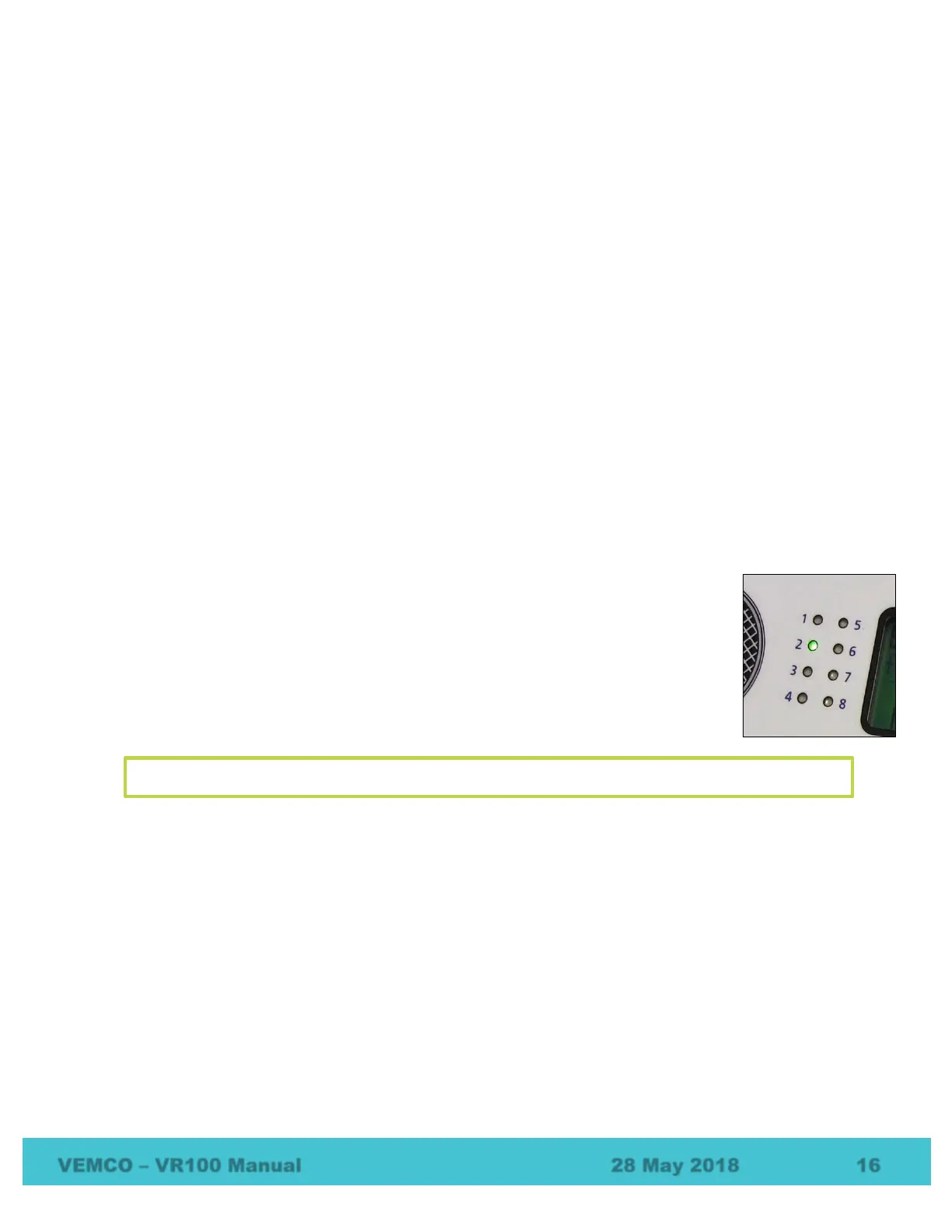
viewed at a time on the screen. A green light will flash to the left of the screen when a ping
is detected on the corresponding channel. For example, if channel 2 was set up to detect 60
kHz continuous tags, then the “2” light would flash green when a 60 kHz ping was
detected.
2.3.1 Setup a Channel to Monitor a Continuous Pinger (no sensor)
A channel can be set up to monitor continuous pingers operating on the same frequency. All pingers operating
on that frequency will be detected, so normally an experiment uses a single continuous pinger per frequency.
Continuous pingers on other frequencies can be monitored on other channels.
From the Main screen:
1. Select Config (see section 6.1.2.1).
2. Press “1” on the keypad.
3. Select the desired channel number on the keypad, or use the arrow buttons to move through the list of
channels until the cursor is over the desired channel.
4. Press the right selection button to select “Configure”. The current channel configuration is displayed
in a summary screen.
NOTE: If a channel is configured for transponding then it is not available for conventional monitoring.



 To Next Page