VEMCO – VR100 Manual 28 May 2018 24
3.8 Tag Manager
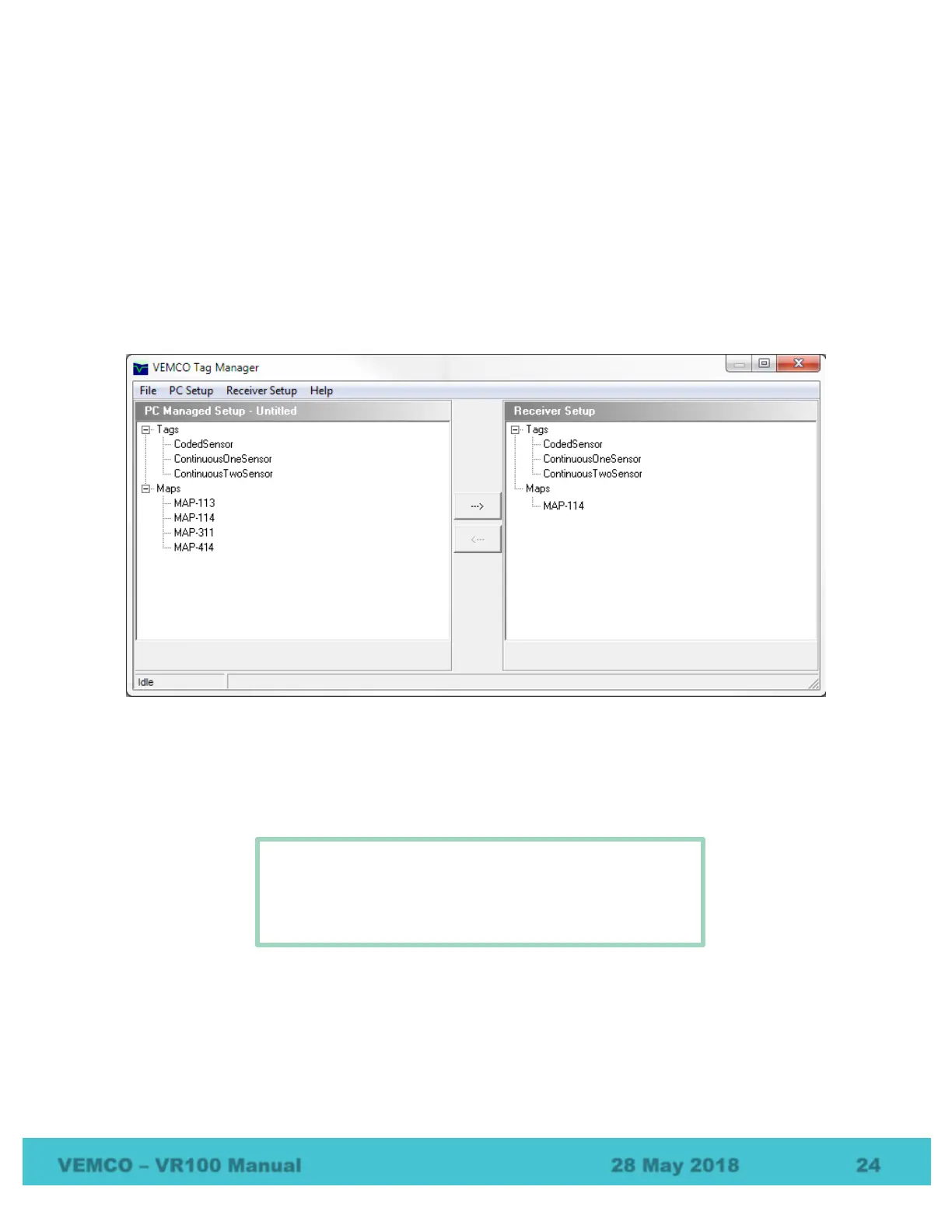
The Tag Manager window allows sensor tag setups to be created, or edited, and then transferred to VR100
receiver. A group of sensor tags can be saved as a setup file and opened at a future time. The Tag Manager
window opened by selecting Tag Manager in the Settings menu of the VR100 Receiver window.
The left half of the Tag Manager window is called the PC Managed Setup and is used to enter and edit sensor
tags. The information seen in the PC Managed Setup list is the tag/map setup contained in the PC software.
The right half of the window is called the Receiver Setup and is the actual tag/map setup contained in the
VR100 receiver. When the Tag Manager window is opened, the software automatically requests the current
setup from the receiver and displays it in the Receiver Setup half of the Tag Manager window.
The setup for tags and code maps can be passed between the PC and the receiver by using the arrow buttons
in the middle of the window or by dragging and dropping items from one pane to another. To copy a sensor
transmitter from the PC Managed Setup list (on the left) to the Receiver Setup (on the right), select the desired
tag by clicking it once with the mouse and then click the right pointing arrow in the middle of the window.
The tag now also appears on the right half of the window and has been automatically sent to the VR100.
To select more than one tag at the same time, select the first
tag then hold the Control key on the computer’s keyboard
while you select the other tags with the mouse arrow. Press
the Shift key instead of Control to select blocks of tags.



 To Next Page