VEMCO – VR100 Manual 28 May 2018 10
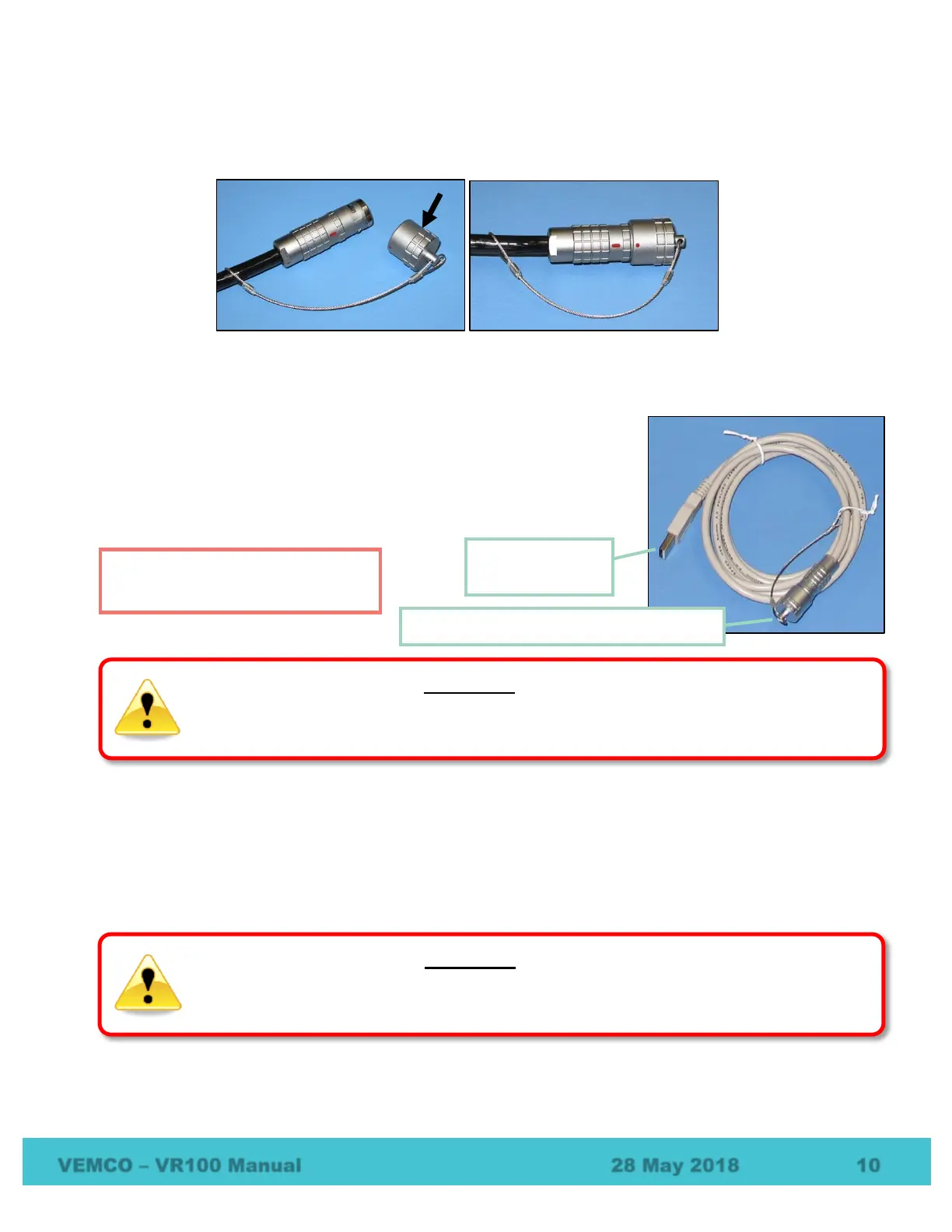
The protective cap attached to the hydrophone cable should always be on the cable’s connector when the
hydrophone is not connected to the VR100 to prevent water from entering the hydrophone’s connector.
Water in the connector may enter the cabling and cause damage.
1.6.2 USB Cable
The VR100 receiver is connected to a computer through an adapted USB
cable, shown at right. The marine grade connector is connected to the second
connector from the left on the VR100 case (see section 1.5) and the USB
connector is connected to a USB port on the computer.
1.6.3 Headphones
A marine grade headphone jack is located on the side of the VR100 case (see section 1.5). A pair of
headphones with a matching jack can be purchased from VEMCO.
Please read the USB warning at
the front of the manual.
WARNING
Do not allow cable connectors to come in contact with water. Water could enter the back of the
connector and damage the cable, which could potentially damage the VR100 receiver.
hearing loss may occur if the headphones or internal speaker is used at high volume.
Set the volume to a safe level. Avoid turning up the volume to block out noisy surroundings.
Marine Grade Connector (into VR100)



 To Next Page