BASIC CALL HANDLING PROGRAMMING TASKS DX-120 Programming Manual
- 238 -
Programming External Call Forward (continued)
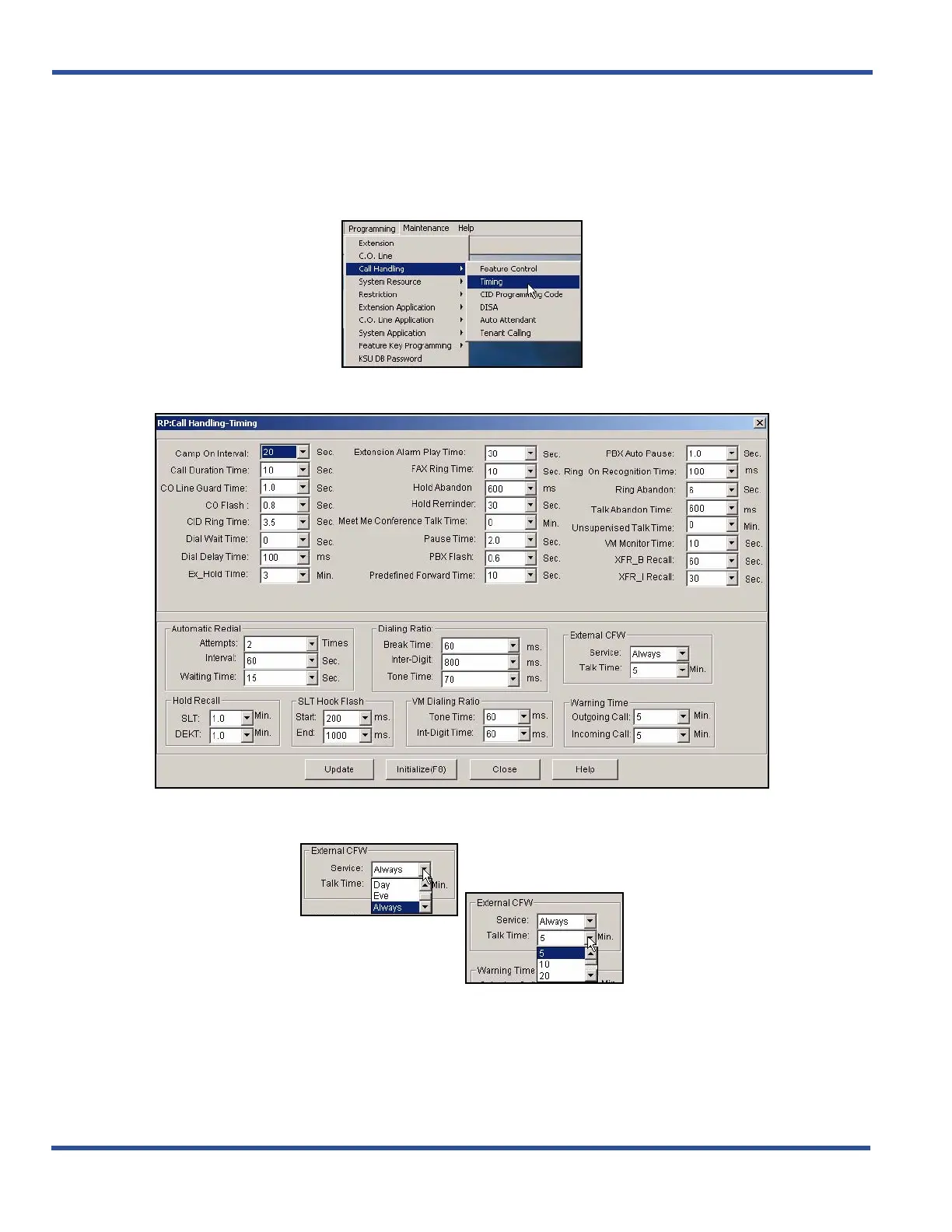
PROGRAMMING EXTERNAL CALL FORWARD VIA PC-DBA
From the PC-DBA main screen:
1) Go to ProgrammingXCall HandlingXTiming to display the Call Handling—Timing screen.
In the External CFW fields (located in the right center area of the screen):
Programming External Call Forward via PC-DBA (continued on next page)



 To Next Page