APPENDIX E - SETTING UP LETTER TYPE FOR USING SPECIAL CHARACTERS
- 478 -
ENTERING UPPERCASE LETTERS
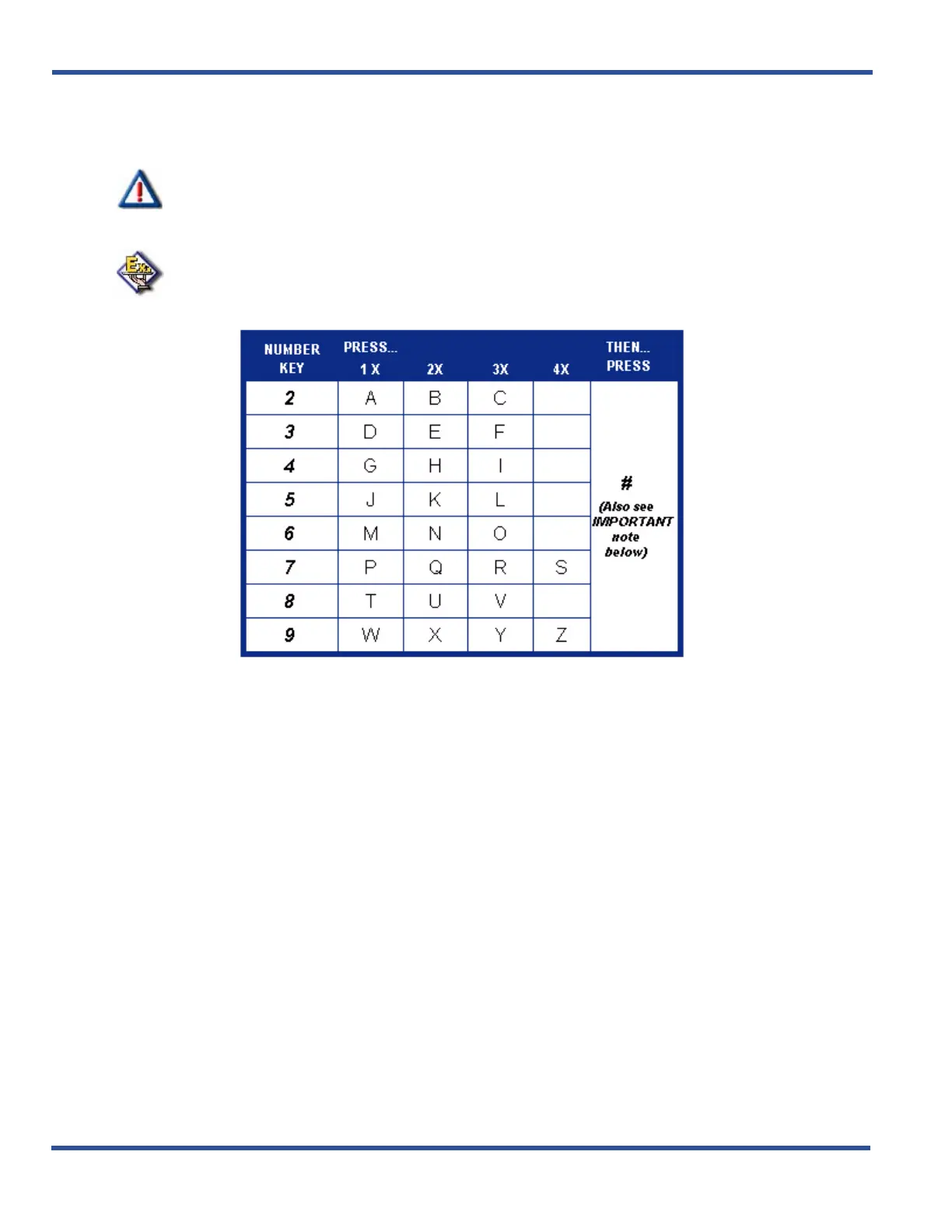
You can also use capital letters if you wish. Use the following table when entering a capital letter.
IMPORTANT!
The # button acts as an enter key. You must press it after each character you enter to
save that character in the position. You can also use # to enter a space.
EXAMPLE
To enter “MARY” as an extension user’s name, enter the following keystrokes:
6#2#777#999#



 To Next Page