- 479 -
APPENDIX E - SETTING UP LETTER TYPE FOR USING SPECIAL CHARACTERS
ENTERING NUMBERS
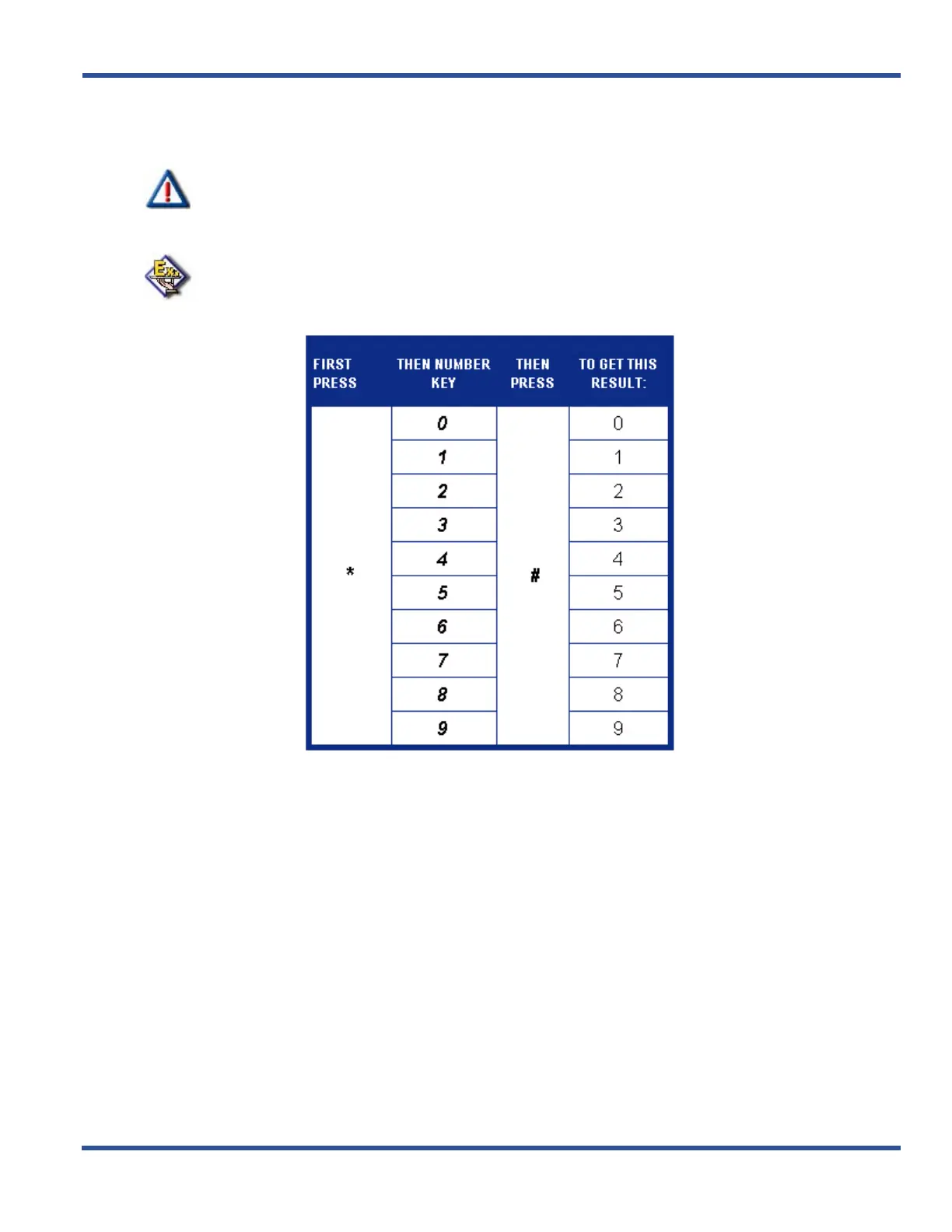
If you wish to use numerals, refer to the following table.
IMPORTANT!
The # button acts as an enter key. You must press it after each character you enter to
save that character in the position. You can also use # to enter a space.
EXAMPLE
So for example to enter “1846” as password, enter the following keystrokes:
*1#*8#*4#*6#



 To Next Page