BASIC SYSTEM PROGRAMMING TASKS DX-120 Programming Manual
- 50 -
Setting the Hour Mode via PC-DBA (continued)
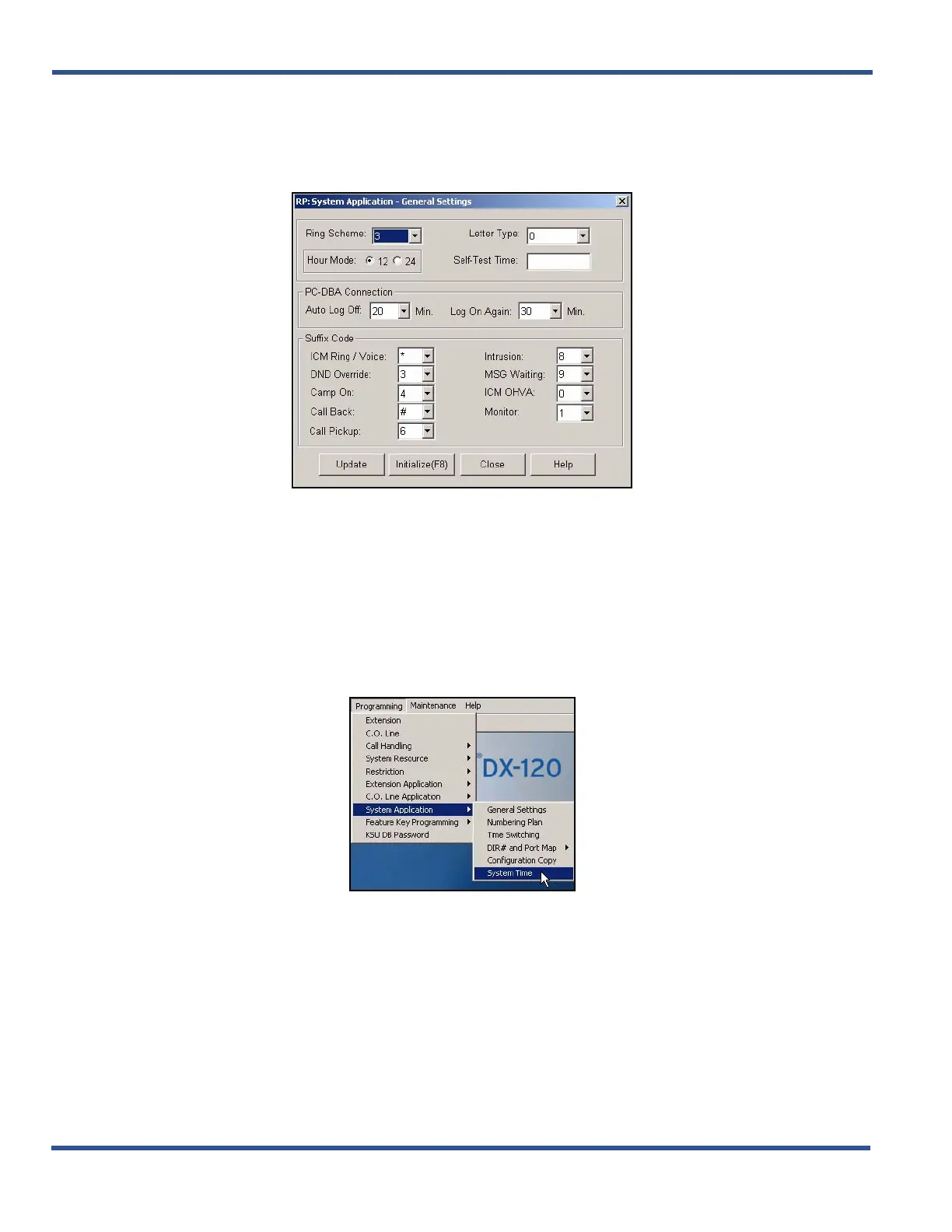
1) Go to ProgrammingXSystem ApplicationXGeneral Settings to display the System Application—General
Settings screen.
2) Click to select the hour mode you want to use (i.e., 12 or 24).
• The default is 12.
3) Click the Update button to enter your setting into the database on the local disk.
4) Click the Close button to exit the current screen and return to the PC-DBA main screen.
SETTING THE TIME AND DATE
From the PC-DBA main screen:
Setting the Time and Date via PC-DBA (continued on next page)



 To Next Page