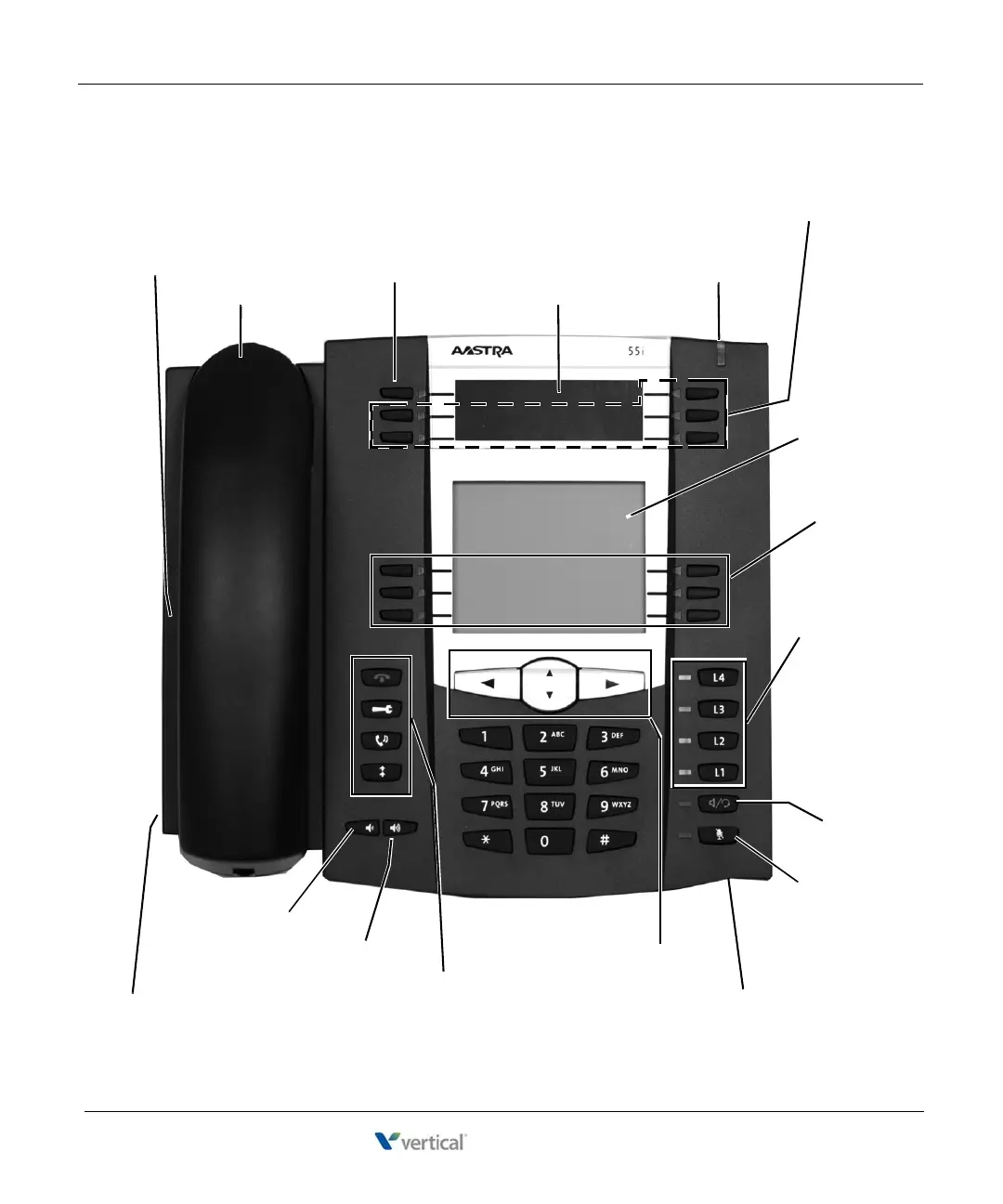
12 - Microphone Opening
(located under the front panel)
1 - Speaker
(located under the handset)
4 - Pre-programmed Button Display
2 - Handset
20 - Headset (Auxiliary) Jack
(located behind front panel)
13 - Scroll & Select
11 - Mute
10- Speaker/Headset
19 - Volume Down
18 - Volume Up
3 - Flash
7 - Call and
Station Status
Display
9 - Four
Line
Appearance
Buttons
14 - Goodbye
15 - Options
16 - Hold
17 - Redial
5 - Message Waiting Light
6 - Five Programmable (PGM) Buttons
8 - Six Softkeys










 To Next Page