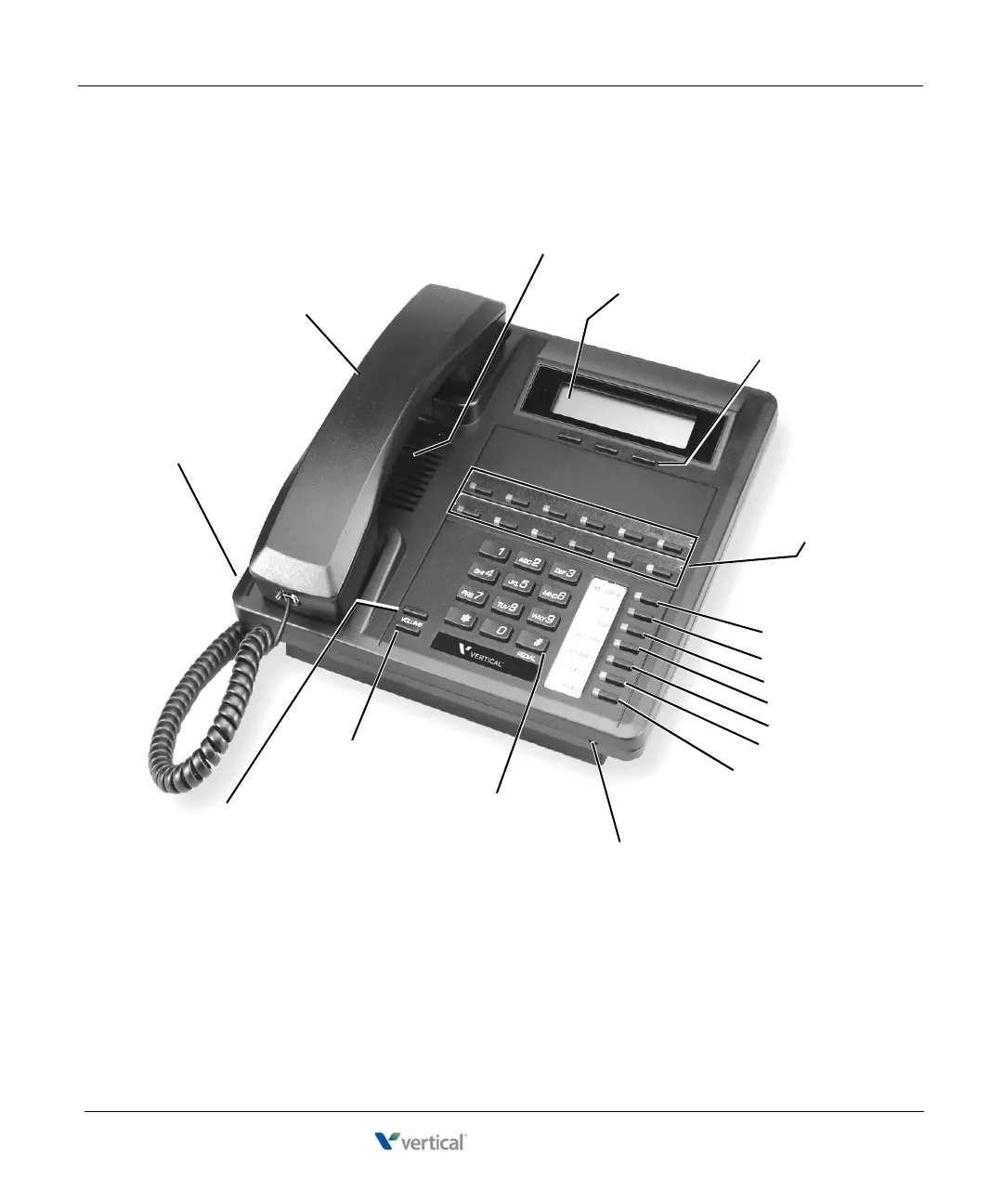
5 - Three Softkeys
(not programmable)
6 - Twelve
Pre-programmed
(PGM) Buttons
13 - HOLD
11 - SPEAKER
15 - REDIAL
17 - VOLUME (up)
16 - VOLUME (down)
8 - SHIFT
7 - MESSAGE
14 - Microphone Opening
(located under the front panel of the phone)
3 - Speaker
(located under the handset)
4 - Display
12 - MUTE
Note: This phone model also includes an
adjustable pedestal (see page 6-42 for details).
1 - Headset (auxiliary) Jack
(located behind front panel)
2 - Handset
9 - TAP
10 - TRANS/CONF










 To Next Page